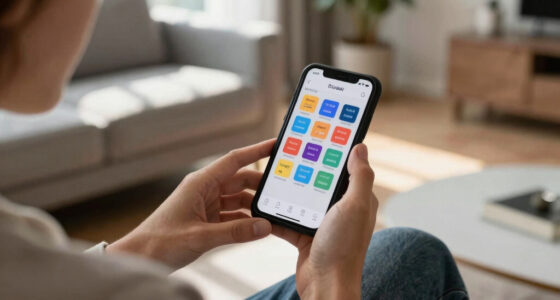

Welcome to the Accessible Tech Shopping List 2026, your go-to guide for selecting essential devices that enhance independence and communication. Whether you’re exploring options for yourself or helping a loved one, this list is designed to simplify your decision-making process. Each section highlights key products tailored to different needs, from hearing assistance to visual magnification.

Get everyday helpers delivered free — and shop member deals
- Fast, free delivery on millions of items
- Access to Prime Big Deal Days deals on October 6–7
- Prime Video, Amazon Music and more included
This article is organized by device category, making it easy to navigate and find what suits your specific requirements. For each product, you’ll find a detailed explanation of its benefits, common pitfalls to avoid, and practical advice on choosing the right fit, compatibility, or features. Use this as a reliable reference during your shopping journey to ensure you select devices that truly meet your accessibility goals.
Assistive Listening Devices
Assistive listening devices like the ELEHEAR Beyond OTC Hearing Aids are transforming how seniors and those with hearing challenges experience sound. These devices often feature advanced noise cancellation, making conversations clearer even in noisy environments. Choosing the right device depends on understanding your specific hearing needs, whether it’s for everyday conversations or more specialized listening scenarios. Avoid common mistakes like selecting a device without proper testing or ignoring compatibility with your existing accessories.
When evaluating assistive listening devices, focus on features like sound quality, battery life, and ease of use. Consider whether the device offers adjustable volume controls or Bluetooth connectivity, which can enhance versatility. Proper fit and comfort are also vital for prolonged use. Be sure to check if the device supports your preferred phone or audio system, and confirm that it’s suitable for your hearing loss level. A well-chosen device can significantly improve communication and overall quality of life.
What to look for:
- Effective noise cancellation technology
- Adjustable volume and tone controls
- Compatibility with smartphones or other devices
- Comfortable, secure fit
- Long battery life
ELEHEAR Beyond OTC Hearing Aids for Seniors, 50dB AI Noise Cancellation, Recharg

These OTC hearing aids are designed for seniors with mild to moderate hearing loss, offering 50dB amplification, noise cancellation, and feedback reduction. They feature Bluetooth connectivity, customizable settings via an app, four scene modes, and a long-lasting battery with quick charging, all in a discreet and comfortable design.
Pros:
- Effective noise cancellation and speech clarity with AI technology
- Long battery life with quick charging capability
- Customizable settings via intuitive app for personalized hearing experience
- Discreet and comfortable design suitable for all-day wear
Cons:
- Requires smartphone for full customization and control
- May be less effective for severe hearing loss
- Limited color options
Best for: Seniors and hearing aid users
Not ideal for: For those needing custom-fit or professional tuning
Bottom line: Prioritize sound quality and compatibility for best results.
Speech-to-Text Apps
Speech-to-text apps are invaluable tools for converting spoken words into written text, aiding those with hearing loss or speech difficulties. While specific app recommendations are beyond this list, it’s important to choose solutions that are compatible with your smartphone or tablet. Look for apps with high accuracy, real-time transcription, and easy sharing options. Be aware that background noise and accents can affect performance, so testing different apps can help you find the best fit.
When selecting a speech-to-text app, consider the user interface—intuitive and simple controls are essential for quick, reliable use. Check if the app offers features like customizable vocabulary or offline mode, which can be crucial in certain environments. Remember, no app is perfect, so pairing it with a good microphone or headset can improve results. Regular updates and customer support are also signs of a dependable app, ensuring your communication remains smooth over time.
What to look for:
- High transcription accuracy
- Real-time speech display
- Compatibility with your device
- User-friendly interface
- Offline and customizable options
Visual Alert Systems
Visual alert systems are essential for alerting users to important sounds like doorbells, alarms, or phone calls. They come in various forms, including flashing lights, vibrating alerts, or a combination of both. Picking the right system involves assessing your environment and specific alert needs. Common mistakes include selecting devices with limited compatibility or insufficient alert intensity, which can reduce effectiveness.
When shopping for a visual alert system, look for features such as multi-sensory alerts, adjustable brightness or vibration intensity, and easy integration with existing devices. Compatibility with your home setup, including smart home compatibility, can make installation and daily use more seamless. Ensure the system covers all critical alerts in your environment, and consider placement options for maximum visibility. Properly chosen alert systems can foster independence and safety in your home or workplace.
What to look for:
- Multi-sensory alert options (lights and vibrations)
- Adjustable alert intensity
- Compatibility with existing devices
- Wide coverage area
- Ease of installation and use
Accessible Smartphones
Accessible smartphones like the Hearing Aids for Seniors with Bluetooth offer an integrated approach to communication and daily tasks. These devices often feature rechargeable batteries, noise cancellation, and Bluetooth connectivity, making them versatile and user-friendly. When choosing an accessible smartphone, consider compatibility with hearing aids, screen size, and ease of navigation. Avoid devices with overly complex interfaces or limited support for assistive features.
Pay attention to the device’s audio quality, customization options, and durability. Compatibility with your existing hearing aids or assistive tech can streamline your experience. The right smartphone should also offer accessible features like voice control, large icons, and simple menus. Test the device thoroughly to ensure it meets your needs, and remember that regular software updates can enhance functionality over time. A well-chosen accessible smartphone can be a powerful tool for staying connected and independent.
What to look for:
- Bluetooth compatibility with hearing aids
- Recharging capability
- Simple, intuitive interface
- Robust noise cancellation
- Customizable accessibility features
Hearing Aids for Seniors with Bluetooth, Rechargeable, Noise Cancellation, 5-Lev

These behind-the-ear hearing aids are designed for seniors, featuring Bluetooth connectivity, noise reduction, and a rechargeable battery that provides up to 80 hours of use. They are lightweight, comfortable, and easy to operate with a one-button volume control, offering clear sound quality for moderate hearing loss.
Pros:
- Lightweight and discreet design for comfortable all-day wear
- Long-lasting rechargeable battery with quick charge
- Simple one-button operation with multiple volume levels
- Effective noise reduction for clearer sound
Cons:
- May not be suitable for severe hearing loss
- Requires access to a QR code or website for troubleshooting videos
- Limited to moderate hearing loss only
Best for: Seniors and users needing hearing aid integration
Not ideal for: For those preferring minimal tech features
Bottom line: Choose a device that enhances communication and ease of use.
Magnification Tools
The MDybf 22-Inch Computer Screen Magnifier is a practical choice for users who need larger text and clearer visuals for reading or working on a computer. Its anti-blue light feature helps reduce eye strain during extended use, which is common among users with visual impairments. When selecting a magnification tool, consider the size and compatibility with your monitor or device, as well as the level of magnification needed for comfortable viewing.
Common mistakes include choosing a magnifier that doesn’t fit your screen size or lacks adjustable settings. Look for features like adjustable zoom levels, sturdy mounting options, and anti-glare surfaces. Proper positioning and lighting are also crucial for optimal use. Remember, a good magnification tool should feel natural and reduce eye fatigue, making daily tasks easier and more comfortable. Regular cleaning and maintenance will keep your device functioning smoothly for years to come.
What to look for:
- Appropriate screen size compatibility
- Adjustable magnification levels
- Anti-blue light and anti-glare features
- Sturdy, stable mounting options
- Ease of use and maintenance
MDybf 22-Inch Computer Screen Magnifier with Anti-Blue Light

This 22-inch screen magnifier uses high-definition optical technology to enlarge laptop, tablet, and phone screens by 3-5 times. Made with environmentally friendly materials, it helps protect eyes from close viewing distances and can be adjusted for multiple angles, making it a great gift for family and friends.
Pros:
- Enlarges screens by 3-5 times for easier viewing
- Adjustable viewing angles for comfort
- Made with eco-friendly materials
- Helps reduce eye strain and protect from blue light
Cons:
- Requires close proximity for effective use
- May not fit all laptop or device sizes perfectly
- Potentially bulky for small desks
Best for: Users with visual impairments or reading difficulties
Not ideal for: For those needing portable magnification solutions
Bottom line: Opt for a magnifier that offers flexibility and comfort.
Adaptive Keyboards
The Kinesis Freestyle2 Ergonomic Keyboard with VIP3 Lifters is designed to reduce strain and improve comfort during prolonged typing sessions. Its ergonomic split design allows for a customizable setup, which can help prevent repetitive strain injuries. When selecting an adaptive keyboard, consider compatibility with your computer system, key layout, and whether it offers features like programmable keys or wrist support. Many users mistakenly overlook compatibility, leading to frustration or the need for additional adapters.
Pay attention to the keyboard’s size, key sensitivity, and the overall ergonomics to ensure it suits your hand size and typing style. The VIP3 Lifters can provide additional height and angle adjustments, enhancing comfort. Testing the keyboard before purchase, if possible, can help you gauge its suitability for your needs. Proper setup and positioning are vital for long-term comfort and health. An ergonomic keyboard can make a significant difference in reducing fatigue and increasing productivity.
What to look for:
- Compatibility with your device system
- Adjustable height and angle
- Ergonomic split design
- Programmable keys or shortcuts
- Comfortable wrist support
Kinesis Freestyle2 Ergonomic Keyboard with VIP3 Lifters for Mac (9" Separation)

The Kinesis Freestyle2 is an ergonomic split keyboard that allows up to 9 inches of separation between modules for customized comfort. It features adjustable tenting, a standard Mac layout with hotkeys, and low-force tactile switches to reduce finger fatigue.
Pros:
- Customizable split design for ergonomic comfort
- Adjustable tenting angles with included VIP3 accessory
- Standard Mac layout with hotkeys and multimedia keys
- Low-force tactile switches reduce finger fatigue
Cons:
- Requires some setup for optimal positioning
- Limited to Mac layout, may not suit Windows users
- No backlit keys
Best for: Long-term computer users with ergonomic needs
Not ideal for: For casual or infrequent typists
Bottom line: Prioritize compatibility and ergonomic features for best use.
Starting your accessible tech shopping with a clear plan ensures you get the most suitable devices for your needs. Focus on your priorities—whether it’s hearing, vision, or communication—and select products that offer the best features for your lifestyle. Remember, investing in the right tools can significantly enhance independence and confidence in daily activities.
Keep exploring, ask questions, and don’t hesitate to seek professional advice if needed. With the right selection, you’ll be well on your way to creating a more accessible and empowering environment. Happy shopping, and enjoy the journey toward greater independence!
Halloween Picks
halloween
As an affiliate, we earn on qualifying purchases.