TL;DR
Assistive listening devices (ALDs) send sound from a microphone or venue audio system to a nearby receiver, helping people with hearing loss follow speech when distance, background noise, or room acoustics get in the way. Loops, radio, infrared, and phone-based systems suit different spaces, and none can make overlapping conversations clear on their own. Organizers can make a real difference by checking the setup, training staff, and explaining access options before guests arrive.
An ALD carries sound from a microphone or venue system to a nearby receiver; it can be used with compatible hearing aids or cochlear implants.
Loops, radio, infrared, and phone-based systems have different connection and room requirements, so ask what a specific venue offers.
A close-miked speaker is easier to send clearly than several people talking at once; microphone habits and room acoustics still matter.
Organizers can test the system, charge receivers, train staff, and explain access options before guests arrive.
A discreet loaner option and clear event information let guests choose support without public disclosure.

Get everyday helpers delivered free with Prime
- Fast, free delivery on millions of items
- Prime Video, Amazon Music and more included
- Member-only deals all year
How an assistive listening device brings a speaker closer
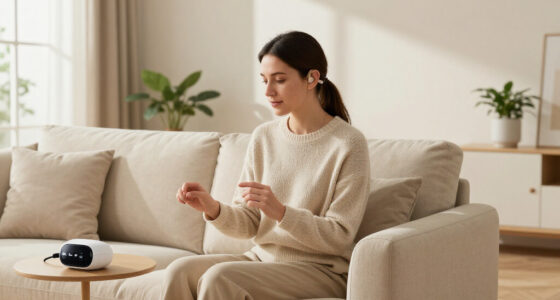
An assistive listening device sends sound from a microphone or venue audio system to a receiver near the listener, reducing the effects of distance and competing noise. The listener may use headphones, an earpiece, a neck loop, or a connection to compatible hearing aids or cochlear implants. An ALD delivers sound from a specific source; a hearing aid processes sound for its wearer, and people may use both together. Think of it as moving the speaker’s microphone closer to your ears, even when you’re sitting across a hall. At a community meeting, a speaker’s voice can travel from the lectern microphone to a loaned receiver rather than reaching you only after bouncing around the room. That direct route can make words easier to catch, though it does not restore hearing or guarantee that every voice will sound clear. The difference matters because distance weakens speech and lets room noise compete with it; a direct signal can improve that balance without changing the room itself. The source matters. If a presenter forgets to use the microphone, the ALD may have little or nothing useful to send. And if four people call out from different corners, one microphone cannot neatly untangle their voices. A close microphone helps with one voice at a time; good turn-taking helps with the rest. In practice, the system is only as useful as the audio it receives, so consistent microphone use is part of accessibility, not merely a technical detail.Popular right now

Bose QuietComfort True Wireless Earbuds with Active Noise Cancellation, Bluetooth 5.3, USB-C Charging, IPX4, Black

Hisense 75-Inch U7 Mini-LED ULED 4K UHD Smart Google TV (75U7SG)

Samsung 43-Inch M70H Series 4K Mini LED Smart TV (2026)
As an affiliate, we earn on qualifying purchases.
Which listening system fits your gathering
The best assistive listening device system depends on the room, audience, sound equipment, and how guests want to connect. A loop can suit a venue with compatible hearing devices, while portable receivers can work well when organizers need to serve a changing audience. Phone-based audio may be convenient, but only when the venue and guests’ devices work smoothly together. These choices involve practical tradeoffs: an installed system can be simple for repeat visitors, while portable or phone options may be easier to offer in a venue without a built-in loop. Each adds setup, compatibility, or staffing needs that organizers should account for before the event.| System | How it reaches the listener | Where it may fit | What to check |
|---|---|---|---|
| Hearing loop | Magnetic signal received through a compatible telecoil, or T-coil | Installed halls, theaters, and places of worship | Whether the device has a T-coil and the loop covers the listening area |
| FM or digital radio | Radio signal sent to a portable receiver | Large or complex rooms and events using loaner equipment | Receiver availability, charging, and channel setup |
| Infrared | Light-based signal sent from a transmitter | Some indoor venues with a clear path to the receiver | Whether walls, seating, or movement block the signal |
| Wi-Fi, Bluetooth, or phone-based audio | Audio delivered through a compatible device or app | Some events with suitable network and technical support | Device compatibility, latency, battery life, and whether an app or account is needed |
Where these devices help people follow speech
Assistive listening devices can help people with hearing loss follow speech in places where distance, background noise, or room acoustics make listening difficult. They often add the most value when one microphone can capture a main speaker, such as during a presentation, worship service, theater performance, classroom lesson, guided tour, or set of announcements. The common feature is a clear source that the system can prioritize; the benefit is less about making a room quiet and more about making the intended voice easier to distinguish. Consider a volunteer giving instructions in an echoing community center. Guests near the front may hear every word, while someone by the back doors catches only fragments. A receiver carrying the close-miked speech can make the announcements easier to hear from farther away. The room still matters: a microphone placed too far from the speaker may pick up less clear speech, and a loud ventilation fan can muddy the sound before it reaches the system. That is why testing from different seats can reveal problems a check at the sound desk misses: the system can transmit well while a particular listening area still has poor coverage or competing noise. Informal gatherings are trickier. At a wedding reception, the system may work well for a toast, then offer little help once guests split into small groups and talk over the music. People who want to hear one another may need a microphone used in turn, a quieter table, or a smaller conversation circle. Better access often comes from pairing the device with thoughtful room acoustics and clear speech. This also helps organizers decide where to spend effort: a receiver supports the amplified part of the event, while seating, music levels, and conversation habits shape what happens afterward.A simple event check makes access easier
To prepare a gathering, confirm what system the venue has, test it with the microphones, and tell guests how they can use it. A few small checks can prevent a receiver from sitting uncharged in a drawer while a guest struggles to hear a speaker. Planning matters because a system that exists on paper may be difficult to use in the moment if nobody knows where it is, how it connects, or whether it works in the seats guests will occupy.- Ask what the venue provides. Find out whether it has a loop, radio receivers, infrared, or a phone-based option. Ask whether guests need compatible hearing devices, headphones, an app, or their own phone.
- Test the full path. Before doors open, check the microphone, transmitter, receiver, and listening area. Walk to a seat near the back; a system that works at the sound desk may not work everywhere.
- Prepare the equipment. Charge devices, set out clean headphones or earpieces, and make spare batteries or charged receivers available where appropriate.
- Tell guests in advance. Add clear information to the invitation or event listing, including how to request a receiver and whom to contact privately.
- Brief the staff. Show staff where equipment lives, how to issue and clean it, and how to explain basic connections discreetly.
Know what a listening system cannot fix
An assistive listening device can make a close-miked voice easier to hear, but it cannot make every voice clear in every room. Its limits show up most when people speak at once, the main microphone is not used, or room noise overwhelms the original sound. This distinction helps organizers choose the right support: the system improves access to the sound source it receives, while other changes may be needed for unamplified conversation. At a lively buffet, imagine trying to follow one friend while plates clatter, music plays, and another guest asks a question from across the table. A receiver tuned to the friend’s microphone might help if they speak into it. It will not automatically identify their voice among every other sound. That distinction helps set fair expectations: ALDs can improve access to a chosen source; they are not a universal noise eraser. Room acoustics still count. Hard floors and bare walls can send speech bouncing around like a ball in a tiled kitchen. Organizers can reduce some of that muddiness by lowering background music, using microphones consistently, and choosing seating away from loud speakers or kitchen doors. If a gathering depends on open conversation, smaller groups and one speaker at a time may help more than simply adding receivers. These measures address different parts of the problem: the receiver brings a chosen voice closer, while quieter surroundings and turn-taking make voices easier to understand in the room.Phone-based options need a little homework
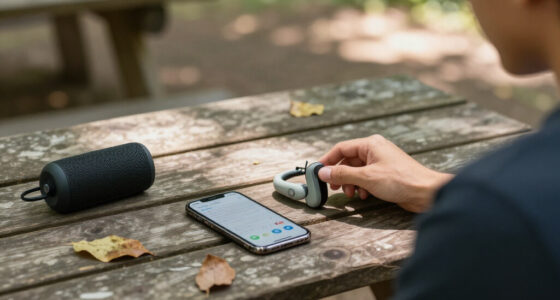
Phone-based listening can make event audio flexible, but the experience depends on the venue’s setup, network, device compatibility, and audio delay. Some guests may welcome a familiar phone connection; others may not want to install an app, create an account, use mobile data, or drain a battery during a long event. The tradeoff is convenience for people whose devices and network work well against extra steps and dependence on personal technology for others. Picture a conference offering live audio through its Wi-Fi. One guest connects in seconds, while another discovers the app is not compatible with their device or that the audio lags behind the speaker’s lip movements. Those differences are why phone-based systems work best when organizers describe the connection method in advance and test it with more than one device. Delay can be especially distracting when a listener can see the speaker, so a successful connection alone does not prove the listening experience is comfortable. A practical invitation might say: “Assistive listening is available through venue receivers and a phone-based option. Receivers are available at the welcome desk; the phone option uses the event Wi-Fi and does not require an account.” Be accurate about what is available. If you are attending, ask whether a loaner receiver is provided and whether you need to bring anything. A straightforward loaner option gives guests a choice without making personal technology a condition of access.Small acts of welcome make support feel normal
Clear information and discreet help make assistive listening easier to use. Guests should be able to learn what the venue offers, where to find equipment, and how to ask for help without announcing a hearing condition to the room. This matters because an available device only helps if a guest knows it exists and can collect it comfortably; privacy and ease of access affect whether people feel able to use support at all. For instance, an invitation could include a short line naming the available system and a contact for access questions. At the event, a simple sign can point to the receiver desk, while a trained volunteer offers a quiet explanation: “Would you like me to show you how the headphones work?” That approach leaves the choice with the guest and avoids turning equipment pickup into a public conversation. Organizers can include a few useful details in their notice:- System type: State whether the venue has a loop, loaner receivers, or a phone-based connection.
- What guests need: Say whether the venue supplies headphones and whether compatible hearing devices are needed.
- Where to get help: Name a desk, staff member, or private contact route.
- Privacy and setup: Explain whether an app, account, or personal device is involved.