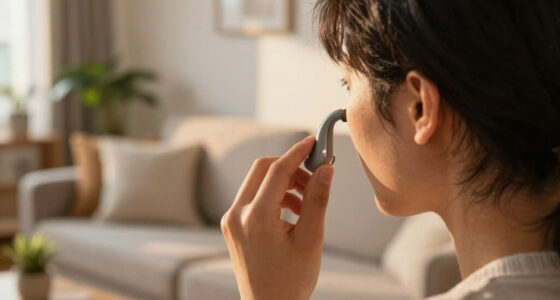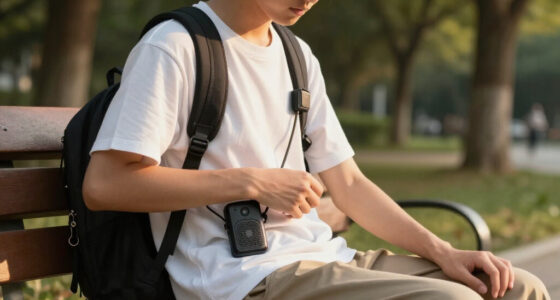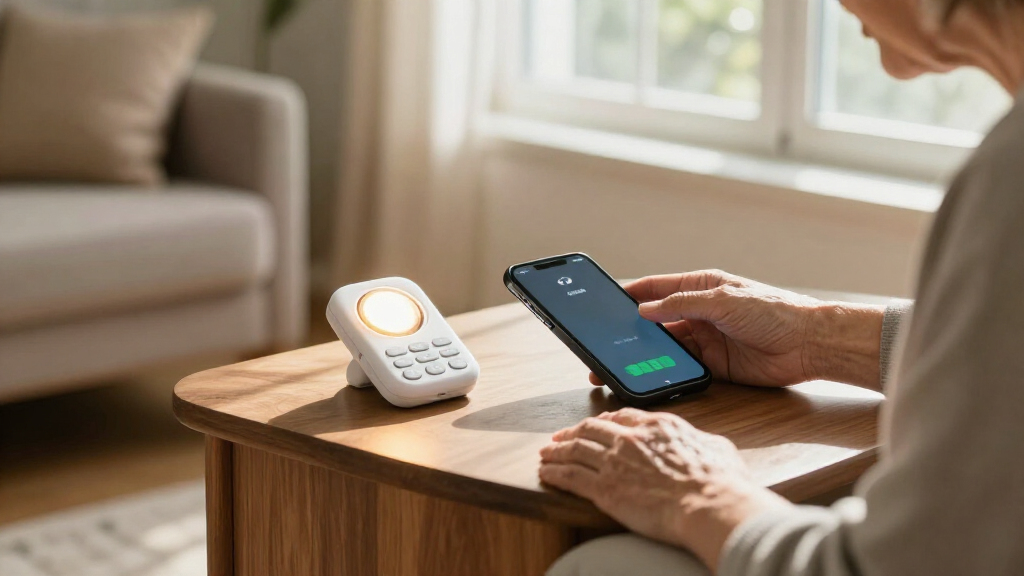
This checklist is for people choosing phone and alerting equipment to make everyday communication and important signals easier to notice. It may also help family members or caregivers compare options. Start with the need—hearing calls, waking to an alarm, noticing a doorbell, or receiving a smoke alert—and check that the product is designed for that job.

Get everyday helpers delivered free with Prime
- Fast, free delivery on millions of items
- Prime Video, Amazon Music and more included
- Member-only deals all year
The sections are organized by equipment type. Some include a named pick; the captioned phone section offers advice without a product recommendation. Check the exact model and its stated features before buying, since a product name alone may not confirm compatibility or accessibility functions.
Use the “Look for” points as a quick screening list, then compare the device with the person’s hearing, vision, dexterity, and home setup. For safety alerts and hearing aids, confirm suitability with the manufacturer or a qualified professional when the details are unclear.
Amplified Telephones
An amplified telephone can be useful when standard call audio is difficult to hear. The listed pick is the Panasonic KX-TGM420W with one KX-TGMA44W amplified cordless phone, but the provided product name does not establish which accessibility features are included. Verify the specific functions that matter to the person, such as adjustable call volume or visual call cues, in the manufacturer’s documentation.
A common mistake is assuming an accessory handset works with a base simply because the model names appear together. Confirm that the handset and base are compatible, and check how many handsets the package includes. Consider where the phone will be used, whether cordless operation suits the household, and whether the controls and display are comfortable to use. Check fit with the routine: a handset kept in a hard-to-reach place may not help when a call comes in.
What to look for:
- Confirm the listed base and handset are compatible.
- Check package contents and handset count.
- Verify the call-volume and alert features in the manual.
- Assess button size, display readability, and control layout.
- Confirm the phone connection works with the home service.
Panasonic KX-TGM420W + 1 KX-TGMA44W Amplified Cordless Phone with Digital Answer

This amplified cordless home phone system is designed for individuals with mild to moderate hearing loss, featuring volume boost up to 40 dB, noise reduction, and a loud ringer. It includes an enlarged backlit LCD, touch controls, and is expandable to six handsets for easy use in noisy environments.
Pros:
- Loud volume boost up to 40 dB for clear calls
- Large backlit LCD and touch controls for easy visibility
- Expandable to six handsets for multiple users
- Includes noise reduction and slow talk features for clarity
Cons:
- May be bulky for small spaces
- Limited to hearing aid compatible features
- Some users may find the number of features complex
Best for: Households comparing an amplified cordless phone setup
Not ideal for: Shoppers who have not confirmed the included features or compatibility
Bottom line: Verify the handset, base, and accessibility features against the person’s needs before choosing this phone.
Captioned Phones
A captioned phone may help someone follow a conversation by displaying spoken words on a screen. There is no product pick for this section, so treat it as a needs-based search rather than a recommendation. Confirm how captions are provided, what service or connection is required, and whether the system is suitable for the person’s location and phone setup.
One common buying mistake is choosing a device based on the word “captioned” without checking the full service requirements. Ask whether setup, internet access, registration, or ongoing account use is needed, and check how captions appear during calls. Consider screen readability, controls, and whether the user can comfortably manage incoming and outgoing calls. Try the workflow with the intended user where possible, including the steps needed to start, answer, and end a call.
What to look for:
- Confirm captioning eligibility and service requirements.
- Check whether internet or a particular phone connection is needed.
- Assess caption size, contrast, and screen placement.
- Review the steps for answering and placing calls.
- Ask about setup, support, and ongoing account requirements.
Vibrating Alarm Clocks
A vibrating alarm can offer a quiet wake-up option for someone who may not notice or prefer an audible alarm. The listed pick is a vibrating wristband clock described for heavy sleepers. The product name alone does not confirm its vibration strength, alarm settings, or wearing comfort, so check the operating details before relying on it for a daily routine.
A common mistake is overlooking fit: a wristband that feels uncomfortable or shifts during sleep may not suit the user. Check the band’s adjustment range, controls, battery or charging method, and how alarms are set and silenced. Consider whether the wearer can manage the device independently and whether it is comfortable to wear overnight. Test it in the intended setting before depending on it for an important wake-up time.
What to look for:
- Check the wristband’s adjustment range and wearing comfort.
- Verify vibration and alarm settings in the product details.
- Confirm battery or charging requirements.
- Assess whether controls are manageable for the wearer.
- Test the alarm in the intended sleeping environment.
Vibrating Alarm Wristband Clock for Heavy Sleepers – Silent Bracelet Watch with

The vibrating alarm wristband offers eight independent silent vibration reminders, making it ideal for heavy sleepers, students, and busy professionals. It combines a digital time/date display, countdown timer, stopwatch, sleep monitoring, and step tracking in one battery‑operated wearable device.
Pros:
- Silent vibration alerts won’t disturb others
- Multiple functions (alarm, timer, stopwatch, activity tracking) in one device
- Large easy‑to‑read LED display for day and night use
- Battery powered, no need for charging cables
Cons:
- No smartphone or Bluetooth connectivity for data sync
- Potentially bulky for users who prefer a slim watch
Best for: Someone seeking a wearable vibrating wake-up option
Not ideal for: People who prefer not to wear a device while sleeping
Bottom line: Confirm fit, controls, and alert behavior before making this wristband part of a wake-up routine.
Visual Doorbell Receivers
A visual doorbell receiver should make a door signal easier to notice, but the listed pick is named as a wireless HDMI transmitter with four receivers. That name does not establish that it is a doorbell alerting system. Confirm the intended function before buying: check whether the product can connect to a doorbell and provide the visual alert the household needs.
A common mistake is treating a receiver count or wireless range in a product title as proof of compatibility with a doorbell. Verify the signal source, receiver behavior, power needs, and setup requirements in the manufacturer’s documentation. If the goal is to alert people in several rooms, check whether each receiver can be placed where it will be noticed and whether the system works through the home’s layout. Match the source and receiver to the actual alerting task, and consider a dedicated doorbell receiver if this product is not designed for it.
What to look for:
- Confirm the product supports a doorbell signal source.
- Verify the type of visual alert provided by each receiver.
- Check compatibility, setup, and power requirements.
- Assess receiver placement across the intended rooms.
- Confirm the system suits the home’s layout and alerting needs.
Wireless HDMI Transmitter with 4 Receivers, 500 ft, 1080p

This wireless HDMI kit includes one transmitter and four receivers for sharing audio and video with multiple displays. It supports 1080p at 60 Hz, 4K decoding, dual-band 2.4 GHz and 5 GHz transmission, and plug-and-play setup; range is up to 500 feet in open spaces and may be reduced through walls.
Pros:
- Includes four receivers for multi-display setups
- Plug-and-play setup requires no software or drivers
- Supports 1080p at 60 Hz and 4K decoding
- Includes Micro HDMI and Mini HDMI adapters
Cons:
- Transmission range decreases through walls
- Requires a separate 5V/1A or higher power source for each unit
- Does not support TV-to-TV transmission
Best for: Shoppers investigating whether this system supports their doorbell
Not ideal for: Anyone needing a confirmed doorbell alerting device without further checks
Bottom line: The product name does not confirm doorbell use, so verify its function and compatibility before purchase.
Flashing Smoke Alarms
Smoke and carbon monoxide alerts are important to notice and respond to promptly. The listed pick is a hardwired Kidde smoke and CO detector with battery backup, in a three-pack. The product name does not confirm that it provides a flashing visual alert, so verify the alert types in the documentation before treating it as suitable for someone who may not hear an alarm.
A common mistake is assuming that a smoke and CO detector automatically includes visual signaling or will work with existing alarms. Check the exact model’s alert features, hardwiring requirements, backup arrangement, and compatibility with the home’s current system. Confirm that installation follows the manufacturer’s instructions and applicable local requirements. Plan for the household: alert placement and a reliable way to notice and respond matter alongside the detector itself.
What to look for:
- Verify whether the exact model provides a visual alert.
- Confirm hardwiring and backup requirements.
- Check compatibility with existing detectors and wiring.
- Review installation and maintenance instructions.
- Plan alert placement and response for household members.
Kidde Smoke & CO Detector, Hardwired with Battery Backup, 3 Pack

This 3-pack of Kidde smoke and carbon monoxide detectors features advanced sensing technology for faster detection, a loud alarm, and LED status lights. They are hardwired with a battery backup, interconnect capable, and meet safety standards, making them ideal for homes and apartments.
Pros:
- Detects both smoke and carbon monoxide for comprehensive safety
- Hardwired with battery backup ensures continuous operation
- Interconnect capability alerts the entire home simultaneously
Cons:
- Requires professional installation for hardwiring
- Battery backup uses AA batteries which need replacement after years
- Loud alarm may be disruptive in quiet environments
Best for: Households comparing hardwired smoke and CO detectors
Not ideal for: Anyone who needs a verified flashing alert but has not confirmed the model features
Bottom line: Check the exact model’s visual alerts and installation compatibility before relying on it for accessible warning.
Bluetooth Hearing Aid Streamers
A Bluetooth streamer is intended to connect hearing aids with audio sources, while the listed pick is named as a hearing aid dehumidifier and dryer. The provided name does not indicate that it streams Bluetooth audio. Check the product’s actual purpose before buying; a drying device may serve a different need from connecting hearing aids to a phone or other source.
A common mistake is assuming that any hearing aid accessory supports the same devices or functions. Confirm whether the product streams audio, what hearing aid models it supports, and whether a separate app, accessory, or connection process is required. If the need is moisture care instead, review the drying cycle and the hearing aid manufacturer’s care guidance. Match the accessory to the task and check fit with the person’s hearing aids before purchase.
What to look for:
- Confirm whether the product streams Bluetooth audio or dries hearing aids.
- Check compatibility with the exact hearing aid models.
- Verify any app, accessory, or connection requirements.
- For drying use, review cycle details and care guidance.
- Ask the hearing care provider about suitable accessories.
Hearing Aid Dehumidifier and Dryer with 15-Minute Drying Cycle

This hearing aid dryer uses 45°C constant-temperature drying, vacuum dehumidification, and UV-C light in an automatic 15-minute cycle. Its LED display shows temperature, humidity, and air pressure, and it is designed for quiet operation and compatibility with hearing aids, earbuds, and other listed devices.
Pros:
- Automatic 15-minute drying cycle
- LED display monitors operating conditions
- Listed as compatible with several types of hearing and audio devices
- One-year warranty and phone support are offered
Cons:
- The description does not provide capacity or dimensions
- The UV-C cleaning effectiveness is not detailed
Best for: Shoppers checking whether this accessory suits their hearing aid task
Not ideal for: People specifically seeking a confirmed Bluetooth audio streamer
Bottom line: The listed name describes a dryer, so verify the function and hearing aid compatibility before choosing it as a streamer.
Use a budget-first buying order by prioritizing the equipment tied to the most immediate daily need, then confirm required connections, compatibility, and must-have accessibility features before comparing optional conveniences. Verify the model details first, especially where a product name does not clearly match the section’s intended function.
Small checks can make a big difference in whether equipment fits the person and the home. Review setup steps, test alerts where appropriate, and ask a qualified professional when safety or hearing aid compatibility is uncertain. Choose for the user’s routine and take the checklist one category at a time.