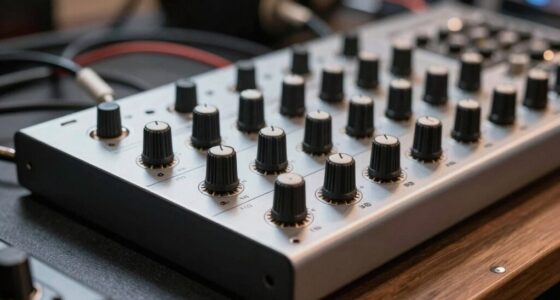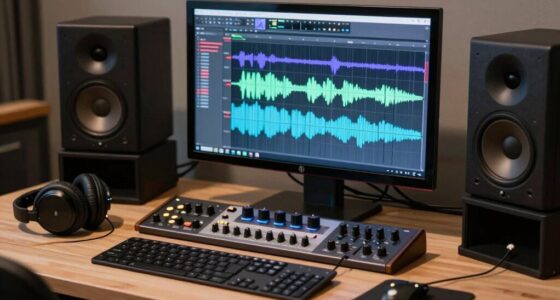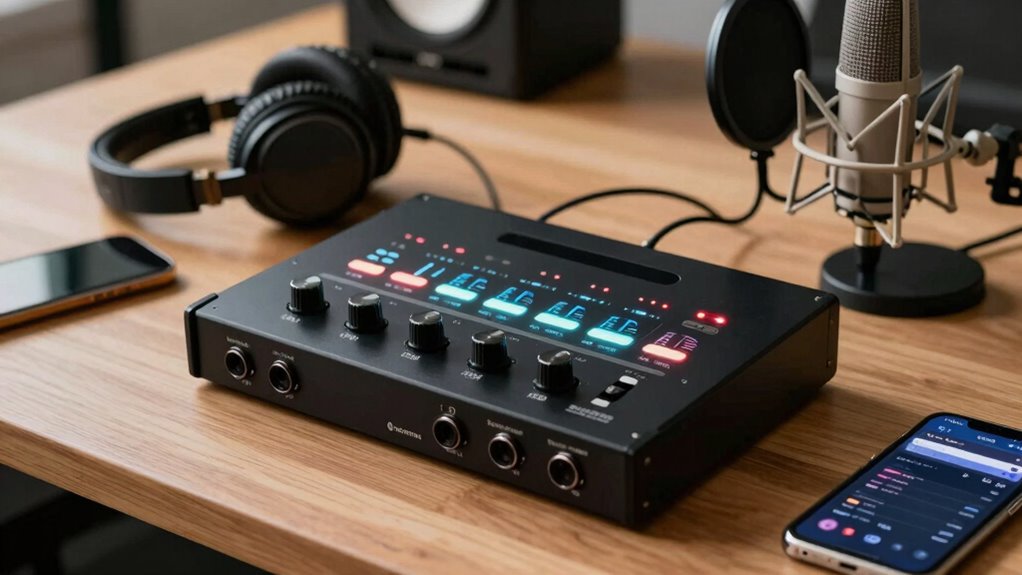
Finding the right audio interface for voice over work can significantly impact your sound quality and workflow. The Focusrite Scarlett Solo 4th Gen stands out as the best overall choice thanks to its balanced combination of sound clarity, durability, and affordability. For those seeking a budget-friendly option, the MAONO PS22 Lite offers solid performance for streaming and casual recording. Meanwhile, the Mackie Onyx Artist 1-2 provides reliable build quality with straightforward features. The main tradeoffs in this category often involve balancing price with audio fidelity, input/output options, and ease of use. Continue reading to explore detailed reviews and help you make an informed decision.

Get everyday helpers delivered free with Prime
- Fast, free delivery on millions of items
- Prime Video, Amazon Music and more included
- Member-only deals all year
Key Takeaways
- The top-ranked models excel in delivering clear, professional-quality sound tailored for voice over applications.
- Build quality and ease of use are key factors that differentiate premium options from budget models.
- Most top picks include at least one XLR input, but the presence of additional line inputs can benefit multi-source recordings.
- USB-C connectivity is increasingly standard, ensuring faster data transfer and future-proofing your setup.
- Choosing between analog control knobs and digital interfaces depends on your workflow preference and technical comfort.
| Mackie Onyx Artist 1-2 USB Audio Interface |  | Best for Mobile Voice Over Recordings | Connectivity: USB | Channels: 2 | Frequency Response: 192000 Hz | VIEW ON AMAZON | See Our Full Breakdown |
| MAONO PS22 Lite USB Audio Interface for PC, Guitar & Vocals Streaming |  | Best for Streamers and Content Creators on a Budget | Supported Devices: Guitar, Headphone, Laptop, Smartphone, Microphone, Speaker | Supported Software: Ableton Live, Studio One, Logic Pro, Cubase, GarageBand, FL Studio, YouTube, TikTok, OBS, Twitch, Discord | Connectivity Technology: USB | VIEW ON AMAZON | See Our Full Breakdown |
| Focusrite Scarlett Solo 3rd Gen USB-C Audio Interface |  | Best for Solo Voice Over Artists and Podcasters | Connectivity: USB-C | Bit Depth: 24-bit | Sample Rate: 192kHz | VIEW ON AMAZON | See Our Full Breakdown |
| MAONO P2 Hybrid USB Audio Interface Dual XLR for PC, Phone, iPad, Guitar |  | Best for Multi-Device Content Creators and Streamers | Compatible Devices: Guitar, Headphone, Laptop, Microphone, Smartphone | Supported Software: Ableton Live, Studio One, Logic Pro, Cubase, GarageBand, FL Studio, YouTube, TikTok, OBS, Twitch, Discord | Connectivity Technology: USB | VIEW ON AMAZON | See Our Full Breakdown |
| Focusrite Scarlett Solo 4th Gen USB-C Audio Interface |  | Best for Solo Musicians & Small-Scale Voice Over Projects | Dynamic Range: 120dB | Connectivity: USB-C | Included Software: Pro Tools Intro+, Ableton Live Lite | VIEW ON AMAZON | See Our Full Breakdown |
| M-AUDIO M-Track Solo USB Audio Interface |  | Best Overall for Versatile Voice Over Recording | Audio Resolution: 48kHz | Inputs: 1 combo XLR/Line | Outputs: Stereo RCA, 1/8″ headphone | VIEW ON AMAZON | See Our Full Breakdown |
| MAONO P1 USB Audio Interface with 70dB Gain for PC, Phone, iPad & Guitar |  | Best for Multi-Device Recording Flexibility | Connectivity: Dual USB ports, MFi certified | Gain: 70dB | Audio Quality: 24-bit/192kHz | VIEW ON AMAZON | See Our Full Breakdown |
| M-AUDIO M-Track Duo USB Audio Interface |  | Best for Dual-Source Voice Recording and Streaming | Audio Resolution: 48kHz | Inputs: 2 combo XLR/Line | Outputs: 1/4″ headphone, stereo 1/4″ | VIEW ON AMAZON | See Our Full Breakdown |
| Focusrite Scarlett 2i2 4th Gen USB-C Audio Interface |  | Best for Professional Voice Over with Studio-Quality Sound | Connectivity: USB-C | Dynamic Range: 120dB | Included Software: Pro Tools Intro+, Ableton Live Lite | VIEW ON AMAZON | See Our Full Breakdown |
| PIYONE 2×2 24-bit/192kHz USB C Audio Interface for Studio Recording |  | Best for Compact, High-Resolution Professional Recording | Sample Rate: 192 KHz | Inputs: 2 XLR/TRS Combo | Connectivity: USB-C | VIEW ON AMAZON | See Our Full Breakdown |
| audio interface for voice over | Connectivity | Inputs |
|---|---|---|
| Mackie Onyx Artist 1-2 USB Aud | USB | — |
| MAONO PS22 Lite USB Audio Inte | — | — |
| Focusrite Scarlett Solo 3rd Ge | USB-C | 2 high-headroom instrument inputs |
| MAONO P2 Hybrid USB Audio Inte | — | — |
| Focusrite Scarlett Solo 4th Ge | USB-C | — |
| M-AUDIO M-Track Solo USB Audio | USB | 1 combo XLR/Line |
| MAONO P1 USB Audio Interface w | Dual USB ports, MFi certified | — |
| M-AUDIO M-Track Duo USB Audio | — | 2 combo XLR/Line |
| Focusrite Scarlett 2i2 4th Gen | USB-C | 2 combo XLR/Line |
| PIYONE 2×2 24-bit/192kHz USB C | USB-C | 2 XLR/TRS Combo |
More Details on Our Top Picks
Mackie Onyx Artist 1-2 USB Audio Interface
The Mackie Onyx Artist 1-2 stands out for its high-resolution 24-bit/192kHz recording quality and boutique-quality Onyx preamp, offering exceptional clarity for voice over work. Compared with the Focusrite Scarlett Solo 3rd Gen, it provides similar resolution but excels with its portable bus-powered design, ideal for on-the-go creators. The interface’s limited to 2 channels, however, constrains multi-mic setups, and it lacks built-in effects or DSP, which might be a downside for those seeking immediate processing. Its zero-latency monitoring makes it perfect for real-time voice work, especially in mobile scenarios where power options are limited. This makes it a strong choice for voice actors who need quality and portability but not multi-mic capability or onboard effects.
Pros:- High-resolution 24-bit/192kHz recording quality
- Boutique-quality Onyx mic preamp with phantom power
- Zero-latency direct monitoring
- Bus-powered for portable use
Cons:- Limited to 2 channels, not suitable for multi-mic recordings
- No built-in DSP or effects
Best for: Voice actors and mobile content creators who prioritize high-quality recording on the move
Not ideal for: Producers needing multi-mic setups or built-in effects for complex voice projects
- Connectivity:USB
- Channels:2
- Frequency Response:192000 Hz
- Maximum Sample Rate:192 KHz
- Dimensions:6.4″D x 4.4″W x 1.9″H
- Weight:1.2 pounds
- Supported Devices:Computer, DAW
Our verdict“A solid choice for voice over artists who need high-quality, portable recording with minimal setup.”
MAONO PS22 Lite USB Audio Interface for PC, Guitar & Vocals Streaming
The MAONO PS22 Lite offers a versatile, plug-and-play solution with high-resolution 24-bit/192kHz recording suited for streamers and content creators. Unlike the Focusrite Scarlett Solo 3rd Gen, it emphasizes broad device compatibility, supporting smartphones, tablets, and PCs, making it a flexible choice for multi-device setups. Its main tradeoff is the absence of built-in effects or processing, which means creators need external software for enhancements. Its simple interface and routing software make live streaming and broadcasting straightforward, but its limited to 2 channels, restricting multi-mic configurations. It’s ideal for those who need a reliable, portable interface for streaming and voice overs without complex features.
Pros:- Supports simultaneous connection to multiple devices including PC, phone, and iPad
- High-quality 24-bit/192kHz audio recording
- Includes powerful routing software for streaming
- Compact and durable design
Cons:- Limited to 2 channels, not for multi-mic setups
- No built-in effects or processing
Best for: Streamers and content creators needing versatile device compatibility and straightforward operation
Not ideal for: Pro audio engineers or multi-mic recording setups requiring more channels or onboard effects
- Supported Devices:Guitar, Headphone, Laptop, Smartphone, Microphone, Speaker
- Supported Software:Ableton Live, Studio One, Logic Pro, Cubase, GarageBand, FL Studio, YouTube, TikTok, OBS, Twitch, Discord
- Connectivity Technology:USB
- Number of Channels:2
- Frequency Response:20 KHz
- Operating System:Android, ChromeOS, Windows, iOS, macOS
Our verdict“An excellent pick for streamers and creators who need flexible, high-quality audio across multiple devices without complexity.”
Focusrite Scarlett Solo 3rd Gen USB-C Audio Interface
The Focusrite Scarlett Solo 3rd Gen is tailored for solo voice over artists, with high-quality pre-amps and switchable Air mode that adds brightness and clarity, making vocals sound more present. Compared to the Mackie Onyx Artist 1-2, it offers similar high-resolution (24-bit/192kHz) recording but with the added benefit of software and effects for post-processing. Its limited to 2 inputs, which suits single-mic applications but falls short if multiple mics or instruments are needed simultaneously. The USB-C connection ensures fast, reliable transfer, but it’s incompatible with older USB standards. Lacking built-in speakers or monitoring, it relies on external gear, so it’s best for users with existing setup.
Pros:- High-quality pre-amps with Air mode for clearer vocals
- Supports professional recording at 24-bit/192kHz
- Includes useful software and plugins
- Compact and portable
Cons:- Limited to two inputs, not suitable for multi-mic setups
- Requires USB-C port for best performance
Best for: Solo voice over talent and podcasters seeking professional sound in a compact, affordable package
Not ideal for: Groups or multi-mic projects needing more inputs or onboard effects
- Connectivity:USB-C
- Bit Depth:24-bit
- Sample Rate:192kHz
- Inputs:2 high-headroom instrument inputs
- Outputs:2 low-noise balanced outputs
- Included Software:Pro Tools Intro+, Ableton Live Lite
Our verdict“Perfect for solo voice talent and podcasters looking for high-quality, portable recording with minimal fuss.”
MAONO P2 Hybrid USB Audio Interface Dual XLR for PC, Phone, iPad, Guitar
The MAONO P2 Hybrid distinguishes itself with dual XLR inputs and extensive device compatibility, supporting Mac, PC, iPhone, Android, and cameras. Its 24-bit/192kHz audio quality rivals more expensive interfaces like Focusrite’s Scarlett series, but its real strength lies in versatility. Unlike the Focusrite Scarlett Solo 4th Gen, it offers multiple device connections simultaneously, ideal for creators who switch between different platforms. The tradeoff is the complex setup for advanced routing, which may challenge less tech-savvy users. It’s compact, durable, and provides low-latency monitoring, suitable for mobile and home studios that require multiple input sources without sacrificing quality.
Pros:- Supports multiple devices including PC, phone, and iPad
- High-resolution 24-bit/192kHz audio recording
- Low-latency direct monitoring with independent controls
- Compact, durable design
Cons:- Requires technical setup for advanced routing
- Limited to 2 channels, not for multi-mic configurations
Best for: Content creators, streamers, and musicians needing multi-device connectivity and high-quality audio
Not ideal for: Users seeking plug-and-play simplicity or multi-mic configurations beyond two inputs
- Compatible Devices:Guitar, Headphone, Laptop, Microphone, Smartphone
- Supported Software:Ableton Live, Studio One, Logic Pro, Cubase, GarageBand, FL Studio, YouTube, TikTok, OBS, Twitch, Discord
- Connectivity Technology:USB
- Number of Channels:2
- Frequency Response:20 KHz
- Operating System:Android, ChromeOS, Windows, iOS, macOS
Our verdict“An excellent choice for multi-platform content creators who need reliable, high-quality audio from various devices.”
Focusrite Scarlett Solo 4th Gen USB-C Audio Interface
The Focusrite Scarlett Solo 4th Gen offers improved dynamic range of 120dB and enhanced Air mode, delivering studio-quality sound tailored for solo musicians and voice actors. Compared with the Scarlett Solo 3rd Gen, it provides better overall sound clarity and newer features, making it ideal for those who want high fidelity in small setups. Its limited to 2 inputs, which is adequate for single-mic voice overs but can restrict larger multi-mic projects. The USB-C connection guarantees fast data transfer, but its lack of built-in speakers or monitoring means external gear is necessary. Its compact size makes it easy to incorporate into any small studio or mobile rig, but this also limits multi-mic flexibility.
Pros:- High-quality studio sound with 120dB dynamic range
- Includes industry-standard recording software
- Enhanced Air mode for richer vocal and guitar tones
- Compact and portable design
Cons:- Limited input options for multiple instruments or mics
- Requires USB-C port, limiting compatibility with older devices
Best for: Solo artists and small-scale voice over talents seeking professional-grade sound with minimal equipment
Not ideal for: Producers needing multiple mics or advanced onboard effects for complex voice projects
- Dynamic Range:120dB
- Connectivity:USB-C
- Included Software:Pro Tools Intro+, Ableton Live Lite
Our verdict“Ideal for solo performers and voice talent who prioritize high-quality sound in a portable format.”
M-AUDIO M-Track Solo USB Audio Interface
The M-AUDIO M-Track Solo stands out for its combination of simplicity and flexibility, making it an excellent choice for voice-over artists who need a reliable, all-in-one solution. Its 48kHz audio resolution ensures clear, professional sound, comparable to higher-end models like the Focusrite Scarlett 2i2 4th Gen, but at a more accessible price point. The combo XLR/Line input with phantom power supports condenser mics, while the stereo RCA and headphone outputs provide comprehensive monitoring options. Unlike the MAONO P1, which emphasizes portability and device versatility, the M-Track Solo offers more straightforward recording without a focus on mobile device compatibility. However, it lacks advanced features like built-in effects or software bundles, which may matter for more complex setups. This interface is perfect for voice-over artists seeking a dependable, easy-to-use device that covers all basic needs without unnecessary extras.
Pros:- Reliable 48kHz audio resolution ensures clear recordings
- Combo XLR/Line input supports condenser mics with phantom power
- Multiple outputs for flexible monitoring options
- Simple, user-friendly controls suitable for beginners
Cons:- Limited to basic features without included software or effects
- No advanced routing or multi-channel support for complex setups
Best for: Beginners or budget-conscious voice-over artists looking for a versatile, no-fuss interface.
Not ideal for: Producers or users needing extensive inputs, dedicated effects, or advanced routing options.
- Audio Resolution:48kHz
- Inputs:1 combo XLR/Line
- Outputs:Stereo RCA, 1/8″ headphone
- Phantom Power:Yes
- Connectivity:USB
- Supported Platforms:Mac, PC
Our verdict“This device offers a balanced mix of quality and simplicity, ideal for those starting out in voice-over work.”
MAONO P1 USB Audio Interface with 70dB Gain for PC, Phone, iPad & Guitar
The MAONO P1 excels in offering hybrid connectivity options, making it a top candidate for voice-over artists who work across multiple devices. Its dual USB ports with MFi certification allow seamless recording on Mac, PC, iPhone, and iPad, giving it a versatility that surpasses the M-AUDIO M-Track Solo. With 24-bit/192kHz audio quality and up to 70dB gain, it handles professional-sounding recordings even with dynamic mics or instruments. The auto-gain adjustment simplifies setup, but users should be prepared for some initial software configuration, unlike the plug-and-play nature of other models. Its zinc-alloy housing ensures durability, but the lack of included microphones or software might limit immediate use. This interface suits voice-over professionals who need high-quality audio across different platforms and devices without sacrificing portability.
Pros:- Versatile hybrid connectivity for multiple devices
- High-quality 24-bit/192kHz audio resolution
- Auto-gain and mute controls streamline recording
- Rugged zinc-alloy design enhances durability
Cons:- Requires some setup for advanced routing
- No bundled microphones or professional software
Best for: Podcasters, streamers, and voice-over artists working across multiple devices and platforms.
Not ideal for: Users seeking an all-in-one package with included microphones or extensive software bundles.
- Connectivity:Dual USB ports, MFi certified
- Gain:70dB
- Audio Quality:24-bit/192kHz
- Supported Platforms:Mac, PC, iPhone, Android
- Housing Material:Zinc-alloy
- Tilt Angle:15°
Our verdict“Perfect for multi-device recording needs, especially for voice-over artists who demand flexibility and high-fidelity sound.”
M-AUDIO M-Track Duo USB Audio Interface
The M-Audio M-Track Duo offers a straightforward, portable solution for voice-over artists who need two inputs with quality sound. Its 48kHz resolution and dual combo XLR/Line inputs with phantom power support condenser mics and instruments, making it versatile for various recording scenarios. The inclusion of MPC Beats software allows basic production work, but compared to the Focusrite Scarlett 2i2 4th Gen, it has fewer features like high-end preamps or advanced routing. Zero latency monitoring with the USB/Direct switch enhances live recording, though the limited number of inputs restricts larger multi-mic setups. This model makes the most sense for voice-over artists with simple, dual-mic needs or those recording on the go.
Pros:- High-quality crystal preamps ensure clear voice recordings
- Versatile combo inputs accommodate mics and instruments
- Zero latency direct monitoring for real-time tracking
- Compact and portable for mobile use
Cons:- Limited to two inputs, not suitable for complex setups
- No advanced routing or extensive software included
Best for: Voice-over professionals or podcasters requiring two channels for simultaneous recordings or interviews.
Not ideal for: Producers or multi-instrument musicians needing more than two inputs or extensive software features.
- Audio Resolution:48kHz
- Inputs:2 combo XLR/Line
- Outputs:1/4″ headphone, stereo 1/4″
- Phantom Power:Yes
- Monitoring:USB/Direct switch
- Included Software:MPC Beats
Our verdict“This interface is ideal for dual-mic voice-over work and portable recording, with straightforward controls and solid sound quality.”
Focusrite Scarlett 2i2 4th Gen USB-C Audio Interface
The Focusrite Scarlett 2i2 4th Gen is a favorite among voice-over artists aiming for studio-grade quality. Its 120dB dynamic range and Air mode deliver enhanced vocal clarity and presence, outperforming the M-AUDIO M-Track Solo in depth and richness. Auto Gain and Clip Safe features help prevent clipping, streamlining the recording process. The package includes industry-standard software, making it suitable for those who want an all-in-one production solution. Its main limitation is the restriction to two inputs, which may be insufficient for multi-mic recordings or larger setups. This interface is ideal for professionals seeking high fidelity and reliable performance for voice-over projects.
Pros:- Superior 120dB dynamic range ensures detailed recordings
- Air mode enhances vocal and guitar presence
- Includes professional software and plugins
- Auto Gain and Clip Safe prevent clipping
Cons:- Limited to two inputs, not suitable for multi-mic recordings
- Requires USB-C port for optimal connection
Best for: Experienced voice-over artists and content creators needing high-quality, reliable studio sound.
Not ideal for: Beginners or those requiring multiple inputs or extensive hardware features.
- Connectivity:USB-C
- Dynamic Range:120dB
- Included Software:Pro Tools Intro+, Ableton Live Lite
- Voice Enhancement:Air mode
- Inputs:2 combo XLR/Line
- Supported Platforms:Mac, PC
Our verdict“This interface offers professional-level sound quality for voice-over artists ready to invest in studio-grade recordings.”
PIYONE 2×2 24-bit/192kHz USB C Audio Interface for Studio Recording
The PIYONE 2×2 offers a sleek, minimalistic design with high-resolution 24-bit/192kHz audio, making it suitable for professional voice-over recordings on the go. Its dual combo XLR/TRS inputs with phantom power cover condenser mics and instruments, similar to the Focusrite Scarlett 2i2 4th Gen, but in a more compact, plug-and-play package. Zero-latency monitoring and easy USB-C connectivity ensure smooth, real-time tracking. Unlike the MAONO P1, which emphasizes multi-platform versatility, the PIYONE focuses on straightforward, high-fidelity recording with fewer frills. Its limited channels restrict multi-mic setups, but its high-quality sound and portability make it ideal for solo voice-over artists or mobile professionals.
Pros:- High-resolution 24-bit/192kHz audio quality
- Plug-and-play USB-C connection, no drivers needed
- Versatile inputs with phantom power and Hi-Z support
- Zero-latency monitoring for real-time recording
Cons:- Limited to 2 channels, not suitable for multi-mic recordings
- Minimal controls and no bundled software
Best for: Solo voice-over artists or mobile professionals needing high-quality recordings in a compact form.
Not ideal for: Multi-mic or multi-instrument setups requiring more channels or extensive controls.
- Sample Rate:192 KHz
- Inputs:2 XLR/TRS Combo
- Connectivity:USB-C
- Phantom Power:48V
- Supported Devices:Guitar, PC, Mac, iOS
- Item Weight:0.74 kg
Our verdict“This interface suits solo voice-over professionals seeking premium sound in a portable, easy-to-use package.”

How We Picked
These products were evaluated based on their audio fidelity, build quality, ease of setup, and compatibility with voice over workflows. I also considered input/output options, latency performance, and value for money. Priority was given to models that strike a good balance between professional performance and user-friendliness, especially for voice over artists who need clarity and reliability. The ranking reflects how well each interface meets the specific demands of voice work, with a focus on durability, noise floor, and ease of integration into existing setups.| audio interface for voice over | Connectivity |
|---|---|
| Mackie Onyx Artist 1-2 USB Aud | USB |
| MAONO PS22 Lite USB Audio Inte | — |
| Focusrite Scarlett Solo 3rd Ge | USB-C |
| MAONO P2 Hybrid USB Audio Inte | — |
| Focusrite Scarlett Solo 4th Ge | USB-C |
| M-AUDIO M-Track Solo USB Audio | USB |
| MAONO P1 USB Audio Interface w | Dual USB ports, MFi certified |
| M-AUDIO M-Track Duo USB Audio | — |
| Focusrite Scarlett 2i2 4th Gen | USB-C |
| PIYONE 2×2 24-bit/192kHz USB C | USB-C |
Factors to Consider When Choosing Audio Interface For Voice Over
When selecting an audio interface for voice over, understanding key factors can help you avoid costly mistakes and ensure your recordings sound professional. The right interface should match your setup, budget, and technical comfort level. Here are some core considerations to keep in mind:Sound Quality and Preamp Quality
For voice over work, the clarity and warmth of your recordings depend heavily on the preamp quality. Look for interfaces with clean, low-noise preamps that can handle dynamic vocals without introducing hiss or distortion. A higher-quality preamp ensures your voice is captured faithfully, especially at lower volumes or with sensitive microphones. Cheaper units may save money upfront but often compromise on noise levels and fidelity, which can be noticeable in final edits.
Input/Output Options
Consider how many sources you’ll need to connect. A single XLR input may suffice for basic voice over recording, but additional line inputs or combo jacks can provide flexibility for future expansions, such as connecting a musical instrument or multiple microphones. Check if the interface offers direct monitoring, which allows you to listen with zero latency—crucial for a natural recording process. Also, ensure the outputs are compatible with your speakers or headphones.
Connectivity and Compatibility
Most modern interfaces connect via USB, but the type varies—USB-C ports are faster and more future-proof than USB-A. Compatibility with your computer’s operating system and your DAW (digital audio workstation) is essential. Some interfaces also support mobile devices like iPads or smartphones, which can be convenient for on-the-go voice work. Prioritize interfaces with driver support and reliable connectivity to prevent dropouts or latency issues during recordings.
Build Quality and Ease of Use
Durability matters, especially if you plan to transport your setup frequently. Metal chassis and quality controls prevent wear and tear. Simpler interfaces with minimal controls can reduce setup time, but those with dedicated gain knobs, headphone volume, and direct monitoring controls offer more precise adjustments. Consider your technical comfort level—more advanced features can be useful but may introduce complexity for beginners.
Price and Value
While higher-priced interfaces often feature superior preamps and build quality, many budget models provide surprisingly good results for voice over work. Determine your budget and weigh whether additional features justify the price difference. Sometimes, investing in a mid-range model yields better long-term value, especially if you plan to upgrade your microphone or expand your setup later. Beware of extremely inexpensive units that might compromise audio quality or reliability.
Frequently Asked Questions
Do I need an audio interface for basic voice over recording?
For basic voice over recordings, especially with a good microphone, a simple USB audio interface with at least one XLR input can greatly improve sound quality compared to using a computer’s built-in mic or sound card. It provides cleaner audio, better preamps, and direct monitoring, which are all beneficial for professional-sounding recordings. If you’re just starting out, choosing a straightforward, easy-to-use model can help you learn the process without unnecessary complexity.
Can I use a portable audio interface with my mobile device?
Yes, many modern interfaces support mobile connectivity via USB-C or Lightning adapters, making them compatible with tablets and smartphones. This flexibility allows voice over artists to record on the go, whether in a studio or remote location. However, ensure the interface explicitly states compatibility with your device and check if additional adapters are needed for seamless integration.
Is it worth paying extra for higher-end preamps?
Investing in high-quality preamps can make a noticeable difference in the clarity and warmth of your recordings, especially for professional voice over work. Higher-end preamps reduce noise and distortion, capturing your voice more accurately. However, for beginners or hobbyists, mid-range models often provide excellent results at a more accessible price point. Ultimately, consider your recording environment and the level of audio fidelity you need for your projects.
What features should I prioritize if I record multiple voice talents?
When recording multiple voices, look for interfaces with multiple inputs and outputs, allowing you to connect several microphones simultaneously. Features like individual gain controls for each input and direct monitoring for each channel help maintain consistent levels. Some interfaces include software mixers or routing options, which simplify managing multiple sources during sessions. Reliability and low latency are also critical for smooth multi-person recordings.
How important is latency in voice over work, and how do I reduce it?
Latency can disrupt a natural recording process and cause a disjointed experience for voice over artists. Lower latency interfaces enable near-instantaneous monitoring, which is essential for capturing authentic performances. To reduce latency, choose an interface with high-speed data transfer and compatible driver support. Using a dedicated direct monitoring feature, if available, also minimizes delay, ensuring your voice is heard in real-time without distracting echo or delay.
Conclusion
For most voice over artists, the Focusrite Scarlett Solo 4th Gen offers an excellent balance of quality, affordability, and ease of use, making it the best overall choice. Beginners or budget-conscious users should consider the MAONO PS22 Lite or M-AUDIO M-Track Solo, which deliver decent sound at lower price points. For those seeking a premium, durable setup, the Mackie Onyx Artist 1-2 or Focusrite Scarlett 2i2 4th Gen stand out. Overall, your selection should align with your current setup, future plans, and budget, ensuring your voice over recordings sound professional and consistent.Halloween Picks
halloween
As an affiliate, we earn on qualifying purchases.