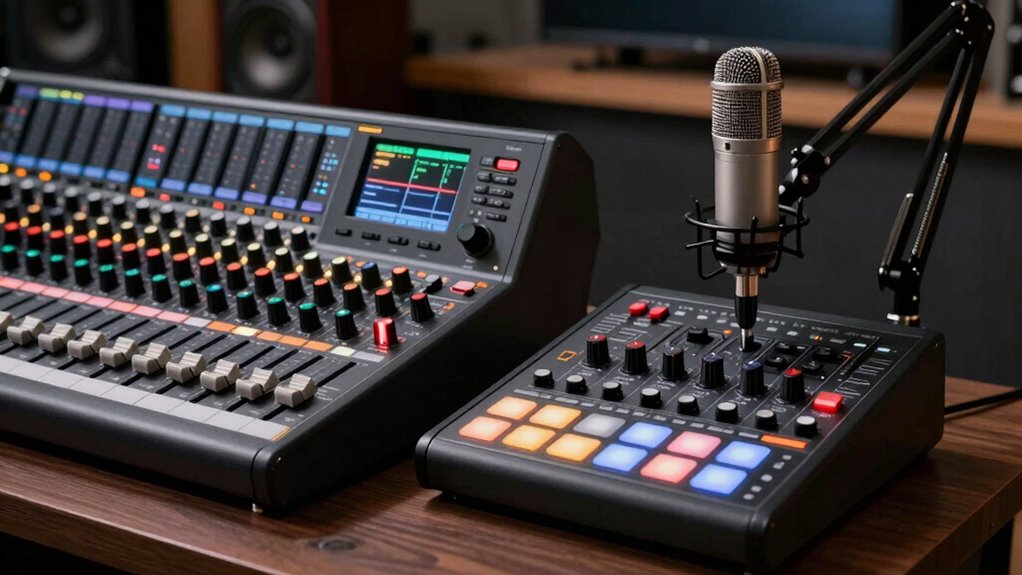
When selecting a broadcast mixer for your creator studio, the goal is to find a device that balances ease of use, audio quality, and versatility. The RØDE RØDECaster Pro II stands out as the best overall choice, thanks to its comprehensive features and professional-grade sound. For those seeking portability, the Roland GO:MIXER STUDIO offers a lightweight yet capable solution. Meanwhile, budget-conscious creators should consider the TENLAMP G10 Creator Audio Mixer Bundle for solid performance at a lower price. Keep reading to see how each model compares and which one fits your needs best.

Get everyday helpers delivered free — and shop member deals
- Fast, free delivery on millions of items
- Access to Prime Big Deal Days deals on October 6–7
- Prime Video, Amazon Music and more included
Complete the kit


![Pop Filter,PEMOTech [Upgraded Three Layers] Metal Mesh &...](https://m.media-amazon.com/images/I/813pCv3Q-nL._AC_SL480_.jpg)
Key Takeaways
- The top models combine multiple input options with easy-to-use controls, making them suitable for both beginners and advanced users.
- Portability remains a key factor, with some mixers designed for on-the-go recording while others prioritize studio-quality sound.
- Bundled microphone and accessory packages often add value for new creators, but may include unnecessary extras for experienced users.
- Sound quality and input flexibility are the main differentiators, especially for creators planning to record multiple sources simultaneously.
- Price varies significantly; higher-end models deliver more features but come at a premium, while budget options offer decent performance for entry-level setups.
| TENLAMP G10 Creator Audio Mixer Bundle with Microphone for Streaming |  | Best All-in-One Portable Studio | Connectivity Technology: Auxiliary, Bluetooth, USB | Connector Type: 3.5 /6.35 mm /XLR Jack, USB Type-C | Special Features: Echo Control, Mute Function, Noise Reduction, Voice Changer | VIEW ON AMAZON | See Our Full Breakdown |
| RØDE RØDECaster Pro II All-in-One Audio Production Studio |  | Best for Professional-Grade Studio Setup | Headphone Output Power: 250mW | Network Connectivity: WiFi 802.11g/n/ac, Ethernet | Inputs: Four combo inputs with Revolution preamps | VIEW ON AMAZON | See Our Full Breakdown |
| Roland GO:MIXER STUDIO Portable Multi-Channel Mixer & Audio Interface |  | Best for Multi-Channel Portable Recording | Input channels: up to 12 | Outputs: six (three stereo pairs) | XLR inputs: 2 | VIEW ON AMAZON | See Our Full Breakdown |
| RØDECaster Duo Compact Audio Production Studio, Black |  | Best Compact Multi-Channel Mixer | Number of Channels: 4 | Connectivity Technology: USB | Power Source: Corded Electric | VIEW ON AMAZON | See Our Full Breakdown |
| TENLAMP G10 Creator Audio Mixer Bundle with Dual Microphones for Podcast Streaming |  | Best for Duo Podcasting & Streaming | Number of Channels: 2 | Connectivity Technology: Auxiliary, Bluetooth, USB | Power Source: Battery Powered | VIEW ON AMAZON | See Our Full Breakdown |
| TENLAMP G10 Creator Podcast Equipment Bundle with Microphone |  | Best for On-the-Go Creators Seeking Simplicity | Number of Channels: 2 | Connectivity Technology: Bluetooth, USB | Power Source: Battery Powered | VIEW ON AMAZON | See Our Full Breakdown |
| Podcast Equipment Bundle with Microphone and Voice Changer – Audio Interface for Streaming and Recording |  | Best for Versatile, High-Quality Studio Sound | Sound Quality: Studio-grade with noise reduction | Microphones: 2 broadcast-grade condenser mics | Connectivity: USB-C, supports PC, smartphones, consoles | VIEW ON AMAZON | See Our Full Breakdown |
| G10 Podcast Equipment Bundle with Audio Mixer & Microphone for Streaming & Recording |  | Best for All-in-One Professional Podcasting | Number of Channels: 2 | Connectivity Technology: 3.5mm/6.35mm / XLR/48V MIC | Power Source: Battery Powered | VIEW ON AMAZON | See Our Full Breakdown |
| Podcast Equipment Bundle with Microphone, Voice Changer, and Audio Interface |  | Best for High-Quality Versatile Voice Work | Microphone: BM-800 condenser | Sound chipset: 2021 professional | Pickup pattern: Cardioid | VIEW ON AMAZON | See Our Full Breakdown |
| TENLAMP G10 Creator Audio Mixer Bundle with Microphone for Streaming |  | Best for Beginners Wanting All-in-One Convenience | Included Items: Audio mixer, condenser microphone, accessories | Compatibility: PC, Phone, Tablet, Windows, Mac, iOS, Android | Features: Noise reduction, voice changer, sound effects | VIEW ON AMAZON | See Our Full Breakdown |
| broadcast mixer for creator studio | Connectivity Technology | Power Source | Number of Channels |
|---|---|---|---|
| TENLAMP G10 Creator Audio Mixe | Auxiliary, Bluetooth, USB | Battery Powered | 2 |
| RØDE RØDECaster Pro II All-in- | — | — | — |
| Roland GO:MIXER STUDIO Portabl | — | — | — |
| RØDECaster Duo Compact Audio P | USB | Corded Electric | 4 |
| TENLAMP G10 Creator Audio Mixe | Auxiliary, Bluetooth, USB | Battery Powered | 2 |
| TENLAMP G10 Creator Podcast Eq | Bluetooth, USB | Battery Powered | 2 |
| Podcast Equipment Bundle with | — | — | — |
| G10 Podcast Equipment Bundle w | 3.5mm/6.35mm / XLR/48V MIC | Battery Powered | 2 |
| Podcast Equipment Bundle with | — | — | — |
| TENLAMP G10 Creator Audio Mixe | — | — | — |
More Details on Our Top Picks
TENLAMP G10 Creator Audio Mixer Bundle with Microphone for Streaming
The TENLAMP G10 stands out for its portability and versatility, offering a complete setup with a microphone, soundboard, and voice effects in a compact package. Compared with the RØDECaster Duo, it provides more features like a built-in voice changer and customizable effects, making it ideal for creators who want a self-contained system. However, its reliance on batteries and the complexity of its controls may overwhelm beginners. This pick makes the most sense for mobile streamers or podcasters seeking an all-in-one solution that doesn’t sacrifice features for size.Pros:- All-in-one professional streaming and recording setup
- Built-in noise reduction and customizable sound effects
- Portable with a built-in battery for outdoor use
- Includes fun features like a voice changer and multiple reverb modes
Cons:- Requires batteries, which may need frequent replacement
- Complex controls may be daunting for beginners
Best for: Content creators who need a portable, self-contained streaming or recording setup for outdoor or on-the-go use
Not ideal for: Studio-focused professionals who prefer wired setups and detailed control, as the TENLAMP G10’s portable design limits extensive customization
- Connectivity Technology:Auxiliary, Bluetooth, USB
- Connector Type:3.5 /6.35 mm /XLR Jack, USB Type-C
- Special Features:Echo Control, Mute Function, Noise Reduction, Voice Changer
- Compatible Devices:Personal Computer, Smartphone
- Power Source:Battery Powered
- Number of Channels:2
- Item Dimensions:10.9 x 2.28 x 7.67 inches
Our verdict“This is ideal for mobile creators who want a versatile, portable setup with fun features, accepting some complexity for convenience.”
RØDE RØDECaster Pro II All-in-One Audio Production Studio
The RØDECaster Pro II offers studio-quality audio processing with extensive input options, making it suitable for serious podcasters, musicians, and streamers. Its advanced features like customizable sound pads and multi-channel recording outperform the Roland GO:MIXER STUDIO, especially in professional contexts. However, the setup complexity and high cost may deter casual creators or those new to audio production. This device makes the most sense for users who prioritize top-tier sound quality and extensive control over their recordings.Pros:- Professional studio-quality audio processing
- Highly customizable with multiple input and control options
- Supports multi-track recording with microSD or external storage
- Versatile connectivity including WiFi, Ethernet, USB, and Bluetooth
Cons:- Complex setup may challenge newcomers
- Premium price limits accessibility for casual users
- Heavy and less portable for mobile use
Best for: Professional podcasters, musicians, or streamers who want a high-end, flexible studio setup with multi-track recording capabilities
Not ideal for: Beginners or casual content creators who might find the extensive features and price point overwhelming and unnecessary
- Headphone Output Power:250mW
- Network Connectivity:WiFi 802.11g/n/ac, Ethernet
- Inputs:Four combo inputs with Revolution preamps
- Channels:Dual USB and Bluetooth channels
- Sound Pads:Eight customizable SMART pads
- Recording Options:Stereo or multi-track via microSD
Our verdict“Best suited for creators who need professional-grade sound and extensive control, accepting a steeper learning curve and higher investment.”
Roland GO:MIXER STUDIO Portable Multi-Channel Mixer & Audio Interface
The Roland GO:MIXER STUDIO excels in providing high-quality, multi-channel recording with onboard effects, making it suitable for content creators needing a compact yet capable device. Compared to the RØDECaster Duo, it offers more input channels—up to 12—which benefits musicians and multi-person setups. Yet, it’s more complex to set up, especially for beginners, and requires external power or batteries, which can limit portability. This device is well-suited for creators who prioritize multiple inputs and studio-grade effects in a portable form.Pros:- High-quality multi-channel audio recording
- Versatile connectivity with XLR, MIDI, and USB-C
- Supports phantom power and onboard effects
- Multiple power options for portability
Cons:- Complex setup may challenge beginners
- Requires external power for phantom power or external devices
Best for: Musicians, multi-person streamers, and creators needing a portable, multi-channel recording solution with onboard effects
Not ideal for: Beginners or those seeking a simple, plug-and-play device, as the setup can be complex and feature-rich for newcomers
- Input channels:up to 12
- Outputs:six (three stereo pairs)
- XLR inputs:2
- Supported recording rates:up to 24-bit/192 kHz
- Power options:bus power, external adaptor, USB mobile battery
- Connectivity:USB-C, TRS MIDI I/O
Our verdict“A strong choice for creators needing multiple inputs and effects in a portable package, with some setup complexity for less experienced users.”
RØDECaster Duo Compact Audio Production Studio, Black
The RØDECaster Duo offers a compact, efficient solution with dual high-quality preamps and studio effects, making it perfect for podcasters and streamers with limited space. Its touchscreen interface simplifies operation compared to more complex setups like the RØDECaster Pro II, but it only supports four channels, limiting larger multi-mic arrangements. While wireless connectivity adds convenience, some advanced features may be underutilized by beginners. This device makes the most sense for creators wanting a small footprint without sacrificing essential quality.Pros:- Compact and versatile all-in-one design
- High-quality preamps and studio-grade effects
- Wireless and Bluetooth connectivity
- Intuitive touchscreen interface
Cons:- Limited to 4 channels, restricting larger setups
- May be complex to fully utilize all features for beginners
Best for: Podcasters and streamers with limited space who need high-quality preamps and effects in a compact form
Not ideal for: Larger production setups or creators requiring more than four channels, as expansion options are limited
- Number of Channels:4
- Connectivity Technology:USB
- Power Source:Corded Electric
- Frequency:2.4 GHz
- Output Connector Type:TRS, USB Type C
Our verdict“Ideal for space-conscious creators seeking professional sound quality with ease of use, while accepting some channel limitations.”
TENLAMP G10 Creator Audio Mixer Bundle with Dual Microphones for Podcast Streaming
The TENLAMP G10 bundle with two microphones is tailored for duet podcasts or streaming sessions involving two participants. Its built-in voice effects and noise reduction provide professional audio quality, rivaling larger setups like the RØDECaster Pro II, but it’s limited to two channels, making it unsuitable for bigger groups. The battery-powered operation adds flexibility for mobile use but requires frequent power management. This setup is perfect for creators focusing on intimate, two-person content with high-quality sound.Pros:- Includes all components needed for duo podcasting
- Built-in voice effects and noise reduction
- Universal device compatibility
- Real-time zero-latency monitoring
Cons:- Limited to two channels, unsuitable for larger groups
- Battery power may require frequent replacement
Best for: Podcasters and streamers conducting duo shows or interviews needing a portable, all-in-one setup
Not ideal for: Larger groups or multi-mic setups, as it only supports two channels and may limit expansion
- Number of Channels:2
- Connectivity Technology:Auxiliary, Bluetooth, USB
- Power Source:Battery Powered
- Frequency:60 hertz
- Output Connector Type:3.5MM TRS, 6.35MM TRS, OTG/TYPE-C
- Audio Input:TRS / XLR
- Item Dimensions:10.9″D x 2.28″W x 7.67″H
Our verdict“Designed for two-person podcasting or streaming, offering professional sound with portability at the expense of scalability.”
TENLAMP G10 Creator Podcast Equipment Bundle with Microphone
This all-in-one bundle shines for creators who want a portable, straightforward setup without sacrificing quality. Its built-in battery and compact design make it perfect for outdoor streaming or quick recordings, especially compared to bulkier options like the TENLAMP G10 Creator Audio Mixer Bundle. However, with only 2 channels, it limits complex multi-mic configurations, making it less suitable for advanced studios. The feature set, including customizable effects and a voice changer, offers creative flexibility but could be overwhelming for beginners. Its plug-and-play nature simplifies usage, though device compatibility details are sparse, which might raise concerns for some users.
Pros:- All-in-one solution with microphone and sound mixer
- Customizable sound effects and voice changer for creative streaming
- Portable design with built-in battery for outdoor use
Cons:- Limited to 2 channels, restricting complex audio setups
- Some users may find the feature set overwhelming for beginners
Best for: Podcasters and streamers who prioritize mobility and quick setup for casual or outdoor content creation.
Not ideal for: Content creators needing multi-mic setups or complex audio routing, as the 2-channel limit restricts expansion.
- Number of Channels:2
- Connectivity Technology:Bluetooth, USB
- Power Source:Battery Powered
- Frequency:60 hertz
- Output Connector Type:3.5MM TRS, OTG/TYPE-C
- Audio Input:TRS / XLR
- Item Dimensions:10.9″D x 2.28″W x 7.67″H
Our verdict“This pick is best for creators seeking a compact, easy-to-use device for mobile streaming or podcasting without complex requirements.”
Podcast Equipment Bundle with Microphone and Voice Changer – Audio Interface for Streaming and Recording
This bundle offers studio-grade audio quality and broad device compatibility, making it a strong choice for serious content creators who want flexibility, especially when compared to simpler options like the TENLAMP G10 G10 Creator Audio Mixer Bundle. Its inclusion of professional microphones and an advanced audio interface supports live streaming, recording, and gaming across multiple platforms. However, initial setup may require drivers and charging, which could be a hurdle for beginners. Its extensive features and device support make it powerful but potentially overwhelming for users new to audio equipment, and battery life details are not specified, raising questions about prolonged use.
Pros:- Studio-quality sound with noise reduction technology
- Supports multiple devices including smartphones and gaming consoles
- Includes professional microphones and sound effects for versatile use
Cons:- Requires initial charging and possible driver installation
- Features may be overwhelming for first-time users
Best for: Streamers, recorders, and gamers who need high-fidelity sound and broad compatibility for multiple devices and platforms.
Not ideal for: Beginners or casual users seeking a plug-and-play setup, due to its complex setup process and feature set.
- Sound Quality:Studio-grade with noise reduction
- Microphones:2 broadcast-grade condenser mics
- Connectivity:USB-C, supports PC, smartphones, consoles
- Sound Effects:4 variations and 10 effects
- Compatibility:Windows, Mac OS, Android, iOS, Chrome OS
- Instrument Input:Supports electric guitars, bass, drums
Our verdict“Ideal for experienced creators needing high-quality audio and extensive device compatibility, but less suited for newcomers or quick setup scenarios.”
G10 Podcast Equipment Bundle with Audio Mixer & Microphone for Streaming & Recording
This bundle appeals to creators seeking a comprehensive, professional setup, similar in scope to the TENLAMP G10 Creator Audio Mixer Bundle but with added versatility. Its multiple input options and built-in soundboard allow for more complex routing and creative effects, though this complexity could intimidate beginners. The inclusion of noise reduction and reverb modes offers refined audio quality, but the bulkier design and limited info on battery life suggest it’s better suited for stationary use rather than mobile setups. Its extensive features come at the cost of increased learning curve and setup time.
Pros:- All-in-one professional setup with multiple input options
- Customizable sound effects and reverb modes
- Easy plug-and-play connectivity with various input types
Cons:- Bulkier setup makes it less portable
- Features may require some learning to master
Best for: Podcasters and streamers who want a versatile, all-in-one setup capable of handling multiple mics and effects in a fixed location.
Not ideal for: Mobile creators or those new to audio mixing, due to its bulk and complexity.
- Number of Channels:2
- Connectivity Technology:3.5mm/6.35mm / XLR/48V MIC
- Power Source:Battery Powered
- Frequency:60 hertz
- Output Connector Type:TRS, USB Type C, XLR
- Noise Level:105 db
- Item Dimensions:11.73″D x 5.51″W x 8.58″H
Our verdict“Best suited for stationary content creators who desire a comprehensive and flexible audio setup with advanced effects.”
Podcast Equipment Bundle with Microphone, Voice Changer, and Audio Interface
This bundle is tailored for creators who need professional-grade sound and extensive device compatibility, similar to the Audio Interface with Microphone but with a focus on voice modulation. Its high-quality microphone and sound chipset support sharp, clear recordings, making it ideal for voiceovers, streaming, and gaming. The setup involves multiple accessories, which could be daunting for beginners and requires some initial charging. While highly capable, its complexity may be excessive for simple podcasting or casual streaming, and specific details on sound effects are limited, which might impact creative flexibility.
Pros:- High-quality sound capture with professional chipset
- Versatile compatibility across devices and platforms
- Complete set of accessories for flexible recording
Cons:- Requires initial charging before use
- Complex setup that may challenge newcomers
Best for: Voice actors, streamers, and content creators who prioritize premium sound quality and creative voice effects across various platforms.
Not ideal for: Beginners or casual users seeking a straightforward, minimal setup, due to its multiple components and setup complexity.
- Microphone:BM-800 condenser
- Sound chipset:2021 professional
- Pickup pattern:Cardioid
- Compatibility:Windows, Mac, Android, iOS, PS4, Xbox, Switch
- Includes:Microphone, suspension arm, shock mount, pop filter, foam cap, sound card
- Features:High-quality sound, versatile platform support
Our verdict“Perfect for experienced voice and streaming creators seeking high-quality audio and versatile compatibility, but not ideal for those seeking simplicity.”
TENLAMP G10 Creator Audio Mixer Bundle with Microphone for Streaming
This bundle is designed for creators starting out or those who prefer an integrated solution, similar in scope to the G10 Creator Podcast Equipment Bundle but emphasizing simplicity. Its inclusion of a mixer, microphone, and accessories provides a straightforward package for streaming, gaming, and podcasting. Noise reduction and sound effects add creative options, but the system might lack the fine control needed for advanced professional audio work. Its plug-and-play nature makes it accessible, yet the lack of detailed specs and possible limitations in customization could disappoint users seeking more nuanced control.
Pros:- All-in-one setup simplifies workflow
- Enhanced vocal clarity with noise reduction and effects
- Plug & Play design with multiple device compatibility
Cons:- Limited in advanced audio customization
- Features may be complex for absolute beginners
Best for: Beginner streamers and podcasters looking for an all-in-one setup that minimizes technical complexity.
Not ideal for: Advanced audio engineers or content creators requiring detailed sound shaping and multiple mics, due to its simplified feature set.
- Included Items:Audio mixer, condenser microphone, accessories
- Compatibility:PC, Phone, Tablet, Windows, Mac, iOS, Android
- Features:Noise reduction, voice changer, sound effects
- Use Cases:Streaming, recording, gaming
Our verdict“Great for newcomers who want a simple, integrated streaming setup without the need for extensive technical knowledge.”
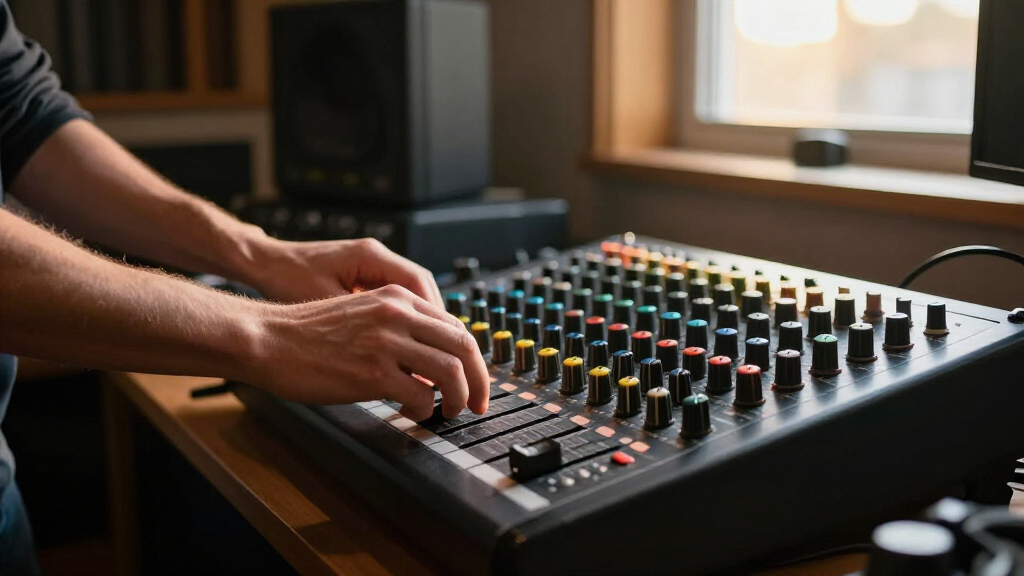
How We Picked
These products were selected based on their overall performance, usability, build quality, and value for creator studios. We prioritized mixers that support multiple audio inputs, easy control layouts, and compatibility with streaming platforms and recording software. Additional factors included portability, included accessories, and user interface design. The ranking reflects a balance between professional-grade features and affordability, ensuring options for a range of creator needs and budgets.| broadcast mixer for creator studio | Power Source |
|---|---|
| TENLAMP G10 Creator Audio Mixe | Battery Powered |
| RØDE RØDECaster Pro II All-in- | — |
| Roland GO:MIXER STUDIO Portabl | — |
| RØDECaster Duo Compact Audio P | Corded Electric |
| TENLAMP G10 Creator Audio Mixe | Battery Powered |
| TENLAMP G10 Creator Podcast Eq | Battery Powered |
| Podcast Equipment Bundle with | — |
| G10 Podcast Equipment Bundle w | Battery Powered |
| Podcast Equipment Bundle with | — |
| TENLAMP G10 Creator Audio Mixe | — |
Factors to Consider When Choosing Broadcast Mixer For Creator Studio
Choosing the right broadcast mixer involves evaluating several key factors that impact your workflow, audio quality, and overall experience. Beyond mere features, it’s important to consider how the device integrates with your existing setup, future expandability, and ease of use. Making a well-informed decision requires understanding what tradeoffs are involved in different models and how they match your specific needs.Number and Types of Inputs
Assess how many audio sources you’ll need to connect—microphones, instruments, or audio interfaces—and whether the mixer supports XLR, 1/4-inch, or USB inputs. More inputs provide greater flexibility, especially for multi-person podcasts or live streams with multiple guests. However, additional inputs often lead to higher costs and complexity, so consider your current and future needs carefully.
Ease of Use and Interface
A user-friendly interface can save time and reduce frustration, especially if you’re new to audio mixing. Look for models with clear controls, dedicated knobs or touchscreens, and intuitive layout. Overly complex setups may hinder quick adjustments during live sessions, while overly simplistic interfaces might lack necessary features for advanced users.
Sound Quality and Audio Processing
High-quality audio output is vital for professional content. Consider mixers with built-in effects, noise reduction, and high-quality preamps. While premium models often include advanced processing, budget options can still deliver acceptable sound if they have good preamps and minimal noise. Think about your content’s sonic standards and whether additional software or hardware upgrades are necessary.
Portability and Size
If your creator studio involves mobile recording, live events, or on-the-go streaming, a compact and lightweight mixer is preferable. Larger, more feature-rich models tend to stay stationary but offer more inputs and controls. Balance your need for mobility against the desire for expanded features to find the best fit.
Budget and Value
Prices for broadcast mixers range widely, reflecting their features and build quality. While investing in a higher-end model can future-proof your setup, many mid-range options offer excellent value without breaking the bank. Avoid overpaying for features you don’t need, but also be cautious of opting for very cheap models that may compromise sound quality or durability.
Frequently Asked Questions
Can I use a broadcast mixer for live streaming on platforms like Twitch or YouTube?
Yes, most broadcast mixers support direct connection to streaming platforms through USB or audio interfaces, allowing you to produce professional sound for live streams. Ensure the mixer is compatible with your streaming software and check for features like headphone monitoring and easy level adjustments to optimize your broadcast quality.
Do I need a mixer with built-in effects or processing?
Built-in effects and processing can simplify your workflow, especially if you lack external audio processing equipment. They help improve sound quality by reducing noise, adding compression, or applying equalization. However, high-end external processors can offer more advanced options if your content demands studio-grade audio and you prefer dedicated hardware for effects.
Is portability more important than having multiple inputs?
This depends on your primary use case. If you frequently record on location or stream from various venues, portability will be a priority. But if your studio setup is fixed, investing in a mixer with more inputs and advanced controls may provide a better long-term value. Consider your typical recording environment to make the right choice.
Can I upgrade my mixer later if I need more features?
Many mixers are designed to be expandable, with additional accessories or software upgrades. However, hardware limitations mean that replacing a mixer might be necessary if your needs grow significantly. Planning for future expansion by choosing a model with extra inputs and features can save money and hassle down the line.
What is the typical lifespan of a broadcast mixer?
With proper care, a well-made broadcast mixer can last 5-10 years or more. Durability depends on build quality, usage frequency, and environmental conditions. Investing in a reputable brand with good customer support can also extend the lifespan and ensure availability of replacement parts or firmware updates.
Conclusion
For creators just starting out or with limited budgets, the TENLAMP G10 Creator Audio Mixer Bundle offers reliable performance and essential features without breaking the bank. Professional streamers and podcasters who need top-tier sound should consider the RØDE RØDECaster Pro II for its comprehensive features and excellent audio quality. Mobile content creators and those prioritizing portability will find the Roland GO:MIXER STUDIO to be a versatile, lightweight option. Ultimately, your choice depends on whether you value ease of use, expandability, or premium features—align your pick with your specific content needs and budget constraints.
Evergreen bestsellers Picks
bestsellers
As an affiliate, we earn on qualifying purchases.