
Choosing the right premium studio monitors for narration can significantly impact the clarity and quality of your recordings. The best options offer flat frequency responses, high accuracy, and reliable build quality. The KRK Classic 7 stands out as the overall top pick for its balanced sound and robust construction, while the Yamaha HS8 provides excellent detail for professional narration. However, these monitors come with tradeoffs, such as higher cost or larger size, which may not suit every setup. Keep reading for a detailed breakdown to help you make an informed choice.

Get everyday helpers delivered free with Prime
- Fast, free delivery on millions of items
- Prime Video, Amazon Music and more included
- Member-only deals all year
Key Takeaways
- Top-rated monitors like the KRK Classic 7 and Yamaha HS8 balance accuracy with durability, making them ideal for serious narration work.
- Size and power handling vary, with larger models offering more output but requiring bigger space and higher budgets.
- Room correction features, like those in the IK Multimedia iLoud MTM MKII, can improve performance in less-than-ideal environments.
- Costlier models tend to deliver flatter frequency responses, crucial for critical listening and detailed narration editing.
- Compact monitors like the Presonus Eris E4.5 are suitable for smaller spaces but may compromise on low-end accuracy.
| KRK Classic 7 Powered Studio Monitor (Pair) |  | Best Overall for Critical Narration Listening | Power Output: 73 watts | Woofer Size: 7 inches | Tweeter Size: 1 inch | VIEW ON AMAZON | See Our Full Breakdown |
| Yamaha HS8 8-Inch Powered Studio Monitor Pair – Black |  | Best for Wide Frequency Range and Professional Clarity | Frequency Response: 38Hz – 30kHz | Power: 120W total | Woofer Size: 8 inches | VIEW ON AMAZON | See Our Full Breakdown |
| KALI AUDIO LP-6 V2 6.5″ Powered Studio Monitor – Black |  | Best for Versatile Placement and High Fidelity | Power: 80W | Frequency Range: 47Hz-21kHz | Driver Size: 6.5 inches | VIEW ON AMAZON | See Our Full Breakdown |
| ADAM Audio D3V Active Desktop Studio Monitor Speakers – Black |  | Best for Desktop Precision and Detail | Woofer Size: 3.5 inches | Tweeter: 1.5 inches D-ART ribbon | Amplifier Power: 80 W | VIEW ON AMAZON | See Our Full Breakdown |
| Yamaha HS5 Powered Studio Monitor, Pair |  | Best for Compact, Accurate Monitoring in Small Spaces | Speaker Type: Woofer | Power Output: 70 watts | Frequency Response: 54 Hz – 30 kHz | VIEW ON AMAZON | See Our Full Breakdown |
| YAMAHA HS5 Powered Studio Monitor (Pack of 2) |  | Best Overall for Nearfield Narration Monitoring | Number of Units: 2 | Woofer Size: 5 inches | Tweeter Size: 1 inch | VIEW ON AMAZON | See Our Full Breakdown |
| IK Multimedia iLoud MTM MKII (Pair) Compact Studio Monitors with ARC Room Correction and Speaker Emulation |  | Best for Versatile, Environment-Adaptive Narration | Frequency Range: 36 Hz to 32 kHz | Power: 200W | Speaker Size: 3.5 inches | VIEW ON AMAZON | See Our Full Breakdown |
| PreSonus Eris E4.5 2-Way 4.5-Inch Near Field Studio Monitor (Pair) |  | Best for Balanced, Entry-Level Professional Narration | Woofer Size: 4.5 inches | Amplification: 50 Watts (25W per speaker) | Inputs: ¼-inch TRS, RCA, ⅛-inch TRS | VIEW ON AMAZON | See Our Full Breakdown |
| M-AUDIO BX4 4.5-Inch Wired Studio Monitors Pair |  | Best for Budget-Conscious Narration and Desktop Use | Driver Size: 4.5 inches | Power: 120W | Inputs: 1/4-inch, 1/8-inch, RCA | VIEW ON AMAZON | See Our Full Breakdown |
| JBL 305P MkII 5″ 2-Way Active Powered Studio Reference Monitors (Pair) |  | Best for Precise Imaging and Large-Scale Narration | Size: 11.7 x 7.3 x 9.1 inches | Power: Dual 41-Watt | Woofer Size: 5 inches | VIEW ON AMAZON | See Our Full Breakdown |
| premium studio monitors for narration | Woofer Size | Power |
|---|---|---|
| KRK Classic 7 Powered Studio M | 7 inches | — |
| Yamaha HS8 8-Inch Powered Stud | 8 inches | 120W total |
| KALI AUDIO LP-6 V2 6.5" Powere | — | 80W |
| ADAM Audio D3V Active Desktop | 3.5 inches | — |
| Yamaha HS5 Powered Studio Moni | — | — |
| YAMAHA HS5 Powered Studio Moni | 5 inches | — |
| IK Multimedia iLoud MTM MKII | — | 200W |
| PreSonus Eris E4.5 2-Way 4.5-I | 4.5 inches | Class AB dual amplification |
| M-AUDIO BX4 4.5-Inch Wired Stu | — | 120W |
| JBL 305P MkII 5" 2-Way Active | 5 inches | Dual 41-Watt |
More Details on Our Top Picks
KRK Classic 7 Powered Studio Monitor (Pair)
The KRK Classic 7 stands out for its high-fidelity, accurate sound reproduction, making it an excellent choice for professional narration and voice-over work. Compared to the Yamaha HS8, it offers more customizable tonal adjustments, which can be vital for tailoring sound to different room acoustics. Its 7-inch woofer provides deeper bass response, though this size makes it bulkier and less suited for tight spaces. The heavy-duty enclosure and 73W power output ensure detailed, distortion-free audio at high volumes, but setup requires an external power source and careful placement. If precision and customization are priorities, this monitor is well worth the investment, but it may be overkill for casual or mobile recording setups.
Pros:- Exceptional accuracy and detailed sound reproduction
- Adjustable low/high frequency controls for room tuning
- Heavy-duty enclosure ensures durability and stability
- Powerful 73W output for clear, distortion-free audio
Cons:- Requires external power source and professional setup
- Bulky size may limit placement options in small studios
- Higher price point compared to entry-level monitors
Best for: Professional narrators and voice-over artists who need a highly accurate, customizable studio monitor.
Not ideal for: Beginners or hobbyists with limited space, as its size and setup complexity could be a barrier.
- Power Output:73 watts
- Woofer Size:7 inches
- Tweeter Size:1 inch
- Amplifier Type:Bi-amped, Class A/B
- Enclosure Material:Heavy-duty enclosure
- Controls:Low and high frequency level adjustment
Our verdict“This monitor is ideal for professionals seeking precise, customizable sound for narration in dedicated studio spaces.”
Yamaha HS8 8-Inch Powered Studio Monitor Pair – Black
The Yamaha HS8 delivers an expansive frequency response from 38Hz to 30kHz, making it well-suited for detailed voice recording and mixing. Its bi-amp system provides clean, powerful audio, comparable to the KRK Classic 7, but with a focus on flat, uncolored sound. The 8-inch woofer offers deeper bass and broader coverage, which can be advantageous in larger or more acoustically treated rooms. However, its size and power demand mean it’s best for dedicated studio spaces rather than portable setups. While it excels in transparency, the higher cost may be prohibitive for casual users. Overall, it’s a prime choice for those prioritizing accurate, wide-range sound reproduction.
Pros:- Exceptional frequency response for detailed voice clarity
- Powerful bi-amp system ensures clear, distortion-free sound
- Suitable for larger studio environments
- High-quality construction and durability
Cons:- Requires significant space and proper placement
- Higher price point may be a barrier for hobbyists
- Size could be cumbersome in compact setups
Best for: Sound engineers and professional narrators needing broad, flat frequency response for detailed voice work.
Not ideal for: Small home studios or mobile recording setups where space and power are limited.
- Frequency Response:38Hz – 30kHz
- Power:120W total
- Woofer Size:8 inches
- Tweeter Size:1 inch
Our verdict“This monitor is best for professionals demanding wide, flat response for high-fidelity narration and mixing.”
KALI AUDIO LP-6 V2 6.5″ Powered Studio Monitor – Black
The KALI AUDIO LP-6 V2 offers a balanced, flat frequency response with a 6.5-inch driver, making it ideal for accurate narration in smaller to medium-sized studios. Its 80W bi-amped design provides ample power without distortion, comparable to the Yamaha HS5 but with a broader frequency range up to 21kHz. Its low noise profile and boundary EQ options enhance room adaptability, though it’s a single speaker that requires pairing for stereo setups, adding complexity for some users. While its weight and size are manageable, portability is limited. This model makes the most sense for users seeking high fidelity in a versatile, space-conscious package, but it’s less suited for those needing true stereo portability.
Pros:- Flat, high-fidelity frequency response
- High power output with clean sound
- Versatile placement with boundary EQ
- Good build quality and professional features
Cons:- Requires pairing with a second monitor for stereo sound
- Heavy for portable use
- Limited to studio environments
Best for: Home studio producers and narrators who value accuracy and flexibility in placement.
Not ideal for: On-the-go professionals or those needing a portable, stereo pair without additional setup.
- Power:80W
- Frequency Range:47Hz-21kHz
- Driver Size:6.5 inches
- Tweeter Diameter:1 inch
Our verdict“This monitor suits those seeking detailed, versatile performance in a compact, space-aware design, with the understanding that stereo pairing is necessary.”
ADAM Audio D3V Active Desktop Studio Monitor Speakers – Black
The ADAM Audio D3V excels in desktop environments where space is limited but accuracy is essential. Its 1.5-inch ribbon tweeter delivers exceptionally clear, detailed high frequencies, a step above many traditional dome tweeters. The inclusion of dual 3.5-inch passive radiators extends the low-frequency response down to 45 Hz, providing surprisingly full sound from such a compact monitor. USB-C connectivity simplifies digital connection to computers, making it perfect for digital narration workflows. However, its size and design are less suitable for larger rooms or mobile setups, and the complex control panel might be overwhelming for some users. For desktop-focused work where detail matters most, this monitor offers a compelling upgrade.
Pros:- Exceptional high-frequency detail from ribbon tweeter
- Fuller sound from dual passive radiators
- USB-C connectivity for easy digital integration
- Includes adjustable stands and multiple input options
Cons:- Limited size restricts use in larger rooms
- Complex controls may be confusing for beginners
- Requires consistent power source and careful placement
Best for: Voice-over artists and content creators working on desktop setups seeking precise high-frequency detail.
Not ideal for: Large studio environments or mobile recording where bigger monitors or portability are needed.
- Woofer Size:3.5 inches
- Tweeter:1.5 inches D-ART ribbon
- Amplifier Power:80 W
- Frequency Response:Extends down to 45 Hz
Our verdict“This desktop monitor is ideal for those prioritizing high-frequency clarity and compact, detailed sound in a workspace.”
Yamaha HS5 Powered Studio Monitor, Pair
The Yamaha HS5 offers precise, flat response with a 5-inch woofer and 1-inch dome tweeter, making it a strong candidate for compact studios focused on vocal clarity. Its 54Hz to 30kHz range emphasizes transparency, similar to the KRK Classic 7, but in a smaller footprint. The bi-amp design provides clean, powerful output, though its size means it requires substantial space and proper positioning to avoid acoustic issues. Compared with larger monitors, the HS5 delivers excellent accuracy in tighter environments, but it may struggle to fill larger rooms or provide the same bass depth as bigger models. This monitor is well-suited for spaces where precision outweighs loudness or bass extension.
Pros:- Highly accurate, flat frequency response
- Compact size suitable for small spaces
- Bi-amplified for clarity and power
- Multiple input options including XLR and TRS
Cons:- Limited bass extension compared to larger monitors
- Requires proper placement to avoid acoustic issues
- Size may still be large for very tight spaces
Best for: Voice-over artists and small studio owners prioritizing accurate, space-efficient monitoring.
Not ideal for: Professionals needing deep bass or working in large, acoustically treated rooms.
- Speaker Type:Woofer
- Power Output:70 watts
- Frequency Response:54 Hz – 30 kHz
- Additional Features:Bi amplification
Our verdict“This monitor fits those needing precise, reliable sound in a compact form factor for voice and narration work.”
YAMAHA HS5 Powered Studio Monitor (Pack of 2)
The YAMAHA HS5 stands out for its balanced sound profile and reliable performance, making it ideal for narration in small to medium studios. Its 5-inch woofer and 1-inch tweeter deliver clear, detailed audio that helps voice artists hear every nuance. Compared to the JBL 305P MkII, the HS5 offers more precise tonal control with its room adjustments, though it lacks the wide bass response of larger monitors. Its professional XLR and TRS inputs facilitate seamless integration into existing setups, but its weight of 24 pounds makes portability less practical. The stainless-steel enclosure adds durability, and the compact size suits desktop use perfectly. However, it’s not water-resistant, limiting outdoor or rugged use. This monitor makes the most sense for narrators who want a dependable, accurate sound for indoor editing and voice work, and who prioritize sound fidelity over portability or waterproof features.
Pros:- High-quality bi-amplified design for clarity
- Tonal control with room and high trim adjustments
- Balanced XLR and TRS inputs for professional connectivity
- Compact size suitable for desktop placement
Cons:- No waterproof or weather-resistant features
- Heavy for portable use
- Limited bass extension compared to larger monitors
Best for: Voice-over artists and narrators working in dedicated studio spaces needing precise, detailed sound.
Not ideal for: Mobile podcasters or outdoor narrators who require waterproof or lightweight options.
- Number of Units:2
- Woofer Size:5 inches
- Tweeter Size:1 inch
- Frequency Response:54Hz-30kHz
- Power Output:70W
- Input Types:XLR and TRS
- Enclosure Material:Stainless Steel
- Weight:24 pounds
Our verdict“This monitor is best suited for professionals seeking accurate, detailed narration monitoring in fixed studio environments.”
IK Multimedia iLoud MTM MKII (Pair) Compact Studio Monitors with ARC Room Correction and Speaker Emulation
The IK Multimedia iLoud MTM MKII excels in providing a flat, natural sound with advanced room correction, making it highly suitable for narrators who need accurate monitoring across varied environments. Its 3.5-inch speakers deliver detailed high frequencies and tight bass, comparable to the larger Yamaha HS8 but in a more compact package. The built-in ARC room correction ensures consistent sound quality whether used in a small closet or a larger studio, unlike the HS5, which requires manual adjustments. Its app control allows for precise calibration, though the mic for ARC calibration is sold separately. Weighing only 5.2 pounds, it’s easy to reposition, but its plastic enclosure and smaller footprint may feel less durable than larger, metal-cased monitors. This model makes sense for narrators who prioritize adaptability and consistent sound quality across different rooms and setups.
Pros:- Accurate, natural sound ideal for critical listening
- Effective ARC room correction technology
- Compact and lightweight for easy repositioning
- Versatile mounting options
Cons:- Mic for ARC calibration sold separately
- Requires external power and setup
- Limited bass response due to small drivers
Best for: Narrators and voice artists who work in multiple locations and need flexible, room-adaptive monitoring.
Not ideal for: Users seeking large bass response or those with very high-volume needs, as the 3.5-inch drivers have limited low-end output.
- Frequency Range:36 Hz to 32 kHz
- Power:200W
- Speaker Size:3.5 inches
- Woofer Diameter:3 inches
- Tweeter Diameter:1 inches
- Additional Features:ARC X room correction, app control
- Dimensions:6″D x 5″W x 10″H
- Weight:5.2 pounds
Our verdict“This monitor is perfect for voice professionals who need precise, adaptable sound in various environments without sacrificing detail or clarity.”
PreSonus Eris E4.5 2-Way 4.5-Inch Near Field Studio Monitor (Pair)
The PreSonus Eris E4.5 offers a balanced, clear sound profile that works well for voices in small studio setups, especially when clarity and fidelity are priorities. Its 4.5-inch woven-composite woofer and silk-dome tweeter provide a natural sound that helps narrators catch subtle vocal nuances. The inclusion of room tuning controls for high and low frequencies means it can be tailored to specific spaces, similar to the M-AUDIO BX4, but with slightly larger drivers and a more refined sound. While it lacks Bluetooth, its multiple input options and high SPL make it versatile for different gear configurations. Still, it may struggle to fill very large rooms and needs external subwoofers for full-range sound, which could be a drawback for those seeking a more self-contained solution.
Pros:- Accurate, studio-quality sound with natural tonality
- Multiple input options for flexible connectivity
- Room tuning controls for personalized sound
- Wide stereo imaging with a good listening sweet spot
Cons:- Lacks Bluetooth or wireless connectivity
- Needs external subwoofer for deep bass
- Limited output power for large rooms
Best for: Narrators and voice-over artists who need reliable, studio-quality sound in small to medium rooms without high-end budget constraints.
Not ideal for: Large-scale production environments or outdoor narration where robust bass and waterproof features are required.
- Woofer Size:4.5 inches
- Amplification:50 Watts (25W per speaker)
- Inputs:¼-inch TRS, RCA, ⅛-inch TRS
- Additional:High/Low EQ controls, headphone output
- Power:Class AB dual amplification
- Dimensions:Not specified
- Weight:Not specified
Our verdict“Ideal for voice professionals seeking trustworthy, high-fidelity monitoring in small or enclosed spaces at an accessible price point.”
M-AUDIO BX4 4.5-Inch Wired Studio Monitors Pair
The M-AUDIO BX4 offers a compelling balance of affordability and sound quality, making it suitable for voice-over work and streaming in a desktop environment. Its 4.5-inch Kevlar woofers produce punchy bass and clear mids, comparable to the PreSonus Eris E4.5 but at a lower price point. Multiple input options, including ¼-inch, ⅛-inch, and RCA, provide versatile connectivity for various gear, while the EQ controls help fine-tune the sound. The MDF cabinet adds some acoustic stability, but the overall build may feel less durable than more expensive options. Its 120W power is sufficient for small to medium rooms, but larger spaces might require additional sound reinforcement. This monitor is a practical choice for those starting out or needing a reliable secondary set for narration.
Pros:- Punchy bass from Kevlar woofers
- Multiple connectivity options
- Adjustable EQ controls for tailored sound
- Affordable price for quality
Cons:- Requires external power; not portable
- Bulky for small desks
- Limited to wired connections
Best for: Beginners or budget-conscious narrators who need decent sound quality for desktop or small studio setups.
Not ideal for: Large studios or outdoor narrations requiring waterproof features or higher power output.
- Driver Size:4.5 inches
- Power:120W
- Inputs:1/4-inch, 1/8-inch, RCA
- EQ Controls:High and Low
- Speaker Type:Passive and active pair
- Cabinet Material:Acoustically-inert MDF
- Included Accessories:Foam feet, cables, software
Our verdict“This monitor provides good value for voice professionals needing reliable, desktop-friendly sound without extra features or high cost.”
JBL 305P MkII 5″ 2-Way Active Powered Studio Reference Monitors (Pair)
The JBL 305P MkII delivers detailed, accurate sound with wide imaging, making it suitable for professional narration, podcasting, and sound design. Its dual 41-watt class-D amplifiers energize the 5-inch woofer and tweeter to produce deep bass and crisp highs, comparable to the Yamaha HS8 but in a more compact form. The adjustable Boundary EQ and HF Trim provide room-specific tuning, giving it an edge over simpler monitors like the PreSonus Eris E4.5. Its durable MDF enclosure is built to withstand heavy use and rigorous calibration. Its size, around 11.7 x 7.3 x 9.1 inches, requires ample space, and its price suggests it’s aimed at serious professionals. For those who need precise sound staging and a broad sweet spot, the JBL 305P MkII stands out, though it may be overkill for casual or portable setups.
Pros:- Accurate, detailed sound reproduction
- Customizable sound with Boundary EQ and HF Trim
- Robust MDF construction for durability
- Good for larger rooms with precise imaging
Cons:- Requires ample space for optimal placement
- May be cost-prohibitive for hobbyists
- Size might be overkill for small setups
Best for: Professional narrators and sound designers requiring accurate imaging and room adaptability in medium to large studios.
Not ideal for: Small home studios or voice actors with limited space who don’t need extensive room correction features.
- Size:11.7 x 7.3 x 9.1 inches
- Power:Dual 41-Watt
- Woofer Size:5 inches
- Inputs:XLR/TRS
- Enclosure Material:MDF
- Peak SPL:108 dB
Our verdict“This monitor is tailored for professionals demanding detailed sound imaging and room-specific tuning for narration and voice work.”
How We Picked
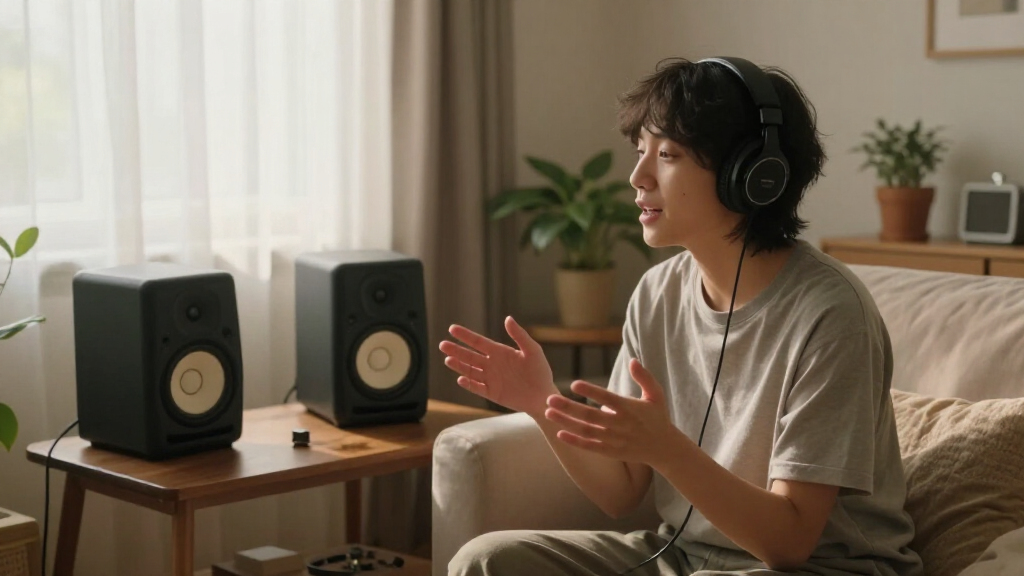
The monitors featured in this list were selected based on their performance in delivering flat, transparent sound crucial for narration. We evaluated their build quality, power output, and room compatibility to ensure they can handle professional studio environments. Cost was a factor, but only when it justified significant gains in sound quality or features. Lastly, we prioritized models with proven reliability and positive user feedback, ranking them to highlight the best overall value, performance, and suitability for various user needs.Factors to Consider When Choosing Premium Studio Monitors For Narration
Selecting the ideal premium studio monitor for narration involves understanding key factors that influence sound quality, usability, and setup. Beyond specifications, it’s important to consider how a monitor fits within your space and workflow. The following sections explain the most critical factors to help you make a choice that aligns with your recording needs and environment.Sound Accuracy and Flat Response
For narration, a monitor’s ability to reproduce sound without coloration is paramount. Flat frequency responses allow you to hear your recordings as they truly are, making editing and mixing more precise. Be wary of monitors that boost bass or treble excessively, as they can distort your perception of your voice. Investing in models with accurate sound ensures your narration sounds natural across different playback systems.
Size and Room Compatibility
The physical size of the monitor impacts both your workspace and sound dispersion. Larger speakers like the Yamaha HS8 provide more bass and volume, but they require ample space and proper positioning. Smaller monitors, such as the Presonus Eris E4.5, fit well in compact setups but may lack low-end depth. Consider your room size and acoustic treatment to select monitors that won’t overwhelm or underperform in your environment.
Power and Headroom
Power handling ensures your monitors can produce clear sound at higher volumes without distortion. Excessively low wattage can lead to strain and reduced clarity, especially at louder levels. Conversely, too much power isn’t necessary if you’re working in a quiet environment. Match your monitor’s power capacity with your typical volume levels for consistent, distortion-free playback.
Additional Features and Room Correction
Features like room correction, EQ adjustments, and speaker emulation can help tailor sound to your space. The IK Multimedia iLoud MTM MKII, for example, offers room correction that compensates for acoustic issues. These features are especially useful if your room isn’t acoustically treated. However, reliance on digital correction shouldn’t replace good room setup but can complement it for more accurate monitoring.
Budget and Long-term Value
While premium monitors tend to be more expensive, they often provide longer-lasting reliability and superior sound quality. Consider whether investing more upfront results in better accuracy and durability over time. Cheaper models might save money initially but could require upgrades sooner or lack the fidelity needed for professional narration. Balance your budget with the importance of sound fidelity and build quality.
Frequently Asked Questions
How do I choose the right size monitor for my narration setup?
The size of your monitor should match your room dimensions and your listening distance. Larger monitors like the Yamaha HS8 are better suited for larger rooms or when you prefer more bass response, but they require more space and proper positioning. Smaller monitors, such as the Presonus Eris E4.5, fit well in compact environments and still provide accurate sound. Consider your space and whether you need more low-end accuracy or a more space-efficient design.
Are room correction features worth paying extra for?
Room correction features can significantly improve accuracy in less-than-ideal acoustic environments by compensating for room reflections and resonances. If you can’t afford professional acoustic treatment, these features provide a valuable alternative. However, they shouldn’t replace proper room setup; instead, think of them as a helpful supplement to achieve more neutral monitoring for narration.
Is it better to buy active or passive monitors for narration?
Active monitors are generally the preferred choice for narration because they include built-in amplification, simplifying setup and reducing clutter. They also typically feature better electronic components for cleaner sound. Passive monitors require external amplification and more complex wiring, which might be unnecessary for most narration setups. For ease of use and reliability, active models are usually the better option.
How much should I expect to spend on a high-quality studio monitor?
Premium studio monitors for narration usually start around $500 per pair and can go well above $1,000. While higher-priced models often offer flatter response and more durability, it’s essential to match your budget with your needs. For professional-quality narration, investing in the higher end of this range typically pays off in accuracy and longevity, but smaller budgets can still find suitable options with careful selection.
Can I use consumer speakers for narration editing?
While consumer speakers can be used temporarily, they often lack the flat response needed for accurate narration editing. They tend to color sound, which can mislead your perception of your voice. Dedicated studio monitors are designed to deliver uncolored, precise sound, making them a better investment for critical listening and professional narration work. If using consumer speakers, consider calibrating them or adding external correction tools for better accuracy.
Conclusion
For most users seeking the best overall performance, the KRK Classic 7 offers a balanced mix of accuracy, build quality, and value. Beginners or those with smaller spaces should consider the Presonus Eris E4.5 for its compact size and affordability. For those prioritizing absolute top-tier fidelity, the Yamaha HS8 delivers detailed, flat response ideal for critical narration editing. Budget-conscious buyers still wanting quality might lean toward the JBL 305P MkII, which balances price with reliable performance. Each choice depends on your space, budget, and professional needs.
Halloween Picks
halloween
As an affiliate, we earn on qualifying purchases.