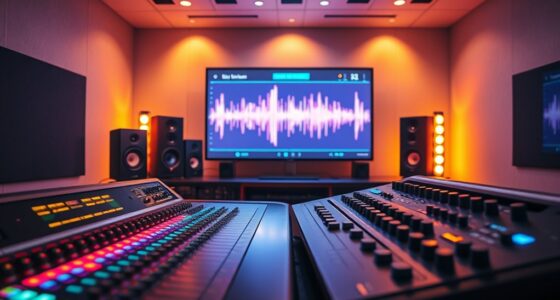
Using MIDI controllers in voice editing lets you add expressive nuance by mapping real-time controls like sliders, knobs, or pads to effects such as reverb, delay, or modulation. You can dynamically adjust parameters to bring emotion and character into your vocal tracks, making them feel more lively and engaging. Customize your controller layout for quick access to your favorite effects, giving you more creative flexibility. Keep exploring to discover how to set up these mappings effectively and elevate your vocal productions.
Key Takeaways
- Map MIDI controls like sliders and knobs to vocal effects such as reverb, delay, and volume for real-time expressive adjustments.
- Customize MIDI controller layouts to suit specific vocal editing workflows and emotional nuances.
- Use multiple banks or layers to switch effect parameters smoothly during live vocal performance or editing sessions.
- Integrate MIDI controllers with DAWs for precise, hands-on control over vocal dynamics and effects.
- Enhance vocal recordings by manipulating parameters dynamically, adding depth, emotion, and character to the performance.

Adding expression to vocal recordings can transform a flat performance into a compelling performance, and MIDI controllers offer a powerful way to achieve this. By leveraging MIDI mapping techniques, you can assign expressive controls to specific parameters within your voice editing software, giving you real-time flexibility and enhanced emotional delivery. These techniques enable you to link MIDI controller movements—such as sliders, knobs, or pads—to various effects like volume, reverb, delay, or modulation, allowing you to sculpt your vocal sound dynamically. For example, you might map a knob to control a reverb’s decay time, so as you turn it, the space around your voice expands or contracts, adding depth and ambiance at just the right moments. MIDI mapping is highly customizable, which means you can fine-tune these assignments to suit your workflow, musical style, or emotional intent.
Controller customization options are another indispensable aspect that makes MIDI controllers especially valuable for voice editing. Modern controllers often come with software that enables you to tailor the layout and assign specific functions to each control element. This customization allows you to create a personalized setup where each knob, slider, or pad corresponds to a particular parameter in your DAW or vocal processing plugin. You can even set up multiple layers or banks of controls, making it easier to switch between different effects or levels of expression without cluttering your workspace. This means you’re not limited to generic functionalities; instead, you can craft a control surface that aligns perfectly with your creative process. Whether you prefer subtle nuances or dramatic shifts, controller customization options empower you to respond swiftly and intuitively during vocal editing sessions.
Furthermore, integrating MIDI controllers with your voice editing workflow is straightforward. Once you’ve established your mappings and customized your controls, you can perform live adjustments while listening to your vocal recordings. This hands-on approach offers more expressive control than mouse and keyboard alone, helping you capture the emotional nuances that make your vocals stand out. Plus, many MIDI controllers are compatible with popular digital audio workstations and plugin formats, ensuring seamless integration into your existing setup. Whether you’re adding a gentle swell to a chorus or emphasizing a specific phrase, MIDI mapping techniques and controller customization options give you the tools to infuse your vocal performances with genuine emotion and character. This level of control can turn a technically sound but emotionally flat recording into a compelling, vibrant piece that truly resonates with your audience.
Top picks for "midi controller expression"
Open Amazon search results for this keyword.
As an affiliate, we earn on qualifying purchases.
Frequently Asked Questions
Can MIDI Controllers Automate Vibrato in Vocal Recordings?
Yes, you can automate vibrato in vocal recordings with MIDI controllers. By using automation techniques, you can precisely control vibrato parameters like depth and rate, making your performance more expressive. Assign MIDI controller knobs or sliders to vibrato settings and record your adjustments in real-time. This allows you to craft a more dynamic and emotionally resonant vocal track, enhancing your overall expressive performance effortlessly.
What Are the Best MIDI Controllers for Voice Expression?
You might think a fancy MIDI controller is overkill, but for true voice expression, the Novation Launchpad or Akai APC series shine. They allow you to customize controls for expressive performance techniques, making your vocals more dynamic. With these controllers, you can effortlessly automate vibrato, volume swells, and other nuances, transforming a flat recording into a mesmerizing performance. Sometimes, the right MIDI controller is exactly what your voice needs to truly stand out.
How Do MIDI Controllers Impact Vocal Pitch Correction?
MIDI controllers impact vocal pitch correction by allowing you to customize MIDI mapping for precise control. You can use them to modulate expression, adjusting pitch correction parameters dynamically during your recording or mixing process. This real-time expression modulation helps you achieve a more natural, expressive vocal sound, giving you flexibility to fine-tune pitch correction effects to match the emotion and style of your performance.
Are There Specific MIDI Controller Settings for Different Singing Styles?
Yes, you can customize your MIDI controller settings for different singing styles. Adjust the controls through midi controller customization to match each vocal style, ensuring expressive nuances are captured. Use vocal style mapping to assign specific parameters like vibrato or dynamics to your controller knobs or pads. This way, you can seamlessly switch settings, making your voice editing more intuitive and tailored to each singing approach.
How to Synchronize MIDI Controller Data With DAW Timelines?
Imagine your MIDI controller perfectly syncing with your DAW timeline. To do this, you’ll want to set up MIDI mapping, aligning your controller’s data with your project’s timeline precisely. Use controller customization options to assign parameters and guarantee smooth timing. Start by enabling MIDI sync in your DAW, then adjust your controller’s settings so its data follows the timeline seamlessly, creating a cohesive and expressive performance.
Conclusion
By using MIDI controllers, you can effortlessly infuse your vocal edits with natural expression. Imagine tweaking a slider during a chorus to add subtle dynamics, making the performance feel alive. For instance, a singer’s studio session was transformed when a MIDI controller was used to control vibrato intensity in real-time, resulting in a more emotionally resonant track. Don’t hesitate to experiment—these tools give you the power to craft vocals that truly connect with your listeners.