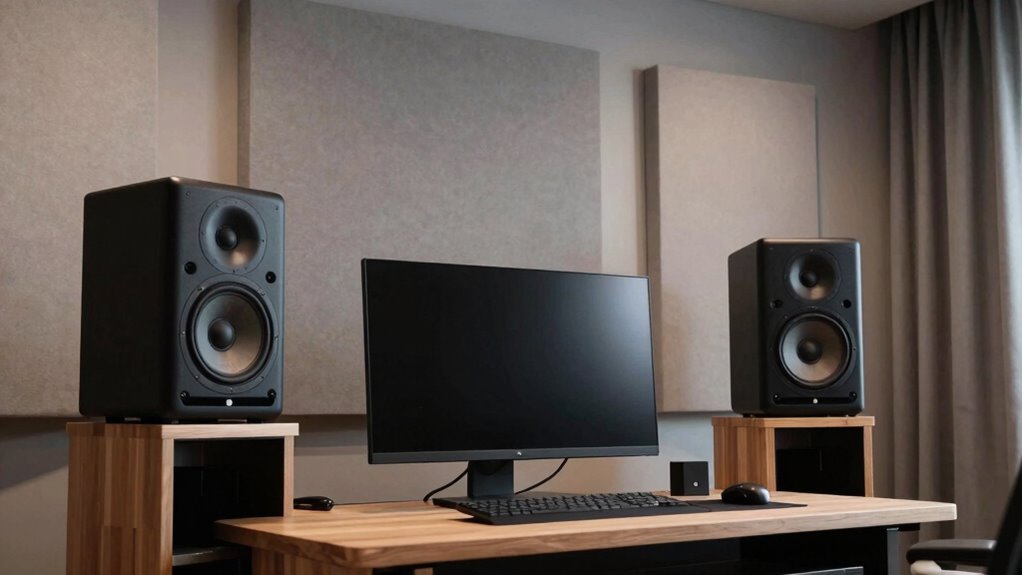
To buy monitor speakers without overloading your room, take into account your space size and choose appropriately-sized speakers. Position them at ear level, forming an equilateral triangle with your listening spot, and keep them away from walls to prevent bass buildup. Use acoustic treatments like foam panels to improve sound quality. Measure your room dimensions, match speaker power accordingly, and avoid oversized options for small spaces. If you want to get it just right, there’s more to consider below.
Key Takeaways
- Match speaker size and power to your room dimensions to prevent overwhelming or underperforming sound.
- Use acoustic treatments like panels and bass traps to optimize sound quality without needing larger speakers.
- Position speakers at ear level and away from walls to minimize reflections and bass buildup.
- Test speakers with familiar tracks to assess clarity and balance suited for your space.
- Prioritize accurate sound quality over maximum volume to avoid overloading small or reflective rooms.
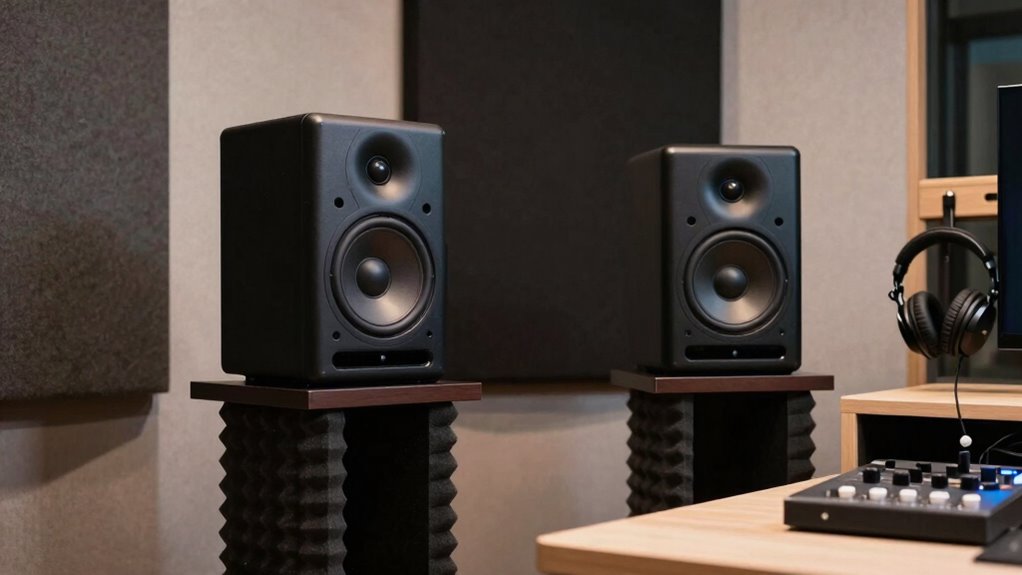
Choosing the right monitor speakers can substantially improve your audio experience, whether you’re mixing music, editing videos, or simply enjoying your favorite tunes. When shopping for monitor speakers, it’s essential to consider how well they fit into your space and how you’ll connect them to your devices. Wireless connectivity has become a popular feature, allowing you to avoid cluttered cables and place your speakers more flexibly. If you prefer a clean setup and want to minimize cable management, look for models with Bluetooth or Wi-Fi options, but keep in mind that wired connections often deliver more stable, high-quality sound.
Speaker placement is equally critical. Even the best monitors can underperform if they’re not positioned correctly. You want to set them up at ear level, forming an equilateral triangle with your listening position. This ensures that sound reaches your ears directly, avoiding reflections from nearby surfaces that can muddy the audio. Keep the speakers at a reasonable distance from walls to prevent bass buildup and echo. Experiment with angles, aiming the tweeters toward your ears for maximum clarity. Proper placement helps you experience a balanced soundstage, which is essential whether you’re mixing tracks or just enjoying music casually. Additionally, understanding how room size influences speaker performance can help you select the appropriate monitors for your space. Considering speaker power and size can also prevent overloading or underperforming in your specific environment. To optimize your setup, it’s beneficial to learn about acoustic treatment, which can significantly improve sound accuracy and reduce unwanted reflections. Using room acoustics to your advantage can make a noticeable difference in sound clarity and overall listening experience.
Position speakers at ear level and form an equilateral triangle for optimal sound clarity and balance.
In addition, room dimensions play a vital role in determining the ideal speaker specifications for your environment. When choosing monitor speakers, think about your room size. Larger rooms require more powerful speakers, but don’t overdo it. Oversized speakers in a small space can cause overwhelming bass and distorted sound. Conversely, small speakers in a large room might not deliver enough volume or bass. Measure your space and pick monitors that match its dimensions. Also, consider acoustic treatment, such as foam panels or bass traps, to improve sound quality. These adjustments prevent sound waves from bouncing excessively and creating unwanted echoes, enabling you to hear your audio as accurately as possible.
Finally, test different speakers if you can. Bring your favorite tracks or reference mixes and listen critically. Trust your ears over specifications alone. Make sure the speakers deliver clear highs, balanced mids, and punchy lows without distortion at your typical listening volumes. Keep in mind that your personal preferences matter, so prioritize comfort and sound quality over flashy features. Buying monitor speakers isn’t just about specifications; it’s about finding a pair that seamlessly integrates into your space and workflow. When you pay attention to wireless connectivity options and speaker placement, you’ll create a more immersive, accurate listening environment that enhances your audio projects or leisure time.
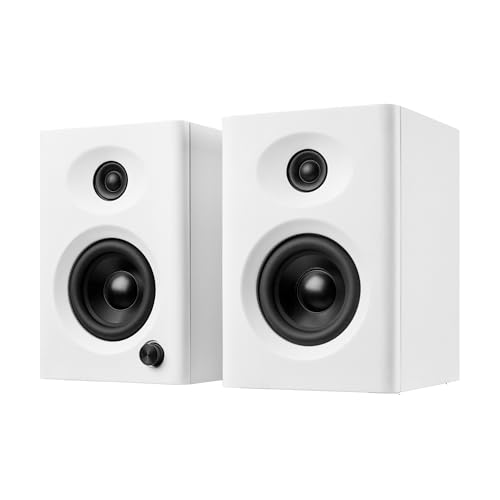
NSY Audio Computer Speakers for Desktop PC, 60W Bluetooth Surround Sound Speakers with Bass, Compact Powered Bookshelf Speakers for Office, Monitors, Laptop, Gaming, TV, Gifts (White, Pair)
60W Max Output Powered PC Speakers Immersive Sound: Powerful 2.0 stereo speakers deliver crystal-clear audio with bass, despite…
As an affiliate, we earn on qualifying purchases.
As an affiliate, we earn on qualifying purchases.
Frequently Asked Questions
What Are the Best Monitor Speaker Brands for Beginners?
For beginners, brands like Yamaha, KRK, and JBL offer great monitor speakers that balance quality and affordability. When selecting your monitors, consider studio ergonomics to position them correctly for best sound. Also, incorporate soundproofing techniques in your space to prevent sound distortion and overbuying. These brands provide reliable options that help you achieve accurate sound without overwhelming your room, making them ideal starting points for budding producers.
How Do I Choose the Right Speaker Size for My Room?
You should choose a speaker size based on your room’s acoustics and calibration needs. Smaller rooms benefit from compact speakers to prevent overwhelming sound, while larger spaces need bigger models for full coverage. Use proper speaker calibration to optimize sound, regardless of size. Consider room shape and furniture, and test different sizes if possible. This approach guarantees clear, balanced audio without overburdening your space.
Can I Upgrade My Monitor Speakers Later?
Yes, you can upgrade your monitor speakers later. About 70% of audio professionals upgrade their equipment within five years, highlighting the importance of durability and future-proofing. When upgrading, consider speaker durability to guarantee long-lasting performance, and keep budget considerations in mind to avoid overspending. Upgrading allows you to improve sound quality and adapt to evolving needs, making it a smart move as your skills and requirements grow.
What Is the Ideal Placement for Monitor Speakers?
You should position your monitor speakers at ear level, forming an equilateral triangle with your listening position. Keep them about 2-3 feet apart, angled slightly inward. To enhance sound quality, add acoustic treatment and soundproofing to your room, reducing reflections and external noise. Avoid placing speakers near walls or corners, as this can cause bass buildup. Proper placement guarantees accurate sound reproduction and prevents overbuying by optimizing your existing setup.
How Do I Connect Monitor Speakers to Different Devices?
You connect monitor speakers to different devices using suitable audio cables like XLR, TRS, or RCA, depending on your gear’s input options. Make certain the speaker impedance matches your device’s output to prevent damage. First, identify the correct ports on both your device and speakers, then securely plug in the appropriate audio cables. Double-check connections to ensure sound quality and avoid impedance mismatches that could cause distortion.

Ortizan C7 Dual-Mode 2.0 Studio Monitors, Active Monitor Speakers for Near Field Music Production, Bluetooth 5.3 Wireless Computer PC Monitor Gaming Bookshelf Speakers(Pair, Black)
【Multiple INPUTS】The stereo speakers home audio is built with RCA which ensure a lossless connection surround sound system…
As an affiliate, we earn on qualifying purchases.
As an affiliate, we earn on qualifying purchases.
Conclusion
So, as you step into the world of monitor speakers, remember that choosing the right size and sound isn’t just about equipment—it’s about your space and your ears. Sometimes, the perfect monitor finds you when you least expect it, just like that last piece of a puzzle falling into place. Trust your instincts, measure twice, and listen carefully. After all, the best sound isn’t overpowered by your room—it thrives within it, waiting to surprise you.

Focusound 52 Pack Acoustic Foam Panels 1" x 12" x 12" Sound Proof Foam Panles Soundproofing Noise Cancelling Wedge Panels for Home Office Recoding Studio with 300PCS Double-Side Adhesive
Soundproofing – Acoustic foam panels triangular grooves structure for better noise absorption, helps to reduce and absorb unwanted…
As an affiliate, we earn on qualifying purchases.
As an affiliate, we earn on qualifying purchases.

Computer Speakers for Desktop PC Monitor, USB Plug-in, Wired, Computer Soundbar for PC, Laptop Speakers with Adaptive-Channel-Switching, Loud Sound, Deep Bass, USB C Adapter, Easy to Clip on Monitor
[COMPATIBLE WITH USB DEVICES] – Our USB Speakers are compatible with Windows, macOS, ChromeOS, and Linux, making them…
As an affiliate, we earn on qualifying purchases.
As an affiliate, we earn on qualifying purchases.