If you are looking for a captioned telephone for hearing loss, the key choice is whether you need words on screen during a call or a louder, easier-to-use phone. I put the Hamilton CapTel 2400iSPNBT first for its large touchscreen, live captions, and choice of automated captions or operator support. The Hamilton CapTel 840i is a strong alternative if large buttons and a more conventional phone layout matter more, while the JeKaVis J-P02 is the simplest pick here for louder conversations without captioning.

Get everyday helpers delivered free with Prime
- Fast, free delivery on millions of items
- Prime Video, Amazon Music and more included
- Member-only deals all year
These products serve different needs. Both Hamilton models display captions, but they require high-speed internet, electrical power, and US eligibility and registration. The JeKaVis and Clarity phones amplify sound or make calls easier to place, but none of the three Clarity or JeKaVis models provides call captions. I rank the captioning models first because the title’s main need is reading conversations, then compare the amplified phones as alternatives for people who primarily need sound, visual alerts, or simpler dialing.
Key Takeaways
- The Hamilton CapTel 2400iSPNBT is the strongest match for buyers who want a large touchscreen, real-time captions, and a choice of automated or live operator support.
- The Hamilton CapTel 840i also captions calls and offers large buttons, adjustable caption size, and captioned voicemail, with a more traditional keypad-centered layout.
- The JeKaVis J-P02 amplifies incoming sound up to 40 dB and has large buttons, but it does not display captions or provide a cordless handset.
- The Clarity P-300 and P300 focus on amplified sound, loud ringing, visual alerts, and photo memory buttons; they are not substitutes for a captioned phone.
- Both Hamilton captioning services are restricted to eligible, registered US residents and require high-speed internet and electrical power; check service and phone-line requirements before choosing.
| Hamilton CapTel 2400iSPNBT Captioned Telephone with Large Touchscreen |  | Best Overall Captioned Phone | Phone type: Corded, single-line | Screen: Large touchscreen | Amplified gain: Up to 40 dB | VIEW LATEST PRICE | See Our Full Breakdown |
| Hamilton CapTel 840i Large-Button Captioned Telephone |  | Best for Large Physical Buttons | Phone type: Corded | Dialer: Single keypad with large buttons | Captioning: Real-time captions with automatic or assisted options | VIEW LATEST PRICE | See Our Full Breakdown |
| JeKaVis J-P02 Amplified Corded Phone with Large Buttons for Seniors, White |  | Best Amplified Phone Without Captioning | Phone type: Corded, single-line | Maximum amplification: Up to 40 dB | Volume controls: Adjustable handset, speakerphone, and ringer | VIEW LATEST PRICE | See Our Full Breakdown |
| Clarity P-300 Amplified Corded Photo Telephone, White |  | Best for Photo-Based Speed Dial | Phone type: Corded | Incoming sound amplification: Up to 26 dB | Ringer: Above 75 dB, adjustable pitch and volume | VIEW LATEST PRICE | See Our Full Breakdown |
| Clarity P300 Amplified Corded Photo Phone |  | Best for Hearing Aid Compatibility and Photo Dialing | Phone type: Corded, single-line | Incoming sound amplification: Up to 20 dB | Ringer: 75+ dB | VIEW LATEST PRICE | See Our Full Breakdown |
| captioned telephones for hearing loss | Phone type | Compatibility |
|---|---|---|
| Hamilton CapTel 2400iSPNBT Cap | Corded, single-line | VoIP, analog, digital cable, DSL, and FIOS; hearing aid compatible |
| Hamilton CapTel 840i Large-But | Corded | — |
| JeKaVis J-P02 Amplified Corded | Corded, single-line | Hearing aid compatible |
| Clarity P-300 Amplified Corded | Corded | — |
| Clarity P300 Amplified Corded | Corded, single-line | Hearing aid compatible; PSTN network |
More Details on Our Top Picks
Hamilton CapTel 2400iSPNBT Captioned Telephone with Large Touchscreen
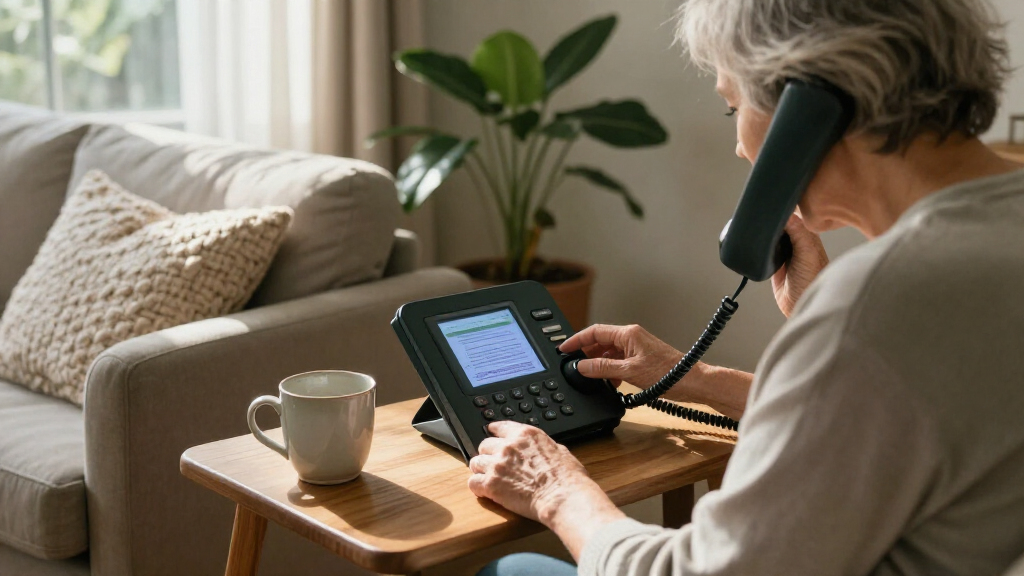
The 2400iSPNBT is the most direct fit for someone who wants to read both sides of a telephone conversation. Its large touchscreen shows real-time captions for incoming and outgoing calls, so a buyer can use visual information to follow speech rather than relying only on louder audio. It also supports captioned voicemail, making it possible to review messages on screen instead of trying to catch every word in real time.
Compared with the CapTel 840i, this model puts more emphasis on the touchscreen. That may suit someone comfortable interacting with a display, while the 840i’s large buttons may feel more familiar to a keypad-first user. Both offer up to 40 dB of amplification and captioning, but the 2400iSPNBT specifically lists a choice of automated captions or live operator support. Three-way calling adds flexibility for household or care-related calls.
The tradeoff is setup and eligibility. The captioning service is for registered US residents with hearing loss, and the phone requires high-speed internet and electrical power; telephone service may also be needed, depending on the setup. Its touchscreen-led controls may also be less appealing to someone who wants simple, tactile buttons. I would choose it over the non-captioned JeKaVis or Clarity phones when reading captions is central, but not if internet access or service eligibility is uncertain.
Pros:- Real-time captions for incoming and outgoing calls
- Large touchscreen and captioned voicemail
- Up to 40 dB amplification and hearing aid compatibility
- Automated captioning or live operator support options
Cons:- Captioning requires registration and eligibility for the US service
- Needs high-speed internet and electrical power; telephone service may also be required
- Touchscreen controls may be less appealing than a large-button keypad
Best for: Eligible US residents with hearing loss who want a large touchscreen, real-time captions, and captioned voicemail.
Not ideal for: Buyers outside the eligible US service area, households without high-speed internet or power at the phone, or anyone who prefers basic tactile controls.
- Phone type:Corded, single-line
- Screen:Large touchscreen
- Amplified gain:Up to 40 dB
- Captioning:Automated captions or live operator support
- Voicemail:Captioned answering machine; 18-minute recording capacity
- Network and power:High-speed internet and electrical power; telephone service may also be required
- Compatibility:VoIP, analog, digital cable, DSL, and FIOS; hearing aid compatible
- Eligibility:Registered US residents with hearing loss
Our verdict“I recommend the 2400iSPNBT for eligible buyers who want the clearest combination here of on-screen conversation captions, voicemail captions, and adjustable listening support.”
Hamilton CapTel 840i Large-Button Captioned Telephone
The CapTel 840i pairs captions with familiar button navigation. It displays real-time captions, offers customizable caption size, and has a built-in answering machine that displays voicemail captions. For buyers who want to read a call but would rather press physical buttons than operate a large touchscreen, its layout gives it a distinct advantage over the 2400iSPNBT.
It shares the Hamilton model’s core hearing support: up to 40 dB of volume boost, hearing aid compatibility, and real-time captions with automatic or assisted options. Its large buttons and adjustable caption size can address two different access needs at once: dialing and reading. The product listing also describes multi-line operation and conference calling, while the 2400iSPNBT is specified as single-line with three-way calling.
Its main limitation is the same service dependency that comes with the 2400iSPNBT: high-speed internet and US residency are required for the captioning service. If you do not qualify or cannot connect it, its main distinction from the amplified phones narrows considerably. I would pick it over the touchscreen model for tactile navigation, but prefer the 2400iSPNBT when the large display and explicitly listed operator-support choice are higher priorities.
Pros:- Real-time captions with automatic or assisted options
- Large buttons and customizable caption size
- Up to 40 dB volume boost and hearing aid compatibility
- Built-in answering machine displays voicemail captions
Cons:- Captioning service is limited to eligible US residents
- Requires high-speed internet
- Less touchscreen-focused than the 2400iSPNBT
Best for: Eligible US buyers who want real-time call captions but prefer large physical buttons and customizable text size.
Not ideal for: Anyone who cannot meet the US service eligibility and internet requirements, or who wants a basic phone with no setup dependency.
- Phone type:Corded
- Dialer:Single keypad with large buttons
- Captioning:Real-time captions with automatic or assisted options
- Caption display:Customizable caption size
- Volume boost:Up to 40 dB
- Answering system:Digital answering machine with captioned voicemail; 18-minute recording capacity
- Calling:Conference calling; listed as multi-line operation
- Requirements:High-speed internet and US residency for service
Our verdict“I’d choose the 840i over the 2400iSPNBT when large physical buttons matter more than a touchscreen, while keeping the same service and internet checks in mind.”
JeKaVis J-P02 Amplified Corded Phone with Large Buttons for Seniors, White
The JeKaVis J-P02 is the strongest non-captioned option for louder listening in this group, with amplification up to 40 dB and adjustable handset, speakerphone, and ringer volume. Large buttons can make dialing more manageable for someone with low vision or reduced dexterity. Because it runs on telephone-line power, it may remain usable during a household power outage, unlike the captioned Hamilton setups that require electrical power.
Compared with the Clarity P-300 and P300, the JeKaVis lists substantially higher maximum amplification, while the Clarity phones bring photo memory buttons and a bright visual ring indicator. That makes the JeKaVis a better fit when hearing the caller is the priority; the Clarity models may be easier for someone who recognizes faces or names better than numbers. None of these three alternatives provides captions, so I would not choose the JeKaVis as a solution for someone who needs to read speech.
The phone is corded and single-line, with no cordless functionality listed. Two-touch speed dial and wall mounting are practical touches, but the listing’s weight of 0.65 g appears questionable, so I would not use that figure to judge how substantial it feels. This is a simpler and less service-dependent choice than either Hamilton, yet its support is acoustic rather than textual.
Pros:- Amplification up to 40 dB with adjustable handset, speakerphone, and ringer volume
- Large buttons and two-touch speed dial
- Telephone-line powered, with wall-mount option
- Hearing aid compatible
Cons:- Does not provide captions or captioned voicemail
- Corded, single-line design with no stated cordless functionality
- Listed weight may be inaccurate
Best for: Someone who wants an amplified, large-button landline and does not need captions to follow calls.
Not ideal for: Buyers who need words displayed during calls, want a cordless handset, or need a multi-line phone.
- Phone type:Corded, single-line
- Maximum amplification:Up to 40 dB
- Volume controls:Adjustable handset, speakerphone, and ringer
- Buttons:Large buttons; two-touch speed dial for numbers 0–9
- Power:Telephone line
- Compatibility:Hearing aid compatible
- Mounting:Wall-mountable
- Color:White
Our verdict“I’d choose the JeKaVis for strong adjustable amplification and simple dialing when captions are not required.”
Clarity P-300 Amplified Corded Photo Telephone, White
The Clarity P-300 makes familiar callers easier to reach through nine programmable photo memory buttons. Pairing a face with a speed-dial button can reduce the need to read or remember a sequence of numbers. Its extra-loud ringer, rated above 75 dB, has adjustable pitch and volume, and a bright visual ring indicator gives another cue that a call is coming in.
Against the JeKaVis, the P-300 trades the higher stated handset amplification for more visual calling cues and photo buttons: the listing gives it up to 26 dB, compared with the JeKaVis’s 40 dB. The other Clarity P300 listing states up to 20 dB and includes hearing aid compatibility, which is not specified in the P-300 details supplied here. These differences make it important to check the exact listing rather than treating the two model names as identical.
This is still an amplified telephone, not a captioned telephone. It is most useful when loud ringing, a visual alert, and photo dialing address the buyer’s main barriers. The 9V battery requirement adds a maintenance item, and single-line corded operation limits placement and portability. If reading speech is needed, either Hamilton is a more appropriate choice, subject to its eligibility and connectivity requirements.
Pros:- Nine programmable photo memory buttons
- Ringer rated above 75 dB with adjustable pitch and volume
- Bright visual ring indicator
- Incoming sound amplification up to 26 dB
Cons:- Does not caption calls or voicemail
- Requires a 9V battery
- Single-line corded operation
Best for: People who benefit from photo speed-dial buttons, a very loud adjustable ringer, and a visual ring alert.
Not ideal for: Anyone who needs call captions, wants cordless portability, or prefers the highest stated amplification in this roundup.
- Phone type:Corded
- Incoming sound amplification:Up to 26 dB
- Ringer:Above 75 dB, adjustable pitch and volume
- Memory buttons:Nine programmable photo buttons
- Ring alert:Bright visual indicator
- Power:Requires one 9V battery
- Line operation:Single-line
- Warranty:One year
Our verdict“I’d pick the P-300 for visual calling cues and photo dialing, while choosing JeKaVis for stronger stated amplification or Hamilton for captions.”
Clarity P300 Amplified Corded Photo Phone
The Clarity P300 combines photo dialing with stated hearing aid compatibility. Its nine programmable photo memory buttons and large keypad help simplify calling, while a bright visual ring indicator and 75+ dB ringer provide notice through sight and sound. The listing also specifies an answering system with 16 minutes of recording capacity, a feature not listed for the P-300 entry above.
Compared with the P-300, this version lists up to 20 dB amplification rather than 26 dB, but explicitly names hearing aid compatibility and a digital answering system. Against the JeKaVis, it offers photo buttons and visual notification, while the JeKaVis lists up to 40 dB amplification and telephone-line power. That makes the P300 a better match for someone who values familiar visual dialing and hearing aid compatibility over maximum stated boost.
Like the other Clarity model, the P300 does not put words on screen during calls, so it should not be mistaken for the captioned Hamilton phones. Its corded design limits portability, and its single-line PSTN operation may not suit every phone setup. The listed weight of 0.27 g also seems implausible, so buyers should verify physical details with the seller if weight matters.
Pros:- Hearing aid compatible
- Nine programmable photo buttons and large keypad
- 75+ dB ringer with bright visual ring indicator
- Digital answering system with 16-minute recording capacity
Cons:- Does not provide call captions
- Corded single-line design limits portability
- Listed weight may be inaccurate
Best for: Someone who uses a hearing aid and wants photo speed dial, a large keypad, and a visual ring alert.
Not ideal for: Buyers needing captions, cordless use, or stronger stated amplification than 20 dB.
- Phone type:Corded, single-line
- Incoming sound amplification:Up to 20 dB
- Ringer:75+ dB
- Memory buttons:Nine programmable photo buttons
- Keypad:Large
- Compatibility:Hearing aid compatible; PSTN network
- Answering system:Digital; 16-minute recording capacity
- Ring alert:Bright visual indicator
Our verdict“I’d choose this P300 over the other Clarity listing when hearing aid compatibility and an answering system are priorities, while recognizing its lower stated amplification.”
How We Picked
I ranked these five phones by how directly they meet the need in the title: following telephone conversations despite hearing loss. That puts phones with real-time captions ahead of sound amplification alone. Within the captioned pair, I gave the 2400iSPNBT the lead because its large touchscreen and two captioning options make the conversation easier to read and give the buyer more flexibility. The 840i remains a close alternative for someone who prefers large physical buttons and customizable caption size.
I then compared the non-captioning phones by the kinds of support they do offer: amplification, ringer loudness, visual alerts, large or photo-based controls, and power needs. The JeKaVis earns the top place among these alternatives for its stated 40 dB amplification and large buttons. The Clarity models follow because they offer loud ringers and photo memory keys, though their stated amplification is lower. I treat the P-300 and P300 as separate listed products because their supplied specifications differ, and I avoid assuming that those differences are errors or interchangeable revisions.
I also weighed practical limitations that could change a buying decision. Captioning eligibility, internet and power requirements, and telephone service needs matter as much as the screen. For amplified phones, I distinguish a louder handset or ringer from actual captioning: amplification may help a caller hear more, but it does not turn speech into text. I base this guide on the supplied product information and make no claim of personal testing.
| captioned telephones for hearing loss | Phone type | Compatibility |
|---|---|---|
| Hamilton CapTel 2400iSPNBT Cap | Corded, single-line | VoIP, analog, digital cable, DSL, and FIOS; hearing aid compatible |
| Hamilton CapTel 840i Large-But | Corded | — |
| JeKaVis J-P02 Amplified Corded | Corded, single-line | Hearing aid compatible |
| Clarity P-300 Amplified Corded | Corded | — |
| Clarity P300 Amplified Corded | Corded, single-line | Hearing aid compatible; PSTN network |
Factors to Consider When Choosing Captioned Telephones For Hearing Loss
I would start by deciding whether the buyer needs captions, louder sound, or easier calling controls. These phones do not all solve the same problem, and a higher amplification figure does not replace text on screen.
Decide whether captions are necessary
If understanding spoken words is difficult even with a louder handset or hearing aid, the Hamilton CapTel phones are the only models here that display real-time captions. The 2400iSPNBT uses a large touchscreen and lists automated captions or live operator support; the 840i adds large physical buttons and customizable caption size. The JeKaVis and Clarity models amplify sound, alert you to calls, or simplify dialing, but they do not convert speech into text. I would make this distinction first, since it determines which half of the lineup is relevant.
Check caption service and connection requirements
Both Hamilton options require high-speed internet, electrical power, and eligibility for a captioning service limited to registered US residents with hearing loss. The 2400iSPNBT listing also says telephone service may be required in some cases and describes compatibility with several network types. Confirm the requirements for the intended setup before choosing. If the buyer is outside the service area or lacks a dependable internet connection, the listed captioning benefit may not be available. The JeKaVis uses telephone-line power, which can be useful during a power outage, but it offers no captions.
Match the controls to the caller
Large physical buttons can help someone who has trouble seeing or accurately pressing small keys; the CapTel 840i and JeKaVis both emphasize them. A touchscreen may suit a caller who is comfortable with on-screen controls and wants a large caption display, as on the 2400iSPNBT. The Clarity phones add nine photo memory buttons, which can make frequent calls easier when matching a face is simpler than recalling a number. Consider who will program speed dial or caption settings and whether they can comfortably use that interface.
Separate handset amplification from ringer loudness
Amplification figures describe a different need from a loud ringer. The JeKaVis and both Hamilton models list up to 40 dB of boost, while the Clarity P-300 lists up to 26 dB and the Clarity P300 lists up to 20 dB. The Clarity models separately advertise ringers above 75 dB or 75+ dB, plus visual ring indicators. A buyer may need help hearing a conversation, noticing an incoming call, or both. I would compare each specification to the actual difficulty rather than treating all loudness claims as interchangeable.
Review line type, placement, and power
All five are corded phones, so none is a portable cordless handset. The JeKaVis is telephone-line powered and can be wall-mounted; both Hamilton devices require electrical power and high-speed internet for caption service. The Clarity P-300 requires a 9V battery according to its supplied specifications, while the P300 listing identifies corded electric power. Check the intended phone service and outlet location, and remember that the JeKaVis and Clarity models are listed as single-line. A phone’s stated network compatibility should match the household’s actual setup.
Compare the two Clarity listings carefully
The two Clarity entries have similar photo-button and ringer features, but their supplied specifications are not identical. The P-300 lists up to 26 dB amplification and a one-year warranty, and its supplied details do not specify hearing aid compatibility. The P300 lists up to 20 dB, explicitly states hearing aid compatibility, and includes a digital answering system with 16 minutes of recording. I would use the exact ASIN and listing to confirm what is included rather than assume one description applies to both. Neither version offers captions.
Frequently Asked Questions
Which phone in this roundup actually displays captions during calls?
The Hamilton CapTel 2400iSPNBT and Hamilton CapTel 840i are the two captioned phones here. Both provide real-time captions, and their listed features include captioned voicemail. The JeKaVis J-P02 and both Clarity models provide amplification or easier calling features but do not show call captions. Hamilton captioning service is limited to registered, eligible US residents with hearing loss and requires high-speed internet and electrical power.
Is an amplified phone the same as a captioned phone?
No. An amplified phone raises the sound delivered through the handset or speaker, while a captioned phone displays recognized speech as text during the call. The JeKaVis, Clarity P-300, and Clarity P300 are amplified phones, but the supplied product details do not describe call captioning for them. If reading the conversation is necessary to follow it, I would focus on one of the Hamilton models and check service eligibility before buying.
Which Hamilton model should I choose?
I would choose the 2400iSPNBT if a large touchscreen and the listed choice of automated captions or live operator support are the main priorities. I would choose the 840i if large physical buttons and customizable caption size better fit the caller’s habits. Both offer real-time captions, up to 40 dB amplification, and captioned voicemail, and both depend on eligible US service and high-speed internet. The supplied listings differ in interface and calling details, so confirm the exact model’s requirements for your phone setup.
Which option is best if I do not need captions?
Among the non-captioned phones, the JeKaVis J-P02 has the highest stated amplification, up to 40 dB, plus large buttons and adjustable handset, speakerphone, and ringer volume. Choose a Clarity model instead if photo speed dial and a bright visual ring alert matter more. The P-300 lists up to 26 dB amplification, while the P300 lists up to 20 dB and explicitly names hearing aid compatibility and a digital answering system. Neither Clarity option displays conversation text.
Will the captioned phones work without internet or outside the United States?
The supplied information says both Hamilton captioned phones require high-speed internet and that their captioning service is limited to eligible US residents; the 840i is specified for US residents, and the 2400iSPNBT requires registration. The 2400iSPNBT also requires electrical power, and telephone service may be needed for some configurations. The listings do not support relying on these models for captioned calling without internet or outside the eligible service area. Check current service terms and requirements for the buyer’s location before selecting one.
Conclusion
For someone who needs to read conversations while speaking on the phone, I recommend the Hamilton CapTel 2400iSPNBT for its touchscreen and captioning options, or the 840i if large physical buttons are the stronger preference. For a buyer who mainly needs amplified sound with large controls and telephone-line power, I’d look at the JeKaVis J-P02. Choose the Clarity P-300 for photo dialing, a loud ringer, and visual call alerts; choose the Clarity P300 when its listed hearing aid compatibility and answering system are more useful. The deciding question is whether captions are essential: only the two Hamiltons provide them, and both depend on eligible US service, internet, and power.
Fall Picks
fall essentials
As an affiliate, we earn on qualifying purchases.