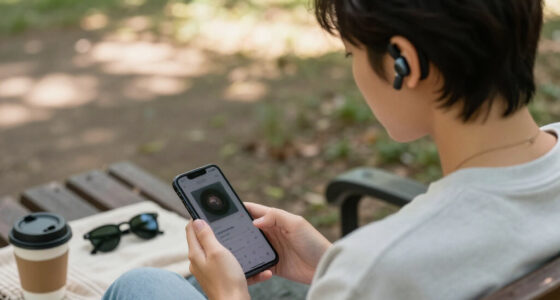

Welcome to our comprehensive Accessibility Hearing & Assistive Tech Checklist 2026. Whether you’re exploring new devices for yourself or a loved one, this guide is designed to help you navigate the evolving landscape of assistive technology. We’ve curated a selection of top products across various categories, emphasizing reliability, ease of use, and compatibility.

Get everyday helpers delivered free with Prime
- Fast, free delivery on millions of items
- Prime Video, Amazon Music and more included
- Member-only deals all year
The checklist is organized by device type, providing detailed insights into why each product matters, common pitfalls to avoid, and practical advice on choosing the right fit. Use this as your go-to resource to make informed decisions and enhance accessibility in everyday life.
To get the most out of this guide, start by identifying your specific needs and priorities. Then, review each section carefully, paying attention to the key features and recommendations. Remember, the goal is to find solutions that seamlessly integrate into your routine and improve overall quality of life.
Hearing Aids and Amplifiers
Hearing aids like the Lexie B3 OTC Hearing Aids are increasingly popular for their convenience and advanced sound technology. These devices are designed to provide clear audio, reduce background noise, and improve speech comprehension. When selecting hearing aids, it’s crucial to consider the fit, comfort, and whether they are suitable for your specific hearing loss profile. Common mistakes include choosing devices without proper testing or ignoring compatibility with other assistive tech. Proper sizing and fit can prevent discomfort and ensure optimal performance. Additionally, rechargeable models like the Lexie B3 can save you time and effort, promoting consistent use.
Look for features such as adjustable volume, multiple listening programs, and user-friendly controls. Compatibility with your smartphone or other devices can enhance functionality. Always verify the device’s suitability for your hearing needs and consider professional consultation for fine-tuning.
What to look for:
- Rechargeable battery functionality
- Multiple listening programs
- Comfortable, secure fit
- Compatibility with smartphones
Lexie B3 OTC Hearing Aids with Bose Sound Technology, Rechargeable, Customizable

The Lexie B3 OTC hearing aids utilize Bose sound technology to deliver clear speech in noisy environments with automatic sound focus and personalized hearing profiles. Features include rechargeable batteries, universal Bluetooth connectivity, and customizable sound settings via the Lexie app, providing a natural listening experience and audiologist-quality adjustments.
Pros:
- Advanced Bose sound technology for natural, clear audio
- Customizable and self-fitting via app for personalized hearing profiles
- Long-lasting rechargeable batteries with portable charging case
- Universal Bluetooth connectivity for streaming calls and media
Cons:
- Requires smartphone app for full customization
- Potentially higher cost due to advanced features
- Designed for OTC use, may not replace professional audiologist services
Best for: Mild to moderate hearing loss
Not ideal for: Severe hearing impairments
Bottom line: Reliable, user-friendly hearing support at your fingertips.
Assistive Listening Devices
The 4-Person Assistive Listening System is an essential tool for group settings, such as meetings or performances, where hearing clarity is vital. These systems typically include transmitters and over-the-head headphones that amplify sound directly to each user, reducing background noise and enhancing speech intelligibility. They are especially beneficial in noisy environments or for individuals with significant hearing challenges. When choosing an assistive listening system, consider the number of users it supports and the ease of setup. Avoid systems that are overly complicated or incompatible with existing devices. Proper placement of transmitters can make a difference in sound coverage, so follow manufacturer instructions carefully.
Look for features like wireless connectivity, adjustable volume, and durable construction. Compatibility with various headphones and ease of use are key factors. Investing in a system that is scalable and easy to maintain will ensure long-term satisfaction and usability.
What to look for:
- Multiple user support
- Wireless connectivity
- Adjustable volume control
- Durable, comfortable headphones
4-Person Assistive Listening System with Over-The-Head Headphones

This assistive listening system includes premium over-the-head foldable headphones with reinforced cables and HiFi speakers, designed for up to four users. It features a US-based 3-year warranty, phone support, and an ADA plaque.
Pros:
- High-quality over-the-head headphones with HiFi speakers
- Reinforced cables prevent tangling
- Expandable system for more users
Cons:
- Requires additional purchase for system expansion
- Limited to 4 users in the base package
Best for: Meetings, performances, group conversations
Not ideal for: One-on-one personal use
Bottom line: Enhances group communication with clarity and ease.
Visual Alert Systems
While no specific product is highlighted here, visual alert systems are a critical component of accessible environments. These systems use flashing lights or visual signals to alert individuals to important sounds like doorbells, alarms, or phone calls. When selecting a visual alert system, prioritize compatibility with existing home wiring and ease of customization. Consider the alert’s visibility, size, and the ability to customize signals for different events. Proper placement is vital to ensure alerts are noticeable from all key areas of your home or workspace. Avoid systems that are overly complex to operate or require extensive installation.
Look for features such as adjustable flashing intensity, multiple alert options, and integration capabilities with other smart home devices. Ensuring the system is user-friendly will maximize its effectiveness and safety.
What to look for:
- Compatibility with existing wiring
- Customizable flashing signals
- Multiple alert options
- Ease of installation and use
Accessible Smartphones
The LIVELY Jitterbug Smart3 Smartphone is tailored specifically for seniors and those with accessibility needs. It offers simple navigation, large icons, and an intuitive interface, making it easier to stay connected. Features like amplified sound, emergency response buttons, and hearing aid compatibility enhance usability. When choosing an accessible smartphone, consider the size of the display, voice command capabilities, and compatibility with other assistive devices. Avoid models with overly complex menus or small screens that can hinder usability.
Look for devices that prioritize clarity, ease of setup, and customizable accessibility options. A well-designed device can significantly improve independence and communication.
What to look for:
- Large, high-contrast display
- Hearing aid compatibility
- Simple, intuitive interface
- Emergency features
LIVELY Jitterbug Smart3 Smartphone for Seniors

The Jitterbug Smart3 is a user-friendly smartphone designed for seniors, featuring a large 6.2-inch screen, simple list-based menu, voice typing, and a long-lasting battery. It offers easy communication with features like video chat, emergency response, and access to health services, all compatible with Lively’s affordable plans.
Pros:
- Large, easy-to-read screen and simple menu ideal for seniors
- Voice typing and video chat enhance communication options
- Emergency response and health service access provide added safety
- Affordable plans with unlimited talk and text
Cons:
- Only compatible with Lively service, limiting carrier options
- Basic features may not suit tech-savvy users seeking advanced functions
- Relatively heavy for some users
Best for: Seniors and accessibility-focused users
Not ideal for: Tech-savvy users seeking advanced features
Bottom line: Brings connectivity within everyone’s reach.
Voice Recognition Software
The Voice Caddie SC200Plus is a portable device primarily used for golf swing analysis, but its voice recognition capabilities can assist users in hands-free operation of compatible apps or devices. When considering voice recognition software, look for accuracy, responsiveness, and compatibility with your existing technology ecosystem. Many software solutions are designed to streamline daily tasks, from voice commands to dictation, making them invaluable for accessibility. Be mindful of the setup process and whether the system adapts to your voice over time. Avoid options that are overly complicated or require extensive training.
Features like noise cancellation, multi-language support, and seamless integration with smartphones or smart home devices can elevate your experience. Properly configured voice software can serve as an essential hands-free tool, enhancing independence and efficiency.
What to look for:
- High accuracy and responsiveness
- Compatibility with multiple devices
- Noise cancellation features
- Multi-language support
Adaptive Keyboard & Mouse
The Adaptive One-Handed Cutting Board with Steel Spikes and accessories offers a unique solution for users needing adaptive input devices. While it may seem unconventional, such tools can be vital for individuals with limited mobility or dexterity. When selecting adaptive keyboards and mice, focus on ergonomics, compatibility, and ease of use. For example, a one-handed device should fit comfortably and provide intuitive controls to prevent fatigue. Avoid overly complex setups that could hinder daily use. Compatibility with your existing computer system is essential to ensure seamless integration.
Look for adjustable sensitivity, customizable buttons, and ergonomic design features. Properly chosen adaptive input devices can greatly enhance productivity and independence, especially when paired with other assistive technologies.
What to look for:
- Ergonomic design
- Compatibility with your system
- Customizable controls
- Ease of use for limited dexterity
Adaptive One-Handed Cutting Board with Steel Spikes and Accessories

This adaptive cutting board is designed for one-handed use, featuring anti-slip spikes, a removable support fence, and included tools like a vegetable peeler and chopper. Made from durable natural wood, it provides a safe and accessible solution for individuals with limited hand mobility, ideal for seniors, disabled, or elderly users.
Pros:
- Designed for one-handed use, making meal prep accessible for disabled or elderly users
- Includes multiple tools and safety features for versatile food preparation
- Durable and easy to clean natural wood construction
Cons:
- May be bulky for small kitchens
- Requires hand strength to operate some tools
- Limited color options
Best for: Individuals with mobility limitations
Not ideal for: Users with full dexterity
Bottom line: Facilitates accessible, independent computing.
Starting your assistive tech journey with a clear understanding of your needs and priorities can make all the difference. Remember to explore options that emphasize ease of use, durability, and compatibility to ensure long-term satisfaction. This checklist is a great first step toward creating a more accessible environment for yourself or someone you care about.
Investing in the right devices can dramatically improve quality of life, communication, and safety. Stay informed, ask questions, and don’t hesitate to consult with professionals or support communities to find the best fit for your unique situation. You’re well on your way to making accessibility a seamless part of everyday life!