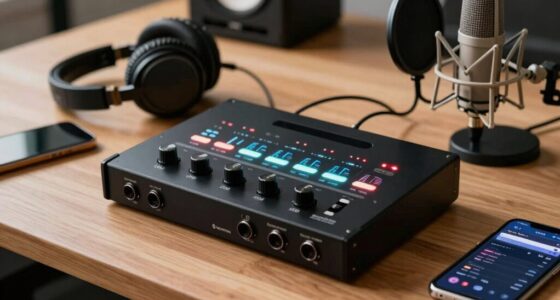
Finding the right audio interface for Mac voice acting can be a game-changer for audio clarity and workflow efficiency. The best options balance high-quality preamps, seamless Mac compatibility, and straightforward operation. The Focusrite Scarlett Solo 4th Gen stands out as the overall top pick thanks to its reliable performance and ease of use. Meanwhile, models like the ESI Neva Duo offer professional-grade sound quality, and the M-AUDIO M-Track Duo provides excellent value for beginners. Each choice involves tradeoffs between features, price, and portability, making it essential to match your specific needs. Continue reading for a detailed breakdown of the top options and what to look for in your ideal setup.

Get everyday helpers delivered free with Prime
- Fast, free delivery on millions of items
- Prime Video, Amazon Music and more included
- Member-only deals all year
Key Takeaways
- The best interfaces for voice actors prioritize clean preamps and low latency for clear, natural recordings.
- Mac compatibility is essential; most top picks use USB-C, ensuring seamless plug-and-play functionality.
- Higher-priced models often include better build quality, more comprehensive inputs, and additional features like direct monitoring.
- Beginners can find excellent value in models with bundled microphones and accessories, but may sacrifice some professional features.
- Portability matters for voice actors working on the go; compact interfaces with bus-powered operation are preferred.
| Focusrite Scarlett Solo 3rd Gen USB-C Audio Interface |  | Best Overall for Mac Voice Actors Needing Studio-Quality Sound | Connectivity: USB-C | Bit Depth: 24-bit | Sample Rate: 192kHz | VIEW ON AMAZON | See Our Full Breakdown |
| USB Audio Interface with 48V Phantom Power, XLR/TRS Inputs, USB-C Recording Interface with Direct Monitor & Echo Control |  | Best for Versatile Recording and Streaming with Real-Time Effects | Phantom Power: 48V | Inputs: 2 XLR/TRS combo, 1 instrument | Sample Rate: 48kHz | VIEW ON AMAZON | See Our Full Breakdown |
| Focusrite Scarlett Solo (4th Generation) USB-C Audio Interface Bundle with Microphone, Headphones, and Accessories |  | Best for Beginners or On-the-Go Voice Actors | Connectivity: USB-C | Sample Rate: 192 kHz | Bit Depth: 24-bit | VIEW ON AMAZON | See Our Full Breakdown |
| ESI MAYA22 Professional USB Audio Interface for PC and Mac with XLR, RCA, and DI Inputs |  | Best for Versatile, Budget-Friendly Studio-Quality Recording | Resolution: 24-bit/96kHz | Inputs: XLR with phantom, Line, RCA stereo | Outputs: Stereo TRS, headphone | VIEW ON AMAZON | See Our Full Breakdown |
| M-AUDIO M-Track Duo USB Audio Interface |  | Best for Portable, Basic Voice Recording on a Budget | Audio Resolution: 48kHz | Inputs: 2 combo XLR/Line/Instrument with phantom power | Outputs: Stereo main, headphone | VIEW ON AMAZON | See Our Full Breakdown |
| Zoom AMS-22 USB Audio Interface for Recording & Streaming |  | Best Compact and Versatile for Voice Actors on the Go | Inputs: 1 XLR/TRS combo, 1 stereo 3.5mm | Outputs: 2 | Power: USB-C bus powered | VIEW ON AMAZON | See Our Full Breakdown |
| M-AUDIO M-Track Solo USB Audio Interface |  | Best Value for Beginners and Simple Voice Recording | Sample Rate: 48kHz | Inputs: 1 combo XLR/Line with phantom power | Outputs: Stereo RCA, 1/8″ headphone | VIEW ON AMAZON | See Our Full Breakdown |
| Fender AudioBox GO USB Audio Interface for Guitarists, Vocalists, and Producers |  | Best for Voice Actors Who Want Professional Sound in a Compact Package | Connectivity: USB-C | Sample Rate: 24-bit/96 kHz | Inputs: XLR combo with phantom power, TS instrument | VIEW ON AMAZON | See Our Full Breakdown |
| PIYONE 2×2 24-bit/192kHz USB C Audio Interface for High-Fidelity Recording |  | Best for Professional Voice Actors Needing Ultra-High-Res Audio | Bit Depth: 24-bit | Sample Rate: 192kHz | Inputs: 2 combo XLR/TRS with phantom power | VIEW ON AMAZON | See Our Full Breakdown |
| ESI Neva Duo | Professional 24-bit/192kHz USB Audio Interface for PC and Mac, Dual XLR, Podcasting, Streaming, Music Production Software Included |  | Best for High-Quality Dual Microphone Recordings and Streaming | Bit Depth: 24-bit | Sample Rate: 192kHz | Inputs: Dual XLR with phantom power | VIEW ON AMAZON | See Our Full Breakdown |
| audio interface for mac voice actor | Inputs | Connectivity | Sample Rate | Outputs |
|---|---|---|---|---|
| Focusrite Scarlett Solo 3rd Ge | 2 high-headroom instrument inputs | USB-C | 192kHz | 2 low-noise balanced outputs |
| USB Audio Interface with 48V P | 2 XLR/TRS combo, 1 instrument | USB-C | 48kHz | — |
| Focusrite Scarlett Solo | XLR microphone, 1/4" instrument | USB-C | 192 kHz | Headphone, monitor |
| ESI MAYA22 Professional USB Au | XLR with phantom, Line, RCA stereo | — | — | Stereo TRS, headphone |
| M-AUDIO M-Track Duo USB Audio | 2 combo XLR/Line/Instrument with phantom power | — | — | Stereo main, headphone |
| Zoom AMS-22 USB Audio Interfac | 1 XLR/TRS combo, 1 stereo 3.5mm | — | — | 2 |
| M-AUDIO M-Track Solo USB Audio | 1 combo XLR/Line with phantom power | USB | 48kHz | Stereo RCA, 1/8" headphone |
| Fender AudioBox GO USB Audio I | XLR combo with phantom power, TS instrument | USB-C | 24-bit/96 kHz | 2 balanced ¼-inch TRS |
| PIYONE 2×2 24-bit/192kHz USB C | 2 combo XLR/TRS with phantom power | USB-C | 192kHz | — |
| ESI Neva Duo | Professional 24 | Dual XLR with phantom power | USB | 192kHz | — |
More Details on Our Top Picks
Focusrite Scarlett Solo 3rd Gen USB-C Audio Interface
The Focusrite Scarlett Solo 3rd Gen stands out for delivering professional-grade audio in a compact and portable package, making it ideal for voice actors who need high-quality recordings without complex setups. Its high-quality pre-amps with Air mode provide a subtle brightness that enhances voice clarity, outperforming simpler interfaces like the M-AUDIO M-Track Duo. While it supports up to 24-bit/192kHz, the limited two-input design might fall short for those needing multi-mic setups. Compared to the ESI MAYA22, it offers less versatility in inputs but excels in ease of use and software bundle. The tradeoff is in expandability — this is best for solo voice work rather than multi-mic recordings or elaborate podcasts.
Pros:- High-quality pre-amps with Air mode for enhanced voice clarity
- Supports professional recording standards with 24-bit/192kHz conversion
- Includes useful software packages for editing and production
- Compact, portable design for mobile recording
Cons:- Limited to two inputs, restricting multi-mic setups
- Requires USB-C connection, which may need adapters for some Macs
Best for: Mac voice actors who prioritize studio-quality sound and portability for solo recording sessions.
Not ideal for: Voice actors with multi-mic or multi-instrument needs, or those requiring extensive connectivity beyond two inputs.
- Connectivity:USB-C
- Bit Depth:24-bit
- Sample Rate:192kHz
- Inputs:2 high-headroom instrument inputs
- Outputs:2 low-noise balanced outputs
- Included Software:Pro Tools Intro+, Ableton Live Lite, Cubase LE, Hitmaker Expansion
- Warranty:3 years
Our verdict“This interface suits Mac voice actors seeking premium sound in a simple, portable package for solo recordings.”
USB Audio Interface with 48V Phantom Power, XLR/TRS Inputs, USB-C Recording Interface with Direct Monitor & Echo Control
This interface offers dual XLR/TRS combo inputs plus a dedicated instrument input, making it a flexible choice for voice actors who also record instruments or multiple mics. Its 48V phantom power supports condenser microphones, which is a step up from basic interfaces like the M-AUDIO M-Track Duo. The built-in direct monitoring with echo effects provides real-time feedback, ideal for live streaming or practice, setting it apart from the more studio-focused Focusrite Scarlett Solo. However, its maximum sample rate of 48kHz is lower than other options, potentially affecting ultimate audio fidelity. This makes it perfect for voice actors who want versatile, real-time recording features but don’t need ultra-high resolution.
Pros:- Supports 48V phantom power for condenser mics
- Multiple input options including XLR/TRS combo and instrument
- Real-time low-latency monitoring with echo effects
- Compatible with PC, Mac, iOS, and Windows 11
Cons:- Limited to 48kHz sample rate, lower than 96kHz or 192kHz options
- No built-in microphone or speakers
Best for: Streamers, podcasters, and voice actors who want flexible inputs and real-time effects for live or rehearsal use.
Not ideal for: Voice actors seeking studio-grade, high-sample-rate recordings or multi-mic setups for professional demos.
- Phantom Power:48V
- Inputs:2 XLR/TRS combo, 1 instrument
- Sample Rate:48kHz
- Connectivity:USB-C
- Compatibility:PC, Mac, iOS, Windows 11
- Controls:MIC/LINE Gain, INST Gain, Echo Effect, Monitor Volume
Our verdict“Ideal for voice actors who want versatile inputs and real-time effects for streaming or practice, not for high-fidelity studio recordings.”
Focusrite Scarlett Solo (4th Generation) USB-C Audio Interface Bundle with Microphone, Headphones, and Accessories
The Focusrite Scarlett Solo 4th Gen bundle makes it easy for newcomers or mobile voice actors to start recording with high-quality gear. Its ultra-low-noise preamps and 24-bit/192kHz conversion ensure professional sound, comparable to the previous generation but with a fresh design and improved features. The bundled accessories, including a microphone, headphones, and stands, provide everything needed to start recording right away, unlike the more minimal M-AUDIO M-Track Duo. However, its limited inputs and external power requirement for standalone use may restrict more advanced setups or complex multi-mic recordings, making it less suitable for seasoned professionals or multi-mic podcasters.
Pros:- High-quality 24-bit/192kHz audio for professional sound
- Includes essential accessories like microphone and headphones
- Compact, portable design for mobile recording
- Improved preamps over previous models
Cons:- Limited to two inputs and outputs, not suited for complex setups
- Requires external power for standalone operation
Best for: Beginners or voice actors who want a complete starter package for portable, high-quality recording.
Not ideal for: Experienced voice actors with complex multi-mic or studio setups requiring more inputs or expandability.
- Connectivity:USB-C
- Sample Rate:192 kHz
- Bit Depth:24-bit
- Inputs:XLR microphone, 1/4″ instrument
- Outputs:Headphone, monitor
- Included Microphone:CM25 MkIII condenser
- Included Headphones:SH-450 closed-back
Our verdict“A solid choice for beginners or mobile voice actors seeking a complete, portable recording kit at a reasonable price.”
ESI MAYA22 Professional USB Audio Interface for PC and Mac with XLR, RCA, and DI Inputs
The ESI MAYA22 provides a versatile array of inputs, including XLR with phantom power, RCA, and DI, making it suitable for voice actors who want flexible connectivity. Its 24-bit/96kHz resolution offers decent fidelity, comparable to the M-AUDIO M-Track Solo, but falls short of the 192kHz options of higher-end models like the Focusrite Scarlett Solo. Its compatibility with both Mac and PC, along with included software like inTone 2, makes it appealing for those starting out or needing a budget-friendly option. The downside is its limited maximum sample rate, which could slightly impact audio clarity, especially for professional voice demos requiring utmost fidelity.
Pros:- Multiple input options including XLR with phantom power
- High-quality 24-bit/96kHz audio resolution
- Plug-and-play compatibility with Mac and PC
- Includes music production software
Cons:- Limited to 96kHz maximum sample rate
- No additional expansion options or advanced features
Best for: Budget-conscious voice actors seeking flexible inputs and reliable performance for podcasting and basic recording.
Not ideal for: Voice actors needing ultra-high-resolution audio or extensive input channels for multi-mic setups.
- Resolution:24-bit/96kHz
- Inputs:XLR with phantom, Line, RCA stereo
- Outputs:Stereo TRS, headphone
- Power:Mini USB
- Included Software:inTone 2 ESI Edition, Cubasis LE
- Warranty:2 years
Our verdict“Suitable for voice actors on a budget who want versatile inputs and decent audio quality for streaming or basic projects.”
M-AUDIO M-Track Duo USB Audio Interface
The M-AUDIO M-Track Duo offers an affordable, lightweight solution for voice actors who record primarily vocals or guitar on the go. Its 48kHz resolution, while sufficient for many streaming and podcasting scenarios, doesn’t match the higher 192kHz standards of the Focusrite Scarlett Solo. The dual combo inputs with phantom power make it suitable for simple voice recordings, but its lack of MIDI or additional inputs limits its use in more complex projects. Its compatibility across Mac, Windows, and iOS makes it a flexible choice for mobile setups, but the absence of built-in MIDI or extensive connectivity can be a drawback for some.
Pros:- Compact and lightweight for portability
- High-quality preamps with phantom power
- Compatible with multiple operating systems including iOS
- Includes ProTools First and MPC Beats software
Cons:- Limited to 48kHz resolution, lower fidelity than higher-end interfaces
- No MIDI or additional connectivity options
Best for: Voice actors seeking a portable, budget-friendly interface for simple recording sessions and streaming.
Not ideal for: Multi-mic recording, professional demos, or setups requiring MIDI or multiple outputs.
- Audio Resolution:48kHz
- Inputs:2 combo XLR/Line/Instrument with phantom power
- Outputs:Stereo main, headphone
- Power:USB powered
- Included Software:ProTools First, MPC Beats
Our verdict“Best suited for entry-level voice actors prioritizing portability and affordability for basic recording tasks.”
Zoom AMS-22 USB Audio Interface for Recording & Streaming
The Zoom AMS-22 stands out for its lightweight, portable design combined with flexible modes tailored for both studio recording and live streaming. Compared with the Fender AudioBox GO, it offers a more streamlined setup with a focus on streaming features like loopback, making it ideal for voice actors who frequently switch between content creation and recording. Its single XLR/TRS combo input and stereo 3.5mm input keep things simple, but this means it falls short for more complex multi-mic setups—making it less suitable for users with multiple microphones or instruments. The bus-powered design ensures plug-and-play functionality, but the limited input options may frustrate those with more advanced needs. Overall, this pick is perfect for voice actors who value portability and straightforward streaming, but it’s less suited for multi-mic studios or those needing extensive routing options.
Pros:- Compact, lightweight, and portable design
- Real-time monitoring and loopback features for seamless streaming
- USB-C bus-powered, no external power needed
Cons:- Limited input options restrict multi-mic or instrument setups
- Basic feature set may not satisfy advanced recording needs
Best for: Voice actors who need a lightweight, easy-to-use interface for streaming and quick recordings while on the move
Not ideal for: Professionals requiring multi-mic setups or external power for advanced configurations
- Inputs:1 XLR/TRS combo, 1 stereo 3.5mm
- Outputs:2
- Power:USB-C bus powered
- Modes:Studio and Streaming
- Compatibility:All major platforms and DAWs
Our verdict“A great choice for voice actors prioritizing portability and streaming flexibility over complex inputs.”
M-AUDIO M-Track Solo USB Audio Interface
The M-AUDIO M-Track Solo makes a compelling case as a budget-friendly, easy-to-use interface for voice actors starting out or recording basic content. Its simple design and 48kHz resolution deliver clear audio, but it lacks the advanced features found in higher-end models like the ESI Neva Duo. The single combo XLR/Line input with phantom power covers essential microphone needs, yet its limited connectivity means it’s not ideal for multi-mic setups or multi-instrument recordings. Monitoring options include a 1/8” headphone output and stereo RCA, providing decent flexibility, but the absence of direct monitoring controls could lead to latency issues for some users. Overall, this device suits voice actors needing straightforward, reliable recordings without extra complexity, but those looking for multi-channel or professional-grade features should consider more advanced options.
Pros:- Affordable price point
- Decent 48kHz audio resolution for clear recordings
- Simple plug-and-play setup
Cons:- Limited to a single input channel, restricting multi-mic recordings
- Lacks advanced features like direct monitoring controls
Best for: Beginners or voice actors with simple recording setups seeking affordability and ease of use
Not ideal for: Experienced producers or those requiring multiple inputs and complex routing
- Sample Rate:48kHz
- Inputs:1 combo XLR/Line with phantom power
- Outputs:Stereo RCA, 1/8″ headphone
- Power:USB bus-powered
- Connectivity:USB
Our verdict“Ideal for newcomers or voice actors who need straightforward recording capabilities without complexity.”
Fender AudioBox GO USB Audio Interface for Guitarists, Vocalists, and Producers
The Fender AudioBox GO excels in delivering high-quality 24-bit/96kHz audio, making it well-suited for voice actors who demand professional sound clarity. Unlike the PIYONE 2×2, which offers higher maximum sample rates, this model emphasizes user-friendly operation with a focus on vocals and instruments, aided by its included Fender Amp & FX modeling software. Its single XLR combo input with phantom power is sufficient for most voice work, but the limited number of inputs and outputs may restrict complex multi-mic setups. The bus-powered design and minimal footprint make it ideal for mobile recording, yet some users might find the software registration requirement a minor inconvenience. Overall, this interface balances sound quality and portability, making it perfect for voice actors who want studio-level results without a bulky setup.
Pros:- High-quality 24-bit/96kHz audio conversion
- Compact, portable design
- Includes Fender Amp & FX modeling software
Cons:- Limited to 2 inputs and outputs
- Requires software registration for full features
Best for: Voice actors seeking high-quality, portable audio with added software features for professional production
Not ideal for: Producers needing multi-mic input options or complex routing capabilities
- Connectivity:USB-C
- Sample Rate:24-bit/96 kHz
- Inputs:XLR combo with phantom power, TS instrument
- Outputs:2 balanced ¼-inch TRS
- Included Software:Fender Studio, Amp & FX
Our verdict“A solid choice for voice actors who prioritize sound quality and portability in a compact interface.”
PIYONE 2×2 24-bit/192kHz USB C Audio Interface for High-Fidelity Recording
The PIYONE 2×2 boasts an impressive 192kHz maximum sample rate, making it ideal for voice actors who want studio-grade fidelity. Its plug-and-play USB-C connection ensures hassle-free setup with Mac, PC, and iOS devices, comparable to the ESI Neva Duo, but with a sleek illuminated design that appeals to modern aesthetics. The dual combo inputs with phantom power support a variety of microphones and instruments, offering versatility for multi-mic recordings. However, its limited to 2 channels, which restricts multi-track recording or complex routing. The minimalistic design and lack of bundled accessories mean it’s better suited for dedicated studio environments or serious home setups. This interface delivers exceptional audio clarity but isn’t equipped for larger multi-mic configurations or extensive live routing.
Pros:- Exceptional 24-bit/192kHz high-fidelity audio
- Plug-and-play USB-C connectivity with no drivers
- Versatile combo inputs with phantom power
Cons:- Limited to 2 channels, not suitable for multi-mic recording
- Minimalistic design may lack advanced features some users want
Best for: Voice actors and audio professionals requiring ultra-high-resolution recording with simple setup
Not ideal for: Users needing multiple inputs or more advanced features like effects and extensive routing
- Bit Depth:24-bit
- Sample Rate:192kHz
- Inputs:2 combo XLR/TRS with phantom power
- Connectivity:USB-C
- Operating System:Windows, Mac, iOS
Our verdict“Perfect for professionals demanding the highest resolution audio in a compact, easy-to-use device.”
ESI Neva Duo | Professional 24-bit/192kHz USB Audio Interface for PC and Mac, Dual XLR, Podcasting, Streaming, Music Production Software Included
The ESI Neva Duo distinguishes itself with dual XLR inputs and professional 24-bit/192kHz fidelity, making it a go-to for voice actors who need to record dual mics simultaneously or manage complex podcast setups. Compared to the Fender AudioBox GO, it offers more flexible input options, but lacks the bundled software or additional outputs, which might limit immediate creative use. Its plug-and-play nature simplifies setup, and real-time monitoring enhances seamless recording sessions. However, its focus on dual XLR inputs means it isn’t designed for multi-instrument or multi-channel music production. The absence of advanced onboard effects or routing features implies it’s best suited for straightforward, high-resolution voice and podcast recordings rather than larger studio environments.
Pros:- Dual XLR inputs with phantom power for versatile recording
- High-quality 24-bit/192kHz audio fidelity
- Simple plug-and-play setup with real-time monitoring
Cons:- Limited to only dual XLR inputs, no additional channels
- No built-in effects or routing options
Best for: Voice actors and podcasters who need dual-mic capability and high-resolution audio for streaming and recording
Not ideal for: Producers seeking extensive inputs, effects, or multi-instrument recording setups
- Bit Depth:24-bit
- Sample Rate:192kHz
- Inputs:Dual XLR with phantom power
- Connectivity:USB
- Compatibility:PC and Mac
Our verdict“An excellent choice for dual-mic voice or podcasting needs with professional-grade audio quality.”

How We Picked
These products were selected based on their performance, ease of use, build quality, and compatibility with Mac systems. We prioritized interfaces that offer reliable driver support and seamless integration with macOS, especially focusing on USB-C connectivity for future-proofing. The evaluation also considered input/output options, preamp quality, additional features like direct monitoring, and overall value for voice actors. The ranking reflects a balance between professional-grade capabilities and accessibility for users at different experience levels, ensuring there’s a suitable option for everyone—from beginners to seasoned professionals.
| audio interface for mac voice actor | Connectivity |
|---|---|
| Focusrite Scarlett Solo 3rd Ge | USB-C |
| USB Audio Interface with 48V P | USB-C |
| Focusrite Scarlett Solo | USB-C |
| ESI MAYA22 Professional USB Au | — |
| M-AUDIO M-Track Duo USB Audio | — |
| Zoom AMS-22 USB Audio Interfac | — |
| M-AUDIO M-Track Solo USB Audio | USB |
| Fender AudioBox GO USB Audio I | USB-C |
| PIYONE 2×2 24-bit/192kHz USB C | USB-C |
| ESI Neva Duo | Professional 24 | USB |
Factors to Consider When Choosing Audio Interface For Mac Voice Actors
Choosing the right audio interface for Mac voice acting involves understanding several key factors that influence recording quality and workflow. Beyond just the number of inputs, it’s important to consider compatibility, preamp quality, and ease of use. A well-chosen interface can significantly improve your voice clarity, reduce latency, and streamline your recording sessions. Keep in mind that investing in quality now can save money and frustration later, especially if your voice acting career grows.
Compatibility and Connectivity
Ensure the interface is fully compatible with macOS, particularly supporting the latest versions and USB-C connections, which provide faster data transfer and future-proofing. Avoid models that rely solely on outdated USB-A ports or require complex drivers, as these can introduce latency or stability issues. Plug-and-play compatibility simplifies setup, especially for voice actors who prioritize quick turnaround times between sessions and editing.
Preamp Quality and Sound Clarity
Preamp quality directly impacts your voice’s clarity and naturalness. Higher-quality preamps produce cleaner sound with less background noise, which is crucial for professional-sounding recordings. Cheaper interfaces often cut corners here, resulting in muddier or more distorted audio. For voice actors, investing in a model with reputable preamps can make a noticeable difference in final production quality.
Input/Output Options and Flexibility
Consider how many microphones or instruments you’ll need to connect simultaneously. Most voice actors prefer at least one XLR input for a professional microphone, along with a headphone output for monitoring. Additional inputs may be useful if you plan to incorporate musical elements or multiple voices. Be cautious of overly complex interfaces if you’re just starting out—simplicity often enhances reliability and ease of use.
Ease of Use and Durability
An intuitive interface reduces setup time and minimizes the risk of errors during recording. Look for models with straightforward controls, clear indicators, and sturdy build quality that withstands frequent use or travel. Voice actors often record in different environments, so durability and portability are important considerations that can influence your long-term satisfaction.
Value and Future-Proofing
While premium models offer more features, they come at a higher cost. Balance your current needs with potential future requirements—such as more inputs or better sound quality. Investing in a slightly more capable interface now can extend its relevance as your skills and projects grow, preventing the need for an upgrade in the near future.
Frequently Asked Questions
Do I need a special audio interface for Mac voice acting?
Most modern audio interfaces are compatible with both Mac and Windows, but it’s vital to check specific compatibility with your macOS version. Look for interfaces that explicitly support Mac, especially those with USB-C connectivity, as this ensures straightforward setup and optimal performance. Compatibility issues can cause delays or technical frustrations, so choosing a model with proven Mac support saves time and ensures reliability for your recording sessions.
Is higher price always better for voice recording?
Not necessarily. While higher-priced interfaces often feature superior preamps, build quality, and additional inputs, they may be more than what a beginner or casual voice actor needs. For those starting out, a mid-range model with good preamp quality and simple features can deliver professional results without overspending. As your needs grow, you can then consider upgrading to more advanced options.
Should I prioritize portability or features?
It depends on your recording environment. If you frequently record on the go or in different locations, a compact, bus-powered interface offers convenience and less clutter. However, if your setup is fixed, you might opt for a larger model with more inputs and controls, which can provide greater flexibility. Balancing portability with necessary features helps optimize your workflow without sacrificing quality.
Are bundled microphones and accessories worth it?
Bundles can be a cost-effective way to start, especially for beginners who need a microphone and headphones to get going. However, the quality of bundled accessories varies, and you might prefer to upgrade to higher-end microphones later. If you’re serious about professional voice work, investing separately in a quality microphone and monitoring gear might yield better long-term results.
How much should I spend on my first audio interface?
This depends on your budget and goals. Entry-level interfaces can cost as little as $100, offering decent quality for beginners. Mid-range models around $200-$300 often provide better preamps and build quality suited for professional voice acting. If you’re planning a career or require the highest fidelity, investing in a premium model over $400 can provide added durability and sound clarity, but it’s wise to match your investment to your current needs and future plans.
Conclusion
For those starting out or on a budget, the M-AUDIO M-Track Duo offers excellent value with reliable performance. If you prioritize overall quality and seamless Mac compatibility, the Focusrite Scarlett Solo 4th Gen remains the best choice for most voice actors. Professionals seeking the highest sound fidelity and durability should consider premium options like the ESI Neva Duo. Beginners and casual users will benefit from simple, bundled solutions, while experienced voice actors will find more advanced interfaces worth the investment. Matching your needs with the right features and budget ensures a smooth, high-quality recording experience in 2026.
Halloween Picks
halloween
As an affiliate, we earn on qualifying purchases.