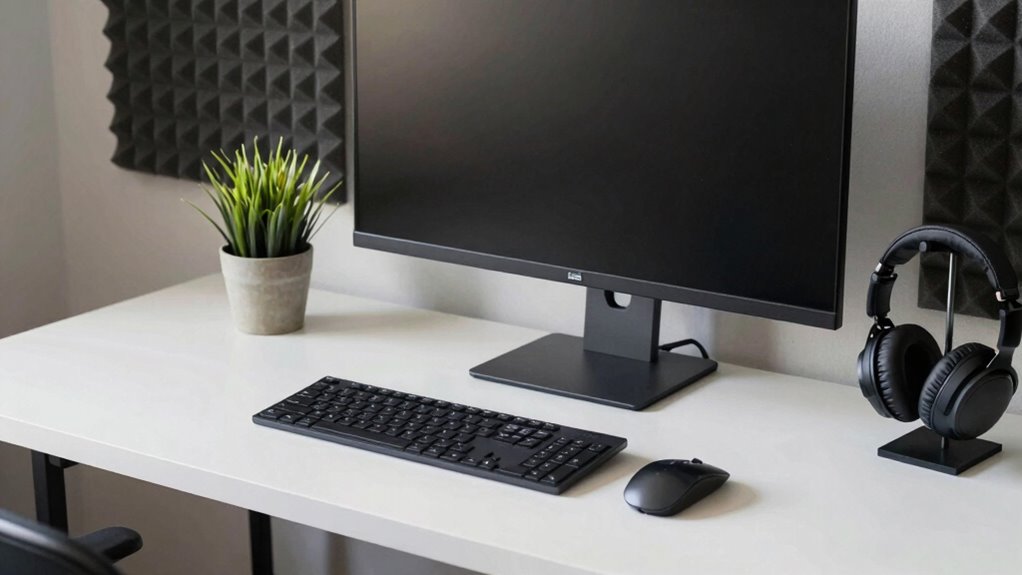

Finding the right desk and rack combo for a home studio involves balancing workspace, storage, and versatility. The Armocity Music Studio Desk Production Workstation stands out as the best overall choice, offering a sturdy build and integrated rack space. For those prioritizing mobility, the Acme Furniture Metal and Wooden Music Desk with Wheels provides portability at a reasonable price. The main tradeoffs in this category typically involve size versus flexibility, as larger setups can offer more storage but may be less adaptable to smaller spaces. Continue reading for a detailed breakdown of the top options, their strengths, and their limitations.

Get everyday helpers delivered free with Prime
- Fast, free delivery on millions of items
- Prime Video, Amazon Music and more included
- Member-only deals all year
Complete the kit



Key Takeaways
- Most top-ranked options feature integrated rack spaces, but the size and number of rack units vary widely.
- Mobility is a common feature in many models, with casters and wheels making it easier to reconfigure your setup.
- Build quality and materials differ significantly, impacting durability and stability over time.
- Price range reflects different levels of customization, with premium models offering more features but at a higher cost.
- Choosing the right combo depends heavily on available space and whether portability or expansion is more important.
| Armocity Music Studio Desk Production Workstation – Recording Studio Desk |  | Best Overall for Customizable and Feature-Rich Studio Setups | Lighting: RGB LED with 60,000 color variations | USB Ports: 3 | Outlets: 2 | VIEW ON AMAZON | See Our Full Breakdown |
| Studio Desk with Piano Tray, Music Production Workstation |  | Best Value for Durable, Stylish, Multi-Purpose Use | Material: Solid wood and steel | Dimensions: 23.6 x 23.6 x 23.6 inches | Color: Walnut | VIEW ON AMAZON | See Our Full Breakdown |
| Acme Furniture Metal and Wooden Music Desk with Wheels, Black |  | Best for Mobility and Heavy Equipment in Larger Spaces | Material: Metal, composite wood, veneer | Desktop Thickness: 18mm | Color: Black | VIEW ON AMAZON | See Our Full Breakdown |
| IM100 Series Music Studio Desk Workstation with 2 x 4U Rack (Cherry) |  | Best for Organized, Professional-Grade Music Production | Keyboard Tray: Up to 76 keys | Cable Organizer: Velcro strips | Headphone Hangers: 2 (left and right sides) | VIEW ON AMAZON | See Our Full Breakdown |
| Megara Multi-Storage Music Desk with Wheels in White and Black |  | Best for Large, Flexible Storage in Bigger Studios | Item Dimensions: 30″D x 72″W x 40″H | Weight: 141 pounds | Number of Shelves: 2 | VIEW ON AMAZON | See Our Full Breakdown |
| BE200 Series Music Studio Desk Workstation with 2 x 4U Rack (White) |  | Best Overall for Professional-Grade Setup | Keyboard Tray: 61 keys | Cable Organizer: Velcro strips | Headphone Hangers: 2 (left and right sides) | VIEW ON AMAZON | See Our Full Breakdown |
| Sound Town DIY Music Studio Rack Desk Workstation with 2 X 13U Side Cabinets, Slide-Out Trays, Casters, Plywood, Weathered Brown |  | Best for Large, Flexible Studio Setups | Desktop Size: 68.9″ x 23.6″ | Side Cabinets: 2 x 13U | Tray Sizes: 3U top, 10U lower | VIEW ON AMAZON | See Our Full Breakdown |
| Acme 71-Inch Music Recording Studio Computer Gaming Desk with Wood Storage, Keyboard Tray, and Casters |  | Best for Large, Versatile Workspaces | Overall Dimensions: 71″L x 40″W x 37″H | Keyboard Tray Size: 39″L x 16″D | Stand Size: 24″L x 9″D | VIEW ON AMAZON | See Our Full Breakdown |
| EX88 Series 88 Keys Music Studio Desk Workstation with Rack Cabinet (Black) |  | Best for 88-Key Piano and Professional Setups | Keyboard Stand Compatibility: Fits 88-key workstations | Cable Management: Desk grommet and Velcro strips | Headphone Hangers: 2 (left and right sides) | VIEW ON AMAZON | See Our Full Breakdown |
| Headliner Sunset Production Desk Studio Workstation with 8U Rack, Keyboard Tray, and Monitor Stands |  | Best for Compact, Space-Saving Studios | Rack Space: 8U | Keyboard Tray: Adjustable with three height positions | Monitor Shelf: Raised with rotating platforms | VIEW ON AMAZON | See Our Full Breakdown |
| desk and rack combo for home studio | Material |
|---|---|
| Armocity Music Studio Desk Pro | Solid metal legs and brace bar |
| Studio Desk with Piano Tray | Solid wood and steel |
| Acme Furniture Metal and Woode | Metal, composite wood, veneer |
| IM100 Series Music Studio Desk | MDF with wood veneer |
| Megara Multi-Storage Music Des | — |
| BE200 Series Music Studio Desk | MDF with wood veneer finish |
| Sound Town DIY Music Studio Ra | Baltic birch plywood |
| Acme 71-Inch Music Recording S | — |
| EX88 Series 88 Keys Music Stud | MDF with wood veneer finish |
| Headliner Sunset Production De | — |
More Details on Our Top Picks
Armocity Music Studio Desk Production Workstation – Recording Studio Desk
This desk stands out for its customizable RGB LED lighting, creating an inspiring ambiance for music production. Its built-in USB ports and outlets offer convenient device connectivity, surpassing simpler options like the Studio Desk with Piano Tray, which lacks charging features. The large, layered surface with a pull-out keyboard tray ensures ample space for equipment, though the absence of specific dimensions could pose a challenge for tight spaces. The assembly may require an electric screwdriver for efficiency, a minor tradeoff for its extensive features. Overall, this model is ideal for producers who prioritize a vibrant, high-tech setup but are comfortable with some assembly effort.
Pros:- Customizable RGB lighting enhances studio ambiance
- Multiple USB ports and outlets for device charging
- Large multi-layer surface with a pull-out keyboard tray
Cons:- No specific dimensions provided, may not fit all spaces
- Assembly might require an electric screwdriver for quicker setup
Best for: Home studio owners who want a feature-packed, customizable environment with integrated tech and lighting.
Not ideal for: Small spaces or users on a tight budget, as its features and assembly requirements may be overkill.
- Lighting:RGB LED with 60,000 color variations
- USB Ports:3
- Outlets:2
- Shelf Length:47 inches
- Material:Solid metal legs and brace bar
- Assembly:Includes detailed instructions
Our verdict“This desk suits tech-savvy producers seeking a feature-rich, visually customizable setup, despite some assembly requirements.”
Studio Desk with Piano Tray, Music Production Workstation
Compared with the Armocity, this solid wood desk offers a more classic look with its walnut finish and sturdy steel frame, making it suitable for both music and office tasks. Its sliding keyboard tray provides space-saving convenience, but the fixed dimensions of 23.6 inches square might limit larger setups or multi-monitor arrangements. The multi-level surface supports various gear configurations, yet it lacks adjustable height, which could be a drawback for ergonomic preferences. This pick makes the most sense for users seeking reliable, stylish furniture that can double as a home office, though space constraints and a fixed height mean it’s less adaptable for specialized or compact setups.
Pros:- Sturdy solid wood construction with a stylish walnut finish
- Sliding keyboard tray for easy access and space efficiency
- Multi-level surface supports multiple devices and gear
Cons:- Limited color options (only walnut)
- No adjustable height feature, less ergonomic flexibility
- Dimensions may not suit very small or compact spaces
Best for: Home musicians or gamers looking for a durable, attractive desk with a versatile surface and a sliding keyboard tray.
Not ideal for: Small or adjustable-height workspace needs, as it offers no height customization and limited size options.
- Material:Solid wood and steel
- Dimensions:23.6 x 23.6 x 23.6 inches
- Color:Walnut
- Shape:Rectangular
- Design:Computer desk
Our verdict“This desk is ideal for users wanting a sturdy, stylish setup that doubles as a home workspace, though it sacrifices some ergonomic flexibility.”
Acme Furniture Metal and Wooden Music Desk with Wheels, Black
This metal and wood desk provides ample rack space and mobility with eight wheels, making it perfect for dynamic studio environments. Its stability is enhanced by its durable construction, but the wheels may require locking for stationary use—an extra step that could be overlooked. Compared to the Armocity’s built-in tech, this desk emphasizes physical flexibility and storage, especially suited for larger setups where mobility is key. Its design may not blend seamlessly into every decor style, and the weight when loaded could complicate repositioning. It’s an excellent choice for those who need to frequently move or reconfigure their studio space, accepting the tradeoff of weight and potential aesthetic mismatch.
Pros:- Ample rack and storage space for gear
- Durable, stable construction with metal and wood
- Easy to move with eight wheels
Cons:- Wheels may need locking for stability
- Heavy when fully loaded, harder to reposition without help
- Design may not suit all aesthetic preferences
Best for: Musicians and producers needing a mobile, durable station for larger or frequently relocated setups.
Not ideal for: Small rooms or users seeking a sleek, minimalist look, as the heavy construction and wheel design may be bulky.
- Material:Metal, composite wood, veneer
- Desktop Thickness:18mm
- Color:Black
- Mobility:8 wheels
- Features:Pull-out keyboard tray, hutch with smaller tray, headset hook, cable management holes
Our verdict“This desk suits those who prioritize mobility and storage for larger equipment setups, despite its weight and bulk.”
IM100 Series Music Studio Desk Workstation with 2 x 4U Rack (Cherry)
The IM100 Series offers a spacious, well-organized workspace with a large 76-key keyboard tray and two 4U racks, making it ideal for serious producers. Its elegant wood veneer finish elevates the aesthetic compared to more utilitarian options like the Megara Multi-Storage Music Desk. The inclusion of cable management, headphone hangers, and swivel mounts supports a professional workflow. However, the assembly instructions are not detailed, which could pose a challenge for some users. While the natural veneer may have variations, this model makes the most sense for those who want a highly functional, organized studio with mobility via locking wheels, accepting some assembly ambiguity.
Pros:- Spacious workspace with up to 76 keys
- Two 4U racks and bottom shelf for extensive gear
- Locking wheels and swivel mounts for customization
Cons:- Natural wood veneer may vary in appearance
- Assembly instructions lack detail, potential setup difficulties
- Wheels require maintenance over time
Best for: Professional or semi-professional producers needing extensive rack space and detailed organization in a mobile desk.
Not ideal for: Casual hobbyists or those with limited space, as the size and complexity may be overkill.
- Keyboard Tray:Up to 76 keys
- Cable Organizer:Velcro strips
- Headphone Hangers:2 (left and right sides)
- Rack Space:2 x 4U
- Material:MDF with wood veneer
- Mobility:Four wheels with two locking wheels
Our verdict“This desk is tailored for serious musicians who need a highly organized, mobile studio with ample rack capacity, despite minor assembly concerns.”
Megara Multi-Storage Music Desk with Wheels in White and Black
The Megara desk excels in providing extensive storage with its multiple shelves, including a large rack for equipment, a pull-out keyboard tray, and a hutch for screens. Its robust construction with waterproof, easy-to-clean surfaces makes it suitable for active studio environments. The large size and weight (over 140 pounds) make it less suitable for small spaces or frequent repositioning, but the wheels help with occasional movement. Compared to the more compact Armocity setup, Megara’s size offers superior storage, yet that also means it’s less adaptable to tight or cluttered rooms. It’s best for users who prioritize capacity and durability over portability or space efficiency.
Pros:- Extensive rack and shelf space for equipment
- Pull-out keyboard tray and additional trays for convenience
- Durable, waterproof, easy-to-clean desktop
Cons:- Heavy weight makes moving difficult without assistance
- Size may be too large for small rooms
- Wheels may require locking for stability
Best for: Producers with large studio spaces needing heavy-duty, highly organized equipment racks that can be easily moved around when necessary.
Not ideal for: Small or heavily cluttered rooms where the size and weight could become problematic, or users who prefer minimalistic setups.
- Item Dimensions:30″D x 72″W x 40″H
- Weight:141 pounds
- Number of Shelves:2
- Tabletop Thickness:0.5 inches
- Minimum Height:40 inches
- Working Surface Diagonal Length:84.85 inches
Our verdict“This desk is best suited for large studios demanding maximum storage and mobility, accepting the challenge of its size and weight.”
BE200 Series Music Studio Desk Workstation with 2 x 4U Rack (White)
This desk stands out for its combination of elegance and functionality, featuring a full 61-key keyboard tray, ample rack space, and thoughtful organization accessories like cable Velcro strips and headphone hangers. Compared with the Acme 71-Inch Desk, it offers a more refined finish with natural wood veneer, making it ideal for those who want a professional aesthetic. Its two-layer design provides a spacious monitor shelf and dedicated equipment storage, but the natural veneer may display variations that could affect consistency, and assembly might be more involved due to its multiple components. This pick makes the most sense for serious home studios where appearance and high-end build quality matter.Pros:- Elegant high-end wood veneer finish
- Generous 2 x 4U rack space for multiple devices
- Includes cable management and headphone hangers
Cons:- Veneer may vary in appearance, affecting uniformity
- Assembly can be time-consuming and complex
Best for: Studio owners seeking a polished, professional-looking workspace with extensive equipment capacity.
Not ideal for: Casual hobbyists with limited space or those seeking a quick, easy setup without intricate assembly.
- Keyboard Tray:61 keys
- Cable Organizer:Velcro strips
- Headphone Hangers:2 (left and right sides)
- Rack Size:2 x 4U
- Material:MDF with wood veneer finish
- Design:Two-layer with top shelf for monitors and speakers
Our verdict“Ideal for professionals who prioritize aesthetics and extensive equipment storage in a stylish package.”
Sound Town DIY Music Studio Rack Desk Workstation with 2 X 13U Side Cabinets, Slide-Out Trays, Casters, Plywood, Weathered Brown
This desk excels in offering massive storage and mobility, thanks to dual 13U side cabinets with slide-out trays and casters that make repositioning effortless. Compared to the Acme 71-Inch Desk, the Sound Town setup provides more dedicated storage, especially suited for extensive gear collections or multi-purpose use. Its weathered plywood finish lends a professional yet casual look, but assembly may require effort despite straightforward instructions, and the casters, while convenient, might compromise stability if not locked. This model is perfect for users who want a highly customizable, spacious workspace that can adapt to different needs.Pros:- Massive 26U storage capacity with side cabinets
- Casters for effortless mobility
- Durable Baltic birch plywood construction
Cons:- Assembly can be somewhat labor-intensive
- Casters might reduce stability if not properly locked
Best for: Home studio owners with large equipment inventories and a need for mobile, versatile furniture.
Not ideal for: Small-space users or those who prefer a minimalist setup, as its large footprint may be overwhelming.
- Desktop Size:68.9″ x 23.6″
- Side Cabinets:2 x 13U
- Tray Sizes:3U top, 10U lower
- Material:Baltic birch plywood
- Finish:Weathered Brown
- Casters:4 per cabinet, 2 with lever brakes
Our verdict“Best suited for those who require high capacity, mobility, and flexible organization in a spacious studio environment.”
Acme 71-Inch Music Recording Studio Computer Gaming Desk with Wood Storage, Keyboard Tray, and Casters
This expansive 71-inch desk offers ample surface area for multiple monitors and gear, along with a spacious pull-out keyboard tray and additional storage shelves. Compared with the smaller, more specialized options like the EX88 Series, it’s better suited for users who need a combination of gaming, music production, and general home office use. Its sturdy metal frame and casters enable mobility, but the weight can be a downside, making relocation cumbersome once assembled. The large size might also be too much for compact spaces, making it better suited for dedicated areas rather than multi-purpose rooms.Pros:- Spacious 71-inch desktop accommodates multiple devices
- Includes pull-out keyboard tray and storage shelves
- Sturdy metal frame with caster mobility
Cons:- Assembly can be time-consuming and physically demanding
- Heavy weight limits easy repositioning without effort
Best for: Home studio users who need a broad, flexible workspace capable of supporting multiple functions and heavy equipment.
Not ideal for: Small or cluttered rooms where size and weight could be problematic, or users seeking a more minimalist setup.
- Overall Dimensions:71″L x 40″W x 37″H
- Keyboard Tray Size:39″L x 16″D
- Stand Size:24″L x 9″D
- Knee Space:39″L x 14″W x 24″H
- Load Capacity:50 lbs for desktop, 10 lbs for shelf
- Finish:Black Oak
Our verdict“Perfect for users who prioritize expansive space and versatile storage over compact convenience.”
EX88 Series 88 Keys Music Studio Desk Workstation with Rack Cabinet (Black)
This desk is tailored for 88-key workstations, providing a sturdy stand and spacious surface paired with a 4U rack for extensive equipment. Its design offers professional-grade cable management and headphone hangers, making it ideal for serious musicians and producers. Compared with the BE200 Series, the EX88 is specifically optimized for larger keyboards, which might limit smaller setups. Its high-quality veneer finish and robust build ensure durability, but its focus on 88-key arrangements could be restrictive for users with smaller keyboards or different equipment needs. This makes it perfect for those with grander piano setups who want a dedicated, high-capacity workspace.Pros:- Sturdy construction with high-end finish
- Includes a 4U rack for extensive equipment
- Ample workspace with cable management and headphone hangers
Cons:- Designed primarily for 88-key keyboards, limiting flexibility for smaller setups
- Veneer appearance may vary, affecting uniformity
Best for: Keyboardists and producers with 88-key instruments seeking a dedicated, professional-grade workstation.
Not ideal for: Casual users or those with smaller keyboards, as the desk may be overly large or restrictive for compact setups.
- Keyboard Stand Compatibility:Fits 88-key workstations
- Cable Management:Desk grommet and Velcro strips
- Headphone Hangers:2 (left and right sides)
- Work Surface:Spacious top shelf
- Rack Capacity:4U
- Material:MDF with wood veneer finish
Our verdict“Best suited for dedicated 88-key players and professionals wanting a high-capacity, stylish workstation.”
Headliner Sunset Production Desk Studio Workstation with 8U Rack, Keyboard Tray, and Monitor Stands
This desk’s compact footprint makes it ideal for small home studios, offering an 8U rack, adjustable keyboard tray, and raised monitor shelves to maximize vertical space. Compared with larger options like the Sound Town or Acme desks, it focuses on space efficiency without sacrificing essential features. Its cable management system helps keep the workspace tidy, but its limited rack space and gear compatibility could restrict more extensive setups. Assembly might be complex due to adjustable components, and its smaller size means it’s better suited to lighter, smaller gear. This is a strong choice for those with limited room who need an organized, versatile workstation.Pros:- Space-efficient design fits small rooms
- Adjustable keyboard tray with three height positions
- Includes raised monitor shelf and cable management
Cons:- Limited to gear sizes that fit the rack and shelves
- Assembly may be complex due to adjustable parts
Best for: Owners of small studios or bedrooms where space efficiency is a priority.
Not ideal for: Producers working with extensive or bulky equipment that exceeds the rack capacity or size limitations.
- Rack Space:8U
- Keyboard Tray:Adjustable with three height positions
- Monitor Shelf:Raised with rotating platforms
- Cable Management:Rear cable routing
- Additional Features:Headphone hook
Our verdict“Ideal for small studios seeking an organized, adaptable workspace without sacrificing essential features.”

How We Picked
The products in this roundup were evaluated based on several key factors: overall build quality, usability, versatility, and value. I prioritized setups that balance sturdy construction with practical features like integrated racks, adjustable surfaces, and mobility options. Price was also a consideration, ensuring options are accessible for different budgets. The ranking reflects a mix of features, user-friendliness, and how well each product addresses common home studio needs, such as space efficiency and expandability.| desk and rack combo for home studio | Material |
|---|---|
| Armocity Music Studio Desk Pro | Solid metal legs and brace bar |
| Studio Desk with Piano Tray | Solid wood and steel |
| Acme Furniture Metal and Woode | Metal, composite wood, veneer |
| IM100 Series Music Studio Desk | MDF with wood veneer |
| Megara Multi-Storage Music Des | — |
| BE200 Series Music Studio Desk | MDF with wood veneer finish |
| Sound Town DIY Music Studio Ra | Baltic birch plywood |
| Acme 71-Inch Music Recording S | — |
| EX88 Series 88 Keys Music Stud | MDF with wood veneer finish |
| Headliner Sunset Production De | — |
Factors to Consider When Choosing Desk And Rack Combo For Home Studio
When selecting a desk and rack combo for a home studio, it’s essential to consider multiple factors that impact daily use, space management, and future expansion. A well-chosen setup should streamline your workflow, hold all necessary equipment, and fit comfortably within your space. Understanding these factors helps avoid common pitfalls like underestimating space needs or choosing unstable materials that degrade quickly.Size and Space Requirements
Carefully measure your available space before choosing a setup. Larger desks with extensive rack mounts are great for expansive studios but can overwhelm small rooms. Conversely, compact options save space but may limit future equipment upgrades. Consider whether you need a flexible setup that can grow or adapt as your needs evolve.
Rack Capacity and Configuration
The number of rack units (U) integrated into the desk determines how much gear you can store or access easily. Larger rack capacity is beneficial for expanding equipment, but it can add weight and complexity. Decide whether you need a dedicated rack space or if a smaller, more streamlined setup will suffice.
Mobility and Stability
Wheels and casters improve flexibility, especially if you need to move your setup for different projects or cleaning. However, mobility can sometimes compromise stability, so look for models with lockable casters or sturdy construction. Balance the need for movement with the importance of a stable, vibration-free workspace.
Material Quality and Durability
Sturdy materials like solid wood, metal, or high-quality composites ensure your setup withstands daily use. Cheaper materials might save money upfront but can deteriorate quickly, especially under the weight of equipment. Consider long-term durability, especially if you plan to upgrade or expand your gear.
Budget and Expandability
Prices vary widely, reflecting differences in features and quality. A higher initial investment often means better materials and more features, but budget options can be sufficient for beginners or smaller setups. Think about future expansion—select a design that can accommodate additional gear without needing a complete overhaul.
Frequently Asked Questions
Can I use a standard desk as a home studio workstation?
While a standard desk can serve as a basic workspace, it often lacks built-in rack support and ergonomic features specific to audio equipment. Dedicated studio desks with integrated racks, adjustable surfaces, and cable management improve workflow and accessibility. Investing in a purpose-built combo can save time and frustration in the long run.
Is it better to choose a mobile desk or one that stays in place?
The choice depends on your studio space and workflow. Mobile desks with casters are ideal if you need to reconfigure your setup frequently or share space, but they may compromise stability slightly. Fixed desks provide a more stable platform, which is important for sensitive equipment or precise work. Consider your need for flexibility versus stability.
What size rack should I get for a beginner studio?
A 4-6U rack is usually sufficient for beginners, providing enough space for essential gear without overwhelming your workspace. Larger racks are better suited for more extensive setups but can add weight and cost. Assess your current gear and potential future needs before selecting a size.
Are expensive desks worth the investment?
Higher-priced desks often feature better materials, more integrated features, and longer durability, which can justify the cost if you prioritize longevity and expandability. However, budget options can still be effective for those starting out or with limited space. Weigh your current needs against future plans when choosing.
What factors should I prioritize if I have limited space?
In a small space, focus on compact designs with foldable or modular features that maximize utility without taking up too much room. Look for desks with integrated racks and storage that can be tucked away or adjusted for different uses. Prioritizing versatility and efficient use of space helps prevent clutter and ensures a functional setup.
Conclusion
For those seeking a balanced, all-around performer, the Armocity Music Studio Desk Production Workstation offers excellent stability and integrated rack space. Beginners or those with limited budgets should consider models like the Acme Furniture Metal and Wooden Music Desk with Wheels for affordability and portability. If maximum expandability and premium build quality are your priorities, the EX88 Series 88 Keys Music Studio Desk with Rack Cabinet provides a high-end solution. Ultimately, your choice depends on your current gear, space constraints, and future plans—consider these factors carefully to select the best fit.
Halloween Picks
halloween
As an affiliate, we earn on qualifying purchases.