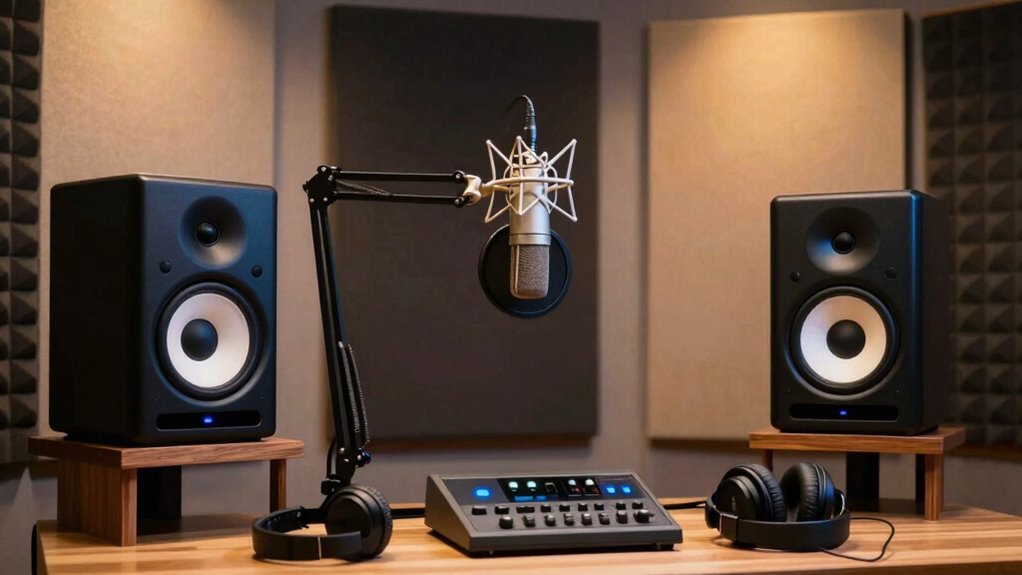

When selecting studio monitors for voice over editing, clarity and accurate sound reproduction are essential. The Yamaha HS3 stands out as the best overall choice for its balanced sound and reliable performance. For those on a budget, the PreSonus Eris 3.5 offers impressive clarity without breaking the bank, while the JBL 305P MkII provides a larger soundstage and better bass response for more demanding editing tasks. The main tradeoffs in this category revolve around size, sound accuracy, and price—higher-end models often deliver more nuanced audio but at a steeper cost. Keep reading for a detailed breakdown of each option to find the best fit for your voice over setup.

Get everyday helpers delivered free with Prime
- Fast, free delivery on millions of items
- Prime Video, Amazon Music and more included
- Member-only deals all year
Key Takeaways
- Larger drivers like the 5-inch JBL 305P MkII generally offer better bass response, beneficial for voice over with background sounds or music cues.
- Compact monitors such as the Mackie CR3.5 and M-AUDIO BX3 are suitable for small spaces but may sacrifice some low-end accuracy.
- Balanced tonal reproduction is a common theme among the top picks, emphasizing the importance of flat frequency response for editing clarity.
- Higher-priced options like the Adam Audio A7V excel in detailed sound but may be overkill for beginners or casual users.
- Build quality and durability vary, with premium models offering more robust enclosures that withstand regular use.
| Mackie CR3.5 Studio Monitors (Pair), 3.5″ Woofers, Tone Knob, Black |  | Best Compact Value for Versatile Voice Over Editing | Speaker Size: 3.5 inches | Connectivity: TRS, RCA, 3.5 mm input | Enclosure Material: Metal, Plastic | VIEW ON AMAZON | See Our Full Breakdown |
| PreSonus Eris 3.5 Powered Studio Monitors (Pair) |  | Best for Balanced Sound and Customization in Small Setups | Speaker Type: Active | Size: 3.5 inches | Power Output: 50 watts | VIEW ON AMAZON | See Our Full Breakdown |
| Yamaha HS3 Powered Studio Monitor (White, Pair) |  | Best for Accurate Monitoring in Tight Spaces | Packaging: Pair | Speaker Type: Monitor | Color: White | VIEW ON AMAZON | See Our Full Breakdown |
| KRK Kreate 3 Powered Studio Monitors Pair |  | Best Wireless Flexibility and Versatility for Creative Setups | Speaker Size: 3.5 inches | Woofer Diameter: 3.5 inches | Color: Black | VIEW ON AMAZON | See Our Full Breakdown |
| M-AUDIO BX3 3.5-inch Wired Studio Monitors Pair |  | Best for Professional-Grade Sound with Extensive Inputs | Driver Size: 3.5 inches | Woofer Material: Kevlar | Tweeter Type: Silk dome | VIEW ON AMAZON | See Our Full Breakdown |
| JBL 305P MkII 5″ 2-Way Active Powered Studio Reference Monitors (Pair) |  | Best Overall for Voice Over Editing | Number of Speakers: 2 | Speaker Size: 5 inches | Power: 2 x 41 Watts | VIEW ON AMAZON | See Our Full Breakdown |
| Yamaha HS7 7-Inch Powered Studio Monitor Pair |  | Best for High-Precision Voice Over Monitoring | Frequency Response: 43Hz – 30kHz | Power: 95W total (60W LF + 35W HF) | Inputs: XLR and TRS | VIEW ON AMAZON | See Our Full Breakdown |
| Adam Audio A7V Powered Two-Way Studio Monitor (2 Pack) Bundle |  | Best for High-End Voice Over Production | Type: Studio Monitor | Number of Speakers: 2 | Woofer Material: Multi-Layer Mineral Fiber | VIEW ON AMAZON | See Our Full Breakdown |
More Details on Our Top Picks
Mackie CR3.5 Studio Monitors (Pair), 3.5″ Woofers, Tone Knob, Black
The Mackie CR3.5 stands out for its versatility and compact design, making it a strong choice for voice over editors working in small spaces or needing multiple device inputs. Unlike the Yamaha HS3, which emphasizes high-fidelity accuracy but lacks multiple input options, the CR3.5 offers a broad range of connectivity, including TRS, RCA, and 3.5mm inputs, ensuring compatibility with various setups. Its switchable desktop and bookshelf modes, combined with a tone control knob, provide flexibility for placement and sound tuning. However, it lacks a subwoofer option, which could be a limitation if you require deeper bass for certain voice recordings or sound effects. Overall, this monitor provides a balanced mix of features and affordability for those prioritizing adaptability in tight spaces.
Pros:- Multiple input options for diverse device compatibility
- Switchable desktop and bookshelf modes for flexible placement
- Tone control knob for custom sound adjustment
- Compact and space-efficient design
Cons:- No included subwoofer limits low-frequency response
- Limited to small 3.5-inch woofers, which may lack deep bass for some applications
Best for: Voice over professionals with limited space who need flexible connectivity and multiple placement options.
Not ideal for: Audio engineers requiring deep bass and high-end flat response for critical mixing.
- Speaker Size:3.5 inches
- Connectivity:TRS, RCA, 3.5 mm input
- Enclosure Material:Metal, Plastic
- Mounting Type:Tabletop
- Speaker Type:Monitor
Our verdict“This monitor suits voice over artists needing a versatile, space-saving solution with flexible connectivity but less emphasis on bass depth.”
PreSonus Eris 3.5 Powered Studio Monitors (Pair)
The PreSonus Eris 3.5 excels at delivering studio-quality sound in a compact package, making it ideal for voice over editing where clarity and balance matter. Compared to the KRK Kreate 3, which adds Bluetooth streaming for convenience, the Eris 3.5 focuses on detailed sound reproduction with a 50W amplifier and adjustable high- and low-frequency controls. Its multiple input options, including balanced TRS and RCA, support versatile connectivity. While its small size suits desktop use perfectly, it may require additional acoustic treatment in larger rooms to prevent sound reflections from affecting clarity. Its built-in tuning controls help tailor sound but don’t compensate entirely for the limited bass response inherent in 3.5-inch speakers.
Pros:- Powerful 50W distortion-free sound
- Built-in high- and low-frequency controls for sound tuning
- Multiple input options for versatile connectivity
- Compact size fits easily on any desk
Cons:- Limited to near-field listening, not suitable for large rooms
- Bass response may be insufficient without acoustic treatment
Best for: Home studio voice over artists who want detailed, customizable sound in small spaces.
Not ideal for: Rooms where optimal bass response is critical, due to small woofer size.
- Speaker Type:Active
- Size:3.5 inches
- Power Output:50 watts
- Frequency Response:80 Hz–20 kHz
- Connectivity:Balanced TRS, RCA, Aux, Headphone
- Mounting Type:Desktop, Bookshelf
Our verdict“Ideal for voice over artists seeking precise, customizable sound in small or personal studio spaces.”
Yamaha HS3 Powered Studio Monitor (White, Pair)
The Yamaha HS3 offers a trusted, high-quality monitoring option for voice over professionals working in limited space. Its 3.5-inch cone woofer and 0.75-inch dome tweeter deliver a balanced, transparent sound that emphasizes accuracy over bass depth. Compared with the KRK Kreate 3, which adds Bluetooth and wireless flexibility, the HS3’s strength lies in its straightforward, reliable performance that many audio professionals depend on. The compact size and high-resolution sound make it suitable for critical editing, but its limited bass response means it’s less suited for projects requiring full-spectrum sound. Its power output of 26W is modest but sufficient for near-field use in controlled environments.
Pros:- High-quality, transparent sound for critical editing
- Small footprint suitable for tight spaces
- Reliable Yamaha build quality
- Good frequency response for accurate monitoring
Cons:- Limited bass response due to small woofer
- No waterproof or wireless features
Best for: Producers and voice over editors needing precise, flat response monitoring in small studios.
Not ideal for: Users seeking deep bass or wireless streaming features, as the HS3 is focused on wired, accurate sound reproduction.
- Packaging:Pair
- Speaker Type:Monitor
- Color:White
- Woofer Diameter:3.5 inches
- Tweeter Diameter:0.75 inches
- Power Source:Corded Electric
Our verdict“This monitor is perfect for professionals prioritizing accuracy and space efficiency over bass depth and wireless connectivity.”
KRK Kreate 3 Powered Studio Monitors Pair
The KRK Kreate 3 delivers accurate sound in a compact form with the added convenience of Bluetooth streaming, making it appealing for voice over artists who value wireless connectivity. Its 3.5-inch speaker and lightweight design contrast with heavier options like the KRK Rokit series, but it compensates with Bluetooth input and multiple wired options, including 1/4-inch, RCA, and more. Compared to the M-AUDIO BX3, which emphasizes wired professional sound, the Kreate 3 offers more modern connectivity options at the expense of some weight and portability. Its heavier build and Bluetooth features make it better suited for creative setups that prioritize flexibility, though it may lack the deep bass of larger monitors.
Pros:- Wireless Bluetooth streaming for convenience
- Multiple wired audio inputs
- Clear and accurate sound reproduction
- Compact size suitable for desk setups
Cons:- Heavy at 12 pounds, requiring sturdy placement
- Limited to 3.5-inch size, which may restrict bass depth
Best for: Content creators and voice over artists who want versatile connectivity with wireless streaming in small to medium setups.
Not ideal for: Producers requiring maximum bass response or those working in large, acoustically untreated rooms.
- Speaker Size:3.5 inches
- Woofer Diameter:3.5 inches
- Color:Black
- Mounting Type:Tabletop
- Waterproof:False
- Compatibility:Desktop, Gaming, Home Theater, Mobile
Our verdict“This monitor makes sense for creatives needing flexible, wireless connectivity combined with accurate sound in a space-conscious form.”
M-AUDIO BX3 3.5-inch Wired Studio Monitors Pair
The M-AUDIO BX3 offers a step up in professional sound quality with its Kevlar woofers and silk dome tweeters, making it a strong candidate for voice over editors who need clear, punchy audio. Its 120W power and multiple input options—including 1/4-inch, 1/8-inch, and RCA—support a wide range of devices and setups. Compared with the PreSonus Eris 3.5, the BX3 provides more raw power and a slightly larger sound footprint, making it suitable for more demanding editing sessions. The inclusion of software like MPC Beats adds value for creators. However, its size requires some desk space, and it may be overkill for casual or beginner users whose needs are simpler.
Pros:- High-quality, professional sound with clear highs and punchy bass
- Multiple input options for flexible connectivity
- Includes useful software for immediate editing
- Robust build and attractive design
Cons:- Requires sufficient desk space for optimal placement
- Overly powerful for casual or basic voice over tasks
Best for: Professional voice over editors who need powerful, versatile monitors with extensive input options.
Not ideal for: Casual users or those with minimal space, as the BX3 demands more room and setup effort.
- Driver Size:3.5 inches
- Woofer Material:Kevlar
- Tweeter Type:Silk dome
- Power:120W
- Inputs:1/4-inch, 1/8-inch, RCA
- Included Software:MPC Beats
Our verdict“This monitor is tailored for professionals seeking high-fidelity sound and extensive connectivity for voice over editing.”
JBL 305P MkII 5″ 2-Way Active Powered Studio Reference Monitors (Pair)
The JBL 305P MkII stands out for its accurate sound reproduction and wide sweet spot, making it ideal for voice-over artists who need consistent, detailed audio. Its dual 41-watt amplifiers and adjustable EQ settings allow for precise room tuning, a feature that surpasses the more basic Yamaha HS7’s fixed response. While the 305P MkII offers impressive imaging and clarity, it relies heavily on proper placement and room acoustics, which can be a hurdle for smaller or untreated spaces. Compared to the Adam A7V, it offers a more accessible price point and easier setup, but may lack the same level of high-frequency detail and advanced waveguide technology. This monitor is best suited for professionals who want balanced, reliable performance without excessive complexity.
Pros:- Excellent clarity and imaging for voice details
- Adjustable EQ and boundary control for room adaptation
- Robust build quality with consistent performance
Cons:- Requires careful room setup to achieve optimal sound
- Higher price may be a barrier for casual users
Best for: Voice-over professionals who need a versatile, reliable monitor with room tuning options
Not ideal for: Casual hobbyists or those with very limited space, since optimal sound depends on proper setup and calibration
- Number of Speakers:2
- Speaker Size:5 inches
- Power:2 x 41 Watts
- Inputs:XLR/TRS
- Enclosure Material:MDF
- Features:Boundary EQ, HF Trim
Our verdict“This monitor offers precise, immersive sound ideal for voice-over editing, especially in well-treated rooms.”
Yamaha HS7 7-Inch Powered Studio Monitor Pair
The Yamaha HS7 delivers a highly accurate response with a broader frequency range (43Hz to 30kHz), making it a strong choice for voice-over work that demands clarity across the spectrum. Its powerful bi-amp system with 60W for lows and 35W for highs provides ample headroom, outperforming smaller monitors like the JBL 305P MkII in terms of raw power and frequency extension. However, its larger size and more neutral sound profile mean it might be overkill for casual or small-space setups. While the HS7 excels in transparency, it requires diligent placement to avoid tonal imbalances, unlike the Adam A7V which offers more advanced waveguide technology for detailed imaging. This model suits professionals seeking high-fidelity sound with versatile connectivity options.
Pros:- Exceptional accuracy and detailed frequency response
- Versatile input options including XLR and TRS
- High output power for demanding editing sessions
Cons:- Higher cost compared to entry-level monitors
- Requires careful positioning for optimal sound quality
Best for: Experienced voice-over artists and audio engineers needing precise, full-range monitoring
Not ideal for: Beginners or those in limited spaces who might find the size and neutrality overwhelming
- Frequency Response:43Hz – 30kHz
- Power:95W total (60W LF + 35W HF)
- Inputs:XLR and TRS
- Includes:Pair of two monitors
- Size:7 inches
- Build:High-quality, neutral sound
Our verdict“The Yamaha HS7 is suited for professionals demanding accurate, full-spectrum voice monitoring with flexible connectivity.”
Adam Audio A7V Powered Two-Way Studio Monitor (2 Pack) Bundle
The Adam Audio A7V excels with its advanced waveguide and X-ART tweeters, offering unparalleled detail and clarity, especially important for voice-over editing where subtle nuances matter. Its rotatable HPS waveguide adds flexibility in positioning, giving it an edge over more traditional monitors like the JBL 305P MkII, especially in larger or variable setups. The included bundle with cables and isolation pads makes it a comprehensive solution for professional studios. The main tradeoff is its premium price point, which might be prohibitive for smaller or budget-conscious setups. Despite this, its durable German build and refined sound make it a clear choice for dedicated voice-over professionals who prioritize utmost accuracy and detail.
Pros:- Exceptional detail with advanced waveguide and X-ART tweeters
- Flexible positioning with rotatable HPS waveguide
- Includes comprehensive accessories for professional setup
Cons:- High price may be a barrier for some users
- Requires ample space and proper setup to perform at its best
Best for: High-end voice-over studios and professionals who need the finest sound accuracy and detailed imaging
Not ideal for: Budget-conscious amateurs or small spaces where space and budget are limited
- Type:Studio Monitor
- Number of Speakers:2
- Woofer Material:Multi-Layer Mineral Fiber
- Tweeter:X-ART
- Waveguide Technology:HPS
- Connectivity:XLR, TRS
Our verdict“The Adam Audio A7V is best suited for those needing the highest fidelity and detailed imaging in voice-over work.”

How We Picked
To select the best studio monitors for voice over editing, I focused on key factors that matter for audio clarity and editing precision. Performance metrics such as frequency response, sound accuracy, and distortion levels were prioritized, ensuring the monitors could reproduce voice recordings faithfully. Usability aspects like size, connectivity, and ease of placement also influenced the rankings, as these impact real-world setup and workflow. Price-to-performance ratio was a key consideration, especially for those on a budget. The monitors were ranked based on how well they balance these factors, with an emphasis on delivering transparent, natural sound ideal for voice over work.Factors to Consider When Choosing Studio Monitors For Voice Over Editing
Choosing the right studio monitor for voice over editing involves understanding several critical factors. While some monitors may excel in raw power, others prioritize neutrality and detailed sound. Beyond individual features, it’s important to consider how a monitor fits into your workspace and workflow, as this affects both comfort and accuracy during editing sessions. The following sections highlight the most important aspects to evaluate before making a purchase, helping you avoid common pitfalls like overpaying for unnecessary features or selecting monitors with compromised sound quality.Size and Driver Size
Driver size significantly affects the monitor’s low-end response. Larger drivers, such as 5-inch woofers, typically provide better bass and fuller sound, which can be advantageous for voice over editing that involves background music or sound effects. Smaller monitors, like 3.5-inch models, are more compact, easier to place in tight spaces, and often suitable for nearfield listening, but they may lack depth in the bass range. Consider your workspace size and the type of voice work you do when choosing between these options. Avoid monitors that are too small if you need a full representation of low frequencies, but also beware of oversized models that might overwhelm your setup.
Frequency Response and Sound Accuracy
For voice over editing, neutrality and flat frequency response are paramount. Monitors that color the sound or boost certain frequencies can mislead your editing, resulting in unnatural vocals. Look for monitors with a broad frequency range and low distortion levels to ensure you hear an accurate reproduction of your recordings. While some high-end monitors offer extensive frequency response, they often come at a higher price. Budget models with a reputation for flat response can serve well for precise editing, but always check reviews or specifications for evidence of accurate sound reproduction.
Connectivity Options and Flexibility
Most studio monitors feature standard connections like XLR or TRS, but some models also include RCA or USB options. Compatibility with your audio interface or mixing setup is critical; mismatched connections can lead to additional costs or setup complications. Consider monitors with adjustable volume controls and multiple input options if you work with different devices or need quick switching between sources. Ease of setup and cable management are often overlooked but can streamline your workflow and reduce clutter, especially in smaller studios.
Build Quality and Durability
Studio monitors are an investment, and their longevity depends on build quality. Well-constructed enclosures with sturdy materials reduce vibrations and unwanted resonance, preserving sound clarity. Cheaper models may use lightweight plastics or flimsy materials that degrade over time or introduce noise. If you plan to use your monitors frequently, especially in a professional setting, prioritizing robust construction can save you money and frustration in the long run. However, high-end models often come with heavier, more durable enclosures, which might require more careful placement.
Price and Value
While it’s tempting to go all-in on premium monitors, the best value often lies in models that meet your specific needs without overspending. Budget options like the Mackie CR3.5 and M-AUDIO BX3 offer decent performance for beginners or small studios, but they might not deliver the nuance needed for detailed voice over edits. Conversely, premium models such as the Adam Audio A7V excel in clarity and detail but may be unnecessary for casual use. Aim for a monitor that provides accurate sound reproduction relative to its price, and consider whether investing in higher-end gear will genuinely improve your editing quality.
Frequently Asked Questions
Should I prioritize larger monitors for voice over editing?
Larger monitors with bigger drivers, like the 5-inch JBL 305P MkII, generally provide better bass response and a more expansive soundstage, which can be beneficial for voice over editing that involves background sounds or music cues. However, they also require more space and proper placement to avoid acoustic issues. If your workspace is limited, smaller monitors like the Yamaha HS3 or M-AUDIO BX3 can still deliver accurate sound but may not reproduce the lowest frequencies as naturally. Ultimately, choose based on your room size and the complexity of your audio projects.
Is a flat frequency response more important than high volume for voice over editing?
Yes, a flat frequency response ensures your monitors reproduce audio accurately without coloring the sound, which is critical for precise voice over editing. High volume capability is less relevant unless you need to listen at loud levels regularly; most voice work benefits from clear, detailed sound at moderate levels. Overly loud monitors can also introduce distortion, so prioritize models known for their transparency and consistency at typical editing volumes. This approach helps you make more informed decisions about your mix and overall sound quality.
Can budget monitors really suffice for professional voice over editing?
Budget monitors like the PreSonus Eris 3.5 or M-AUDIO BX3 can be suitable for entry-level or home studios, offering decent accuracy for voice over work. However, they may lack the nuanced detail and flat response of higher-end options, which could impact the precision of your edits. If your projects demand the highest fidelity, investing in more capable monitors pays off by providing clearer, more reliable feedback. For casual or amateur use, budget models typically suffice, but professionals should consider spending more for truly accurate monitoring.
Should I consider powered monitors or passive ones for voice over editing?
Most modern studio monitors, including those in this roundup, are powered, meaning they have built-in amplification tailored to their drivers. Powered monitors tend to be more convenient, requiring fewer external components, and are generally easier to set up in a typical voice over studio. Passive monitors, on the other hand, need external amplifiers, adding complexity and cost. For voice over editing, powered monitors are the preferred choice because they simplify setup and often provide cleaner, more consistent sound quality, especially for smaller or less complex setups.
Conclusion
For the best overall performance, the Yamaha HS3 is an excellent choice due to its neutrality and reliability, making it suitable for most voice over professionals. Budget-conscious users or home studio owners will find the PreSonus Eris 3.5 offers impressive value without sacrificing too much accuracy. Those seeking a premium experience with detailed sound should consider the Adam Audio A7V, especially if your workflow demands the highest fidelity. Beginners should focus on compact, easy-to-setup models like the M-AUDIO BX3, while more advanced users, working in larger spaces or with complex projects, will benefit from larger monitors like the JBL 305P MkII. Your ideal pick depends on your workspace size, budget, and the level of audio fidelity you require.Evergreen bestsellers Picks
bestsellers
As an affiliate, we earn on qualifying purchases.