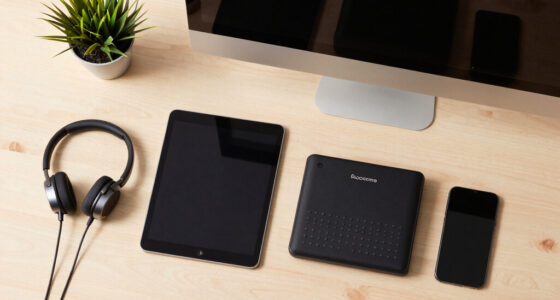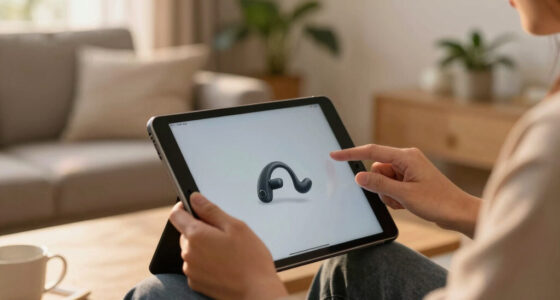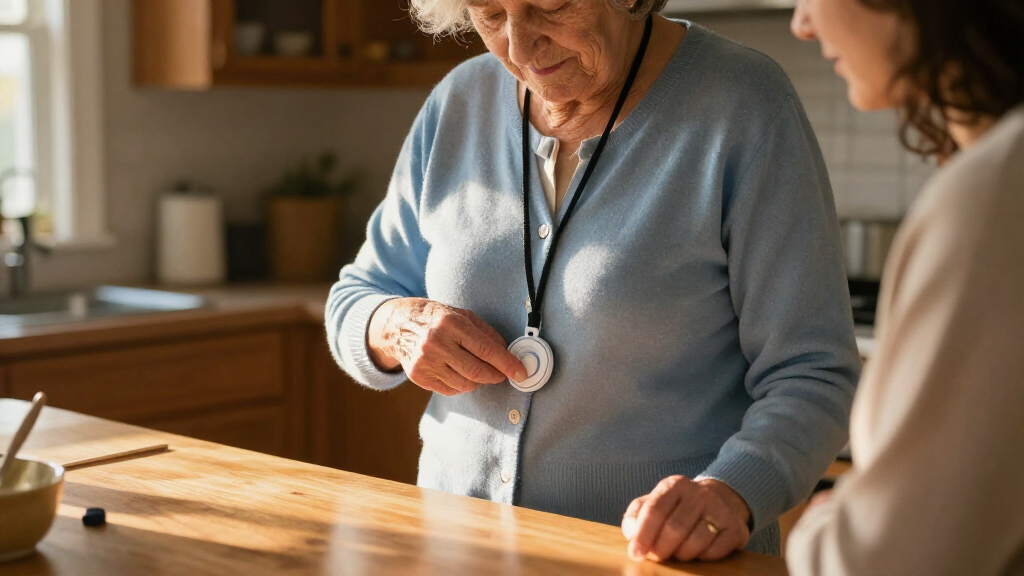

Medical alert systems for seniors range from professionally monitored wearables to simple call buttons that alert someone nearby. I rank the Medical Guardian MGMini as the best overall here for its compact mobile design, while Bay Alarm Medical SOS Mobile GPS stands out for seniors who want a dedicated mobile system and FullHouse Wireless Caregiver Pager for households seeking a straightforward at-home alert. The main tradeoff is between access to a monitoring center and a lower-complexity device that relies on a family caregiver or nearby receiver. GPS, fall detection, two-way calling, cellular service, and landline needs can also change which system makes sense. Read on for the full breakdown and guidance on matching a system to daily routines.

Get everyday helpers delivered free with Prime
- Fast, free delivery on millions of items
- Prime Video, Amazon Music and more included
- Member-only deals all year
Key Takeaways
- Mobile wearables and household pagers serve different jobs: MGMini, Bay Alarm Medical SOS Mobile GPS, and ADT On-The-Go are aimed at seniors who may need help away from home, while FullHouse and Daytech focus on alerting someone within or near the home.
- A call button is not automatically a monitoring service: several caregiver pager and Wi-Fi options notify a receiver or app, so buyers should confirm who will hear and respond before treating one as a substitute for professional monitoring.
- Fall detection and GPS add coverage but do not remove uncertainty: Safety+ and SecuLife list these features, yet users should check cellular coverage, service terms, and how alerts are handled rather than relying on a feature label alone.
- Direct emergency calling is a different model from monitored response: 911 Help Now and Freedom Alert offer direct or two-way calling approaches, which may suit some users but place more responsibility on the wearer to communicate.
- The strongest choice depends on living situation, not the longest feature list: home-only users may favor a simple receiver-and-button setup, while seniors who spend time alone outside need a mobile system with location support and dependable connectivity.
| Medical Guardian MGMini Medical Alert Device for Seniors, Black |  | Best for Mobile 24/7 Monitoring | Brand: Medical Guardian | Connectivity: Cellular with Wi-Fi backup | Battery life: Up to 72 hours | VIEW LATEST PRICE | See Our Full Breakdown |
| SecuLife Medical Alert Pendant for Seniors with Fall Detection, GPS Tracking, and Two-Way Calling |  | Best for Fall Alerts and Caregiver Location Sharing | Brand: SecuLife | Connectivity: 4G LTE cellular | Battery: 1000 mAh; up to 6 days, with average life listed as 5 days | VIEW LATEST PRICE | See Our Full Breakdown |
| FullHouse Wireless Caregiver Pager with Emergency Call Button |  | Best for No-Fee In-Home Caregiver Alerts | Brand and model: Full House YB20-3FBA | Included components: 2 call buttons and 3 plug-in receivers | Range: Up to 1,000 feet in open air; about 500 feet with walls | VIEW LATEST PRICE | See Our Full Breakdown |
| Daytech Wireless Caregiver Pager System with Call Buttons, Watches, and Receivers |  | Best for Shared Caregiver Coverage Around the Home | Brand and model: Daytech E-01W / LC01US 4-3 | Included items: 2 watches, 2 call buttons, and 3 receivers | Maximum range: 100 feet (30 m) | VIEW LATEST PRICE | See Our Full Breakdown |
| Wireless Caregiver Pager with Call Button and Receiver |  | Best Expandable Home Pager | Brand: STECHRO | Included components: 1 receiver and 1 call button | Wireless range: Up to 1,500 feet | VIEW LATEST PRICE | See Our Full Breakdown |
| 911 Help Now Medical Alert Pendant for Seniors with Direct 911 Calling |  | Best for Direct 911 Access | Cellular connectivity: 4G LTE | Emergency calling: Direct call to 911 | Audio: Built-in microphone and speaker | VIEW LATEST PRICE | See Our Full Breakdown |
| PRNBRH CF106 Wi-Fi Medical Alert System with Two Call Buttons and Receiver |  | Best for Shared Home Coverage | Model: CF106 | Included items: 2 call buttons and 1 receiver | Wi-Fi: 2.4 GHz only | VIEW LATEST PRICE | See Our Full Breakdown |
| Safety+ 4G Medical Alert System – Fall Detection, GPS Location, 24/7 Monitoring, Mobile Caregiver App, Small Lightweight Wearable Panic Button |  | Best for Monitored Mobile Protection | Connectivity: Nationwide 4G; no smartphone required | Monitoring: 24/7 monitoring | Fall detection: Built in | VIEW LATEST PRICE | See Our Full Breakdown |
| TurboSense Caregiver Alert System with Wi-Fi App Notifications |  | Best for Long-Range Home Alerts | Connectivity: 2.4 GHz Wi-Fi app notifications; 433 MHz button signal | Maximum range: Up to 656 feet (200 meters) in open area | Included components: 1 waterproof call button, 1 SOS watch button, and 1 receiver | VIEW LATEST PRICE | See Our Full Breakdown |
| WiFi Caregiver Pager System with Waterproof Call Button, Watch Button, and Receiver |  | Best for Customizable Receiver Alerts | Included components: 1 waterproof call button, 1 watch button, and 1 receiver | Wi-Fi: 2.4 GHz only | Range: Up to 656 feet (200 meters) | VIEW LATEST PRICE | See Our Full Breakdown |
| Senior HELP Dialer HD700 Medical Alert System |  | Best for No-Fee Contact Calling | Included panic buttons: 1 wrist button and 1 necklace button | Alert contacts: Calls up to 3 phone numbers | Communication: Two-way communication via built-in speakerphone | VIEW LATEST PRICE | See Our Full Breakdown |
| ADT On-The-Go Emergency Medical Alert for Seniors |  | Best for Professional Monitoring on the Go | Model: MD5 | Connectivity: Cellular with LTE and GPS | Fall detection: Optional integrated feature | VIEW LATEST PRICE | See Our Full Breakdown |
| Freedom Alert Landline Personal Emergency Device with Two-Way Communication |  | Best for Landline Two-Way Calling | Connection: Landline required | Communication: Two-way voice | Pendant: Wearable or mountable | VIEW LATEST PRICE | See Our Full Breakdown |
| Waterproof Medical Alert System with Necklace and Wrist Buttons |  | Best for Multi-Button Home Coverage | Included help buttons: 2: 1 wrist button and 1 necklace button | Maximum help buttons: 8 | Coverage range: Up to 70,000 square feet | VIEW LATEST PRICE | See Our Full Breakdown |
| Bay Alarm Medical SOS Mobile GPS Medical Alert System |  | Best for GPS and Caregiver Location Support | Connectivity: Verizon 4G LTE cellular | Location: GPS | Weight: Under 2 ounces | VIEW LATEST PRICE | See Our Full Breakdown |
More Details on Our Top Picks
Medical Guardian MGMini Medical Alert Device for Seniors, Black
The MGMini is the strongest fit here for someone who wants a wearable alert linked to a 24/7 monitoring team, rather than a pager that only calls a nearby caregiver. Its two-way voice feature lets the user speak with responders through the device, while GPS assistance and hourly location updates can help when an alert happens away from home. Compared with the SecuLife Medical Alert Pendant, it lists a shorter battery span and does not include fall detection in the described base features; fall detection is an add-on. In return, the MGMini offers a no-long-term-contract monitoring subscription and a charging cradle. It still depends on activating paid service, and its battery life can vary with signal conditions, so it suits users willing to keep a dedicated device charged.
Pros:- Connects to a 24/7 monitoring team with two-way voice communication
- GPS assistance and hourly location updates can support response when away from home
- Can be worn with the included lanyard or belt clip
- Battery is rated for up to 72 hours
Cons:- Requires an activated paid monitoring subscription
- Fall detection costs extra and is not part of the described base features
- Battery life may vary with cellular signal and network conditions
Best for: Older adults who leave home regularly and want 24/7 monitoring, two-way communication, and GPS assistance in a compact wearable.
Not ideal for: People seeking a no-subscription alert system or built-in fall detection without an add-on; the FullHouse pager is a better fit for calling a caregiver at home without monthly service.
- Brand:Medical Guardian
- Connectivity:Cellular with Wi-Fi backup
- Battery life:Up to 72 hours
- Recharge time:4 hours
- Communication:SOS button and two-way speaker
- Location and activity features:GPS assistance, hourly location updates, and step counting
- Monitoring:24/7 subscription required; no long-term contract; cancel anytime
- Fall detection add-on:$10/month
Our verdict“Choose the MGMini if you want a portable device with professional monitoring and GPS, and can manage subscription activation and regular charging.”
SecuLife Medical Alert Pendant for Seniors with Fall Detection, GPS Tracking, and Two-Way Calling
The SecuLife pendant combines fall alerts, GPS tracking, and hands-free two-way calling, making it a useful choice for families who want alerts sent to preselected contacts. Its geofencing and location history add a caregiver-facing layer that the Medical Guardian MGMini does not list in its supplied details. The longer stated battery life—up to six days, with an average listed as five—may also mean fewer charging routines than the MGMini’s three-day rating. The tradeoff is that SecuLife requires a monthly subscription, and its alert path is described as contacting chosen people rather than connecting to a 24/7 monitoring team. Buyers should also account for periodic recharging; a long battery estimate does not make it a set-and-forget device.
Pros:- Fall alerts can be sent to preselected emergency contacts
- Two-way calling includes hands-free auto-answer
- GPS tracking includes geofencing and location history
- IP67 waterproof rating and a stated battery life of up to six days
Cons:- Requires a monthly subscription
- The described alert route is to preselected contacts, not a specified 24/7 monitoring team
- Still needs periodic recharging
Best for: Families who want fall alerts, GPS and geofence updates, and two-way calls routed to selected contacts.
Not ideal for: Seniors who need a clearly specified 24/7 professional monitoring team; the MGMini explicitly connects to one, while SecuLife’s listed alerts go to preselected contacts.
- Brand:SecuLife
- Connectivity:4G LTE cellular
- Battery:1000 mAh; up to 6 days, with average life listed as 5 days
- Water resistance:IP67
- Alert and calling features:Fall alerts, SOS calling, two-way calling, and hands-free auto-answer
- Location features:GPS tracking, geofencing, and location history
- Compatibility:Android and iOS devices
- Service:Monthly subscription required
Our verdict“Pick SecuLife if contact-based fall alerts and location sharing matter more to your family than a stated connection to a professional monitoring team.”
FullHouse Wireless Caregiver Pager with Emergency Call Button
The FullHouse pager is the clearest choice here for a home where a caregiver is nearby and the goal is a simple call for help without a monthly service fee. Two call buttons and three plug-in receivers let alerts reach several rooms, while the button can be worn around the neck or mounted. Its stated open-air range is much longer than the Daytech system’s 100-foot range, though walls can cut FullHouse’s range to about 500 feet. This is not a substitute for the MGMini or SecuLife: it does not list GPS, fall detection, or professional monitoring, so it cannot provide the same support when the user is alone away from home. The button is only splash-proof, and its high-volume receiver may not suit every household.
Pros:- No monthly fee is listed
- Includes two call buttons and three plug-in receivers
- Stated range reaches 1,000 feet in open air
- Offers five volume levels, up to 110 dB, plus silent LED alerts
Cons:- Does not list GPS, automatic fall detection, or professional monitoring
- Call button is splash-proof, not suitable for immersion
- Range drops to about 500 feet when walls are present
Best for: Households with a caregiver on-site who want multiple receivers and a straightforward, no-monthly-fee way to call for help.
Not ideal for: Seniors who spend time alone outside the home or need automatic fall alerts, GPS, or a 24/7 monitoring team; consider the MGMini or SecuLife instead.
- Brand and model:Full House YB20-3FBA
- Included components:2 call buttons and 3 plug-in receivers
- Range:Up to 1,000 feet in open air; about 500 feet with walls
- Call button water resistance:Splash-proof; do not immerse
- Alert options:52 melodies and silent LED flash
- Volume:5 levels, up to 110 dB
- Power:Battery powered; 2 lithium-ion batteries included
- Mounting and wearing:Wall mount, door mount, or worn around the neck
Our verdict“Choose FullHouse for an at-home caregiver alert network without a subscription, not for independent coverage outside the home.”
Daytech Wireless Caregiver Pager System with Call Buttons, Watches, and Receivers
Daytech’s advantage is the multi-person setup: two watches, two call buttons, and three receivers give a household several ways to request help and hear an alert. That makes it more suited to shared caregiving than the STECHRO pager, which includes one button and one receiver. The tradeoff is range. Daytech lists just 100 feet, far less than FullHouse’s 1,000-foot open-air claim, so it fits smaller homes or nearby rooms rather than sprawling properties. It also works as a local caregiver alert, not a monitored medical service: the supplied details do not include GPS, fall detection, or emergency-center response. The buttons and watch pager are splash-proof but cannot be immersed, which limits use around water.
Pros:- Includes two watches, two call buttons, and three receivers
- Press-to-alert operation is straightforward for users and caregivers
- Offers 20 ringtone choices and adjustable volume
- Can alert a caregiver without relying on a listed monthly subscription
Cons:- 100-foot stated range may not cover larger homes
- Watch pager and call buttons cannot be immersed in water
- Does not list GPS, automatic fall detection, or professional monitoring
Best for: Older adults in smaller homes where more than one caregiver or room needs an alert, and local family response is available.
Not ideal for: People in larger homes or those needing GPS, fall detection, or remote professional response; FullHouse lists a longer range, while the MGMini adds monitoring and location assistance.
- Brand and model:Daytech E-01W / LC01US 4-3
- Included items:2 watches, 2 call buttons, and 3 receivers
- Maximum range:100 feet (30 m)
- Ringtones:20
- Maximum audible level:55 dB
- Power and batteries:Battery powered; 4 included 12V alkaline batteries
- Call button water resistance:Splash-proof; do not immerse
- Mounting:Wall mount
Our verdict“Daytech suits a smaller home with multiple caregivers who need a local alert system, but not anyone requiring coverage beyond the home.”
Wireless Caregiver Pager with Call Button and Receiver
This STECHRO pager is a flexible starting point for a household that wants to add call points over time: the system can expand to up to 30 buttons and multiple receivers. Its stated 1,500-foot range exceeds the FullHouse pager’s 1,000-foot open-air figure, and its IP55 rating offers more protection from dust and water exposure than the splash-proof buttons on FullHouse and Daytech. Still, range claims are not a promise of coverage through every wall, and the listing provides no battery-life estimate. Its single included button and receiver also make it less ready for multi-room or multi-caregiver use than Daytech’s three-receiver package. Like those home pagers, it is a caregiver alert—not a GPS-enabled, professionally monitored medical alert system.
Pros:- Can expand to up to 30 call buttons and multiple receivers
- Stated wireless range reaches up to 1,500 feet
- IP55 rating provides water and dust resistance
- Offers 58 ringtones and five volume levels up to 120 dB
Cons:- Includes only one receiver and one call button
- Battery life details are not provided
- Does not list GPS, fall detection, or professional monitoring
Best for: Families who want a basic in-home call point now and plan to add buttons or receivers as caregiving needs change.
Not ideal for: Seniors who need 24/7 monitoring, GPS, or fall detection, or households that need multiple call points included from the start; the MGMini and Daytech address different needs.
- Brand:STECHRO
- Included components:1 receiver and 1 call button
- Wireless range:Up to 1,500 feet
- Ingress protection:IP55
- Ringtones:58
- Volume:5 levels, up to 120 dB
- Power:Battery-powered; lithium battery
- Expandability:Up to 30 call buttons and multiple receivers
- Operating temperature:-4°F to 140°F
Our verdict“Choose STECHRO when expandability matters more than built-in monitoring or a multi-room starter bundle.”
911 Help Now Medical Alert Pendant for Seniors with Direct 911 Calling
For seniors who want an emergency device without a monitoring subscription, the 911 Help Now pendant takes a direct route: press and hold SOS for three seconds, then speak with a dispatcher through its built-in microphone and speaker. That differs from the Safety+ 4G system, which connects to a 24/7 monitoring service and adds fall detection and caregiver tools. Here, the wearer calls 911 rather than a private response center, so there is no intermediary to contact family or manage follow-up. The compact, 2.4-ounce design includes both a lanyard and clip, giving users a choice of how to carry it. The tradeoff is that it depends on compatible 4G coverage, and the product details do not state battery life; users must also be able to press the button and communicate with dispatch.
Pros:- Calls 911 directly without a monitoring-center subscription
- Built-in microphone and speaker support two-way conversation with dispatch
- Compact body weighs 2.4 ounces
- Includes a protective cover, lanyard, and clothing clip
Cons:- Requires compatible 4G cellular coverage in the United States
- Battery life is not specified
- Requires the wearer to activate the SOS button and communicate with the dispatcher
Best for: Seniors who want a portable, no-subscription emergency button and are comfortable calling 911 directly.
Not ideal for: People who want automatic fall detection, caregiver notifications, or a monitoring center to coordinate help.
- Cellular connectivity:4G LTE
- Emergency calling:Direct call to 911
- Audio:Built-in microphone and speaker
- Power source:3 included AAA alkaline batteries
- Dimensions:2.8 x 1.75 x 0.6 inches
- Weight:2.4 ounces
- Included accessories:Protective cover, removable neck lanyard, and belt/clothing clip
Our verdict“Choose this pendant if direct 911 calling and avoiding monitoring fees matter more than automatic fall detection or caregiver coordination.”
PRNBRH CF106 Wi-Fi Medical Alert System with Two Call Buttons and Receiver
The PRNBRH CF106 suits a household where a senior needs a nearby way to call for assistance and caregivers want app alerts. It comes with two call buttons and one receiver, so buttons can be placed in separate rooms or kept by different users. Pressing one sounds the receiver, while Tuya Smart or Smart Life can send notifications over 2.4 GHz Wi-Fi. Its wireless button signal is listed at up to 300 feet and can still work during an internet outage, although app alerts depend on connectivity. Compared with the TurboSense system, this model has a shorter stated range but offers two call buttons rather than a pendant-and-watch combination. It is a home pager, not a monitored medical alert service: SMS requires a subscription, and the description does not list fall detection or direct emergency dispatch.
Pros:- Includes two call buttons and a receiver for use in multiple locations
- Receiver provides an audible alarm rated at 110 dB
- App notifications can reach caregivers through Tuya Smart or Smart Life
- Basic pager use has no monthly fee, and button signaling can work during internet outages
Cons:- App connectivity requires 2.4 GHz Wi-Fi
- SMS notifications require a subscription
- The 300-foot stated range is shorter than the 656-foot range listed for TurboSense and the MT EXESPR pager
Best for: Older adults living with family or caregivers who want two indoor call buttons, a local receiver alarm, and smartphone app notifications.
Not ideal for: Seniors who need an out-of-home cellular alert, automatic fall detection, or SMS notifications without a subscription.
- Model:CF106
- Included items:2 call buttons and 1 receiver
- Wi-Fi:2.4 GHz only
- Wireless range:Up to 300 feet
- Alarm volume:110 dB
- App control:Tuya Smart or Smart Life
- Batteries:2 included A batteries
- Compatible devices:Smartphone
Our verdict“Pick the CF106 for a two-button home setup with a local alarm and app alerts, not as a substitute for monitored emergency response.”
Safety+ 4G Medical Alert System – Fall Detection, GPS Location, 24/7 Monitoring, Mobile Caregiver App, Small Lightweight Wearable Panic Button
Among these five, Safety+ 4G is the clearest fit for a senior who needs help beyond the home and may not be able to press a button after a fall. Its 24/7 monitoring and built-in fall detection add a response path that the PRNBRH, TurboSense, and MT EXESPR home pagers do not provide. Nationwide 4G works without a smartphone, while GPS and the caregiver app can share location and emergency updates. Water resistance supports wear in the shower and rain, and the stated battery life is up to six days per charge. Those added services come with a continuing subscription after the first month, and heavier use may mean more frequent charging. Unlike the direct-911 911 Help Now pendant, Safety+ routes alerts through a monitoring service and provides caregiver tools, but it is not a fee-free option.
Pros:- 24/7 nationwide 4G monitoring does not require a smartphone
- Built-in fall detection can send an alert when the wearer cannot press the button
- GPS and caregiver app provide location and emergency notifications
- Water-resistant wearable has up to six days of battery life
Cons:- Requires a subscription after the first month
- Heavy use may require charging more often than the stated maximum battery life
- Adds ongoing service and app complexity compared with direct-911 or basic home pager options
Best for: Seniors who leave home, want a monitoring center and fall detection, and have a family member who will use the caregiver app.
Not ideal for: People seeking a one-time, no-subscription device or those unwilling to recharge a wearable every few days.
- Connectivity:Nationwide 4G; no smartphone required
- Monitoring:24/7 monitoring
- Fall detection:Built in
- Location:GPS tracking
- Battery life:Up to 6 days per charge
- Water resistance:Water-resistant; usable in showers and rain
- Included items:Medical alert device, charging dock, lanyard, belt clip, and caregiver tracking app access
- Service terms:First month included; subscription required afterward
Our verdict“Choose Safety+ if mobile coverage, fall detection, and monitored response outweigh the ongoing subscription and charging routine.”
TurboSense Caregiver Alert System with Wi-Fi App Notifications
The TurboSense Caregiver Alert System is a home assistance pager for households that want both a wearable button and a local alarm. It pairs a waterproof call button and SOS watch button with a receiver, and its stated open-area range of up to 656 feet gives more reach on paper than the PRNBRH CF106’s 300 feet. Pressing a button sounds the receiver and can send app push notifications over 2.4 GHz Wi-Fi, with no monthly fee for those push alerts. Range can shrink around walls, interference, and awkward receiver placement, so the maximum should not be treated as a guarantee indoors. This is not a medical monitoring service: it has no automatic fall detection, and phone-call or SMS alerts may need paid app service. Compared with Safety+, it is a simpler, home-bound alert rather than monitored mobile protection.
Pros:- Includes a waterproof call button and a separate SOS watch button
- Receiver sounds locally while app push notifications can reach caregivers
- App push notifications have no monthly fee
- Stated open-area range reaches up to 656 feet
Cons:- Does not provide medical monitoring or automatic fall detection
- Phone-call and SMS alerts may require a paid app service
- Actual range can drop with walls, layout, interference, or receiver placement
Best for: Caregivers supporting a senior at home who want wearable call-button choices, a receiver alarm, and app push alerts without a monthly fee.
Not ideal for: Seniors who need automatic fall detection, monitored emergency response, or reliable alerts while away from home.
- Connectivity:2.4 GHz Wi-Fi app notifications; 433 MHz button signal
- Maximum range:Up to 656 feet (200 meters) in open area
- Included components:1 waterproof call button, 1 SOS watch button, and 1 receiver
- Control method:App and push button
- Battery:1 included lithium-ion battery
- Monthly fee:None for app push notifications
- Phone calls and SMS:May require a paid app service
- Intended use:Home assistance alerts; no medical monitoring or automatic fall detection
Our verdict“Choose TurboSense for flexible, long-range home assistance alerts, but select Safety+ or another monitored system if medical response is the priority.”
WiFi Caregiver Pager System with Waterproof Call Button, Watch Button, and Receiver
This MT EXESPR WiFi Caregiver Pager is a practical choice for families who want an audible, visible alert in the home alongside app notifications. The receiver offers customizable ringtones, four volume levels, and flashing alerts, which gives households more control over how a call is noticed than the basic alarm setup described for the PRNBRH CF106. A waterproof call button and a watch button provide two ways for a senior to request help, and the stated range is up to 656 feet. App sharing can notify family members, but Wi-Fi is limited to 2.4 GHz; SMS and phone calls require a subscription. Like TurboSense, this is a caregiver pager rather than a monitored medical alert system, with no stated fall detection or emergency dispatch. Its receiver features make it more adjustable, not more medically protective.
Pros:- Receiver combines a loud alarm with flashing alerts
- Four volume levels and customizable ringtones suit different household needs
- Includes a waterproof call button and a watch button
- App notifications can be shared with family members
Cons:- Only supports 2.4 GHz Wi-Fi
- SMS and phone-call alerts require a subscription
- Does not provide stated medical monitoring or automatic fall detection
Best for: Families who want customizable sound and flashing alerts at home, plus app notifications and two wearable call-button styles.
Not ideal for: Seniors who need 24/7 professional monitoring, automatic fall detection, or alerts that work without 2.4 GHz Wi-Fi.
- Included components:1 waterproof call button, 1 watch button, and 1 receiver
- Wi-Fi:2.4 GHz only
- Range:Up to 656 feet (200 meters)
- Receiver features:Flashing alarm, loud alarm, customizable ringtones, and four volume levels
- Waterproof component:Call button
- Package dimensions:4.13 x 4.13 x 3.11 inches
- Item weight:7.4 ounces
- Manufacturer:MT EXESPR
Our verdict“Choose this pager for adjustable in-home receiver alerts and family app sharing, not for professional monitoring or fall response.”
Senior HELP Dialer HD700 Medical Alert System
I’d choose the HELP Dialer HD700 for a senior who wants to reach family or friends without paying for a monitoring plan. When the button is pressed, it calls up to three contacts and plays a personalized message; its speakerphone allows two-way communication. The included wrist and necklace buttons offer different ways to keep a call button close, and the water-resistant wrist button can be worn while bathing.
Compared with the ADT On-The-Go, this system avoids monthly monitoring fees but relies on your own contacts rather than a professional response center. It also depends on a landline; cell phone use needs a separately purchased Bluetooth adapter. That makes it a better fit for a household with reliable phone service and available responders than for someone who needs mobile coverage or around-the-clock professional monitoring.
Pros:- No monthly monitoring fees or contracts
- Includes both wrist and necklace buttons
- Calls up to three contacts with a personalized emergency message
- Water-resistant wrist button can be worn while bathing
Cons:- Cell phone use requires a separately sold Bluetooth adapter
- Calls personal contacts rather than a professional monitoring service
- The listed range is 100 feet, so it is intended for use near the base unit
Best for: Seniors with a home phone line who want wearable call buttons and a way to contact family without a monitoring subscription.
Not ideal for: People without a landline or those who need a professional monitoring team to answer alerts rather than relying on personal contacts.
- Included panic buttons:1 wrist button and 1 necklace button
- Alert contacts:Calls up to 3 phone numbers
- Communication:Two-way communication via built-in speakerphone
- Range:100 feet
- Wrist button:Water resistant
- Phone connection:Normal phone line; cell phone use requires a separately sold Bluetooth adapter
- Monitoring fees:No monthly fees
Our verdict“Choose the HELP Dialer HD700 if you have a landline and trusted contacts who can respond, but skip it if you need professional monitoring or mobile coverage.”
ADT On-The-Go Emergency Medical Alert for Seniors
The ADT On-The-Go is the stronger fit for someone who leaves home regularly and wants a professional response rather than a list of family contacts. Its SOS button connects to ADT’s U.S.-based agents 24/7, while built-in GPS and nationwide cellular service support use away from the home phone. At 1.76 ounces, it is a compact standalone device with a lanyard and cradle charger, not a system that requires a separate pendant.
Compared with the Senior HELP Dialer HD700, ADT adds mobile connectivity and professional monitoring, but requires phone activation and an ongoing plan. Fall detection is optional and costs extra, and automatic detection may not identify every fall. This option makes the most sense for a senior who values monitored mobility; a landline household focused on avoiding recurring service costs may prefer the HELP Dialer instead.
Pros:- One-button access to 24/7 professional monitoring
- Built-in GPS and nationwide cellular service for use away from home
- All-in-one device does not require a separate pendant or wristband
- Optional integrated fall detection
Cons:- Phone activation and a monthly monitoring plan are required
- Fall detection costs extra and may not detect every fall
- Requires carrying and charging the mobile device
Best for: Active seniors who want 24/7 professional monitoring and GPS-enabled coverage both at home and while out.
Not ideal for: People seeking a no-fee system, or those unwilling to charge and carry a mobile device and maintain a monitoring plan.
- Model:MD5
- Connectivity:Cellular with LTE and GPS
- Fall detection:Optional integrated feature
- Water resistance:IP57
- Dimensions:2.75 x 1.75 x 0.63 inches
- Weight:1.76 ounces
- Included items:Medical alert mobile device, lanyard, and cradle charger
- Monitoring:24/7 professional monitoring; monthly plan required
Our verdict“Pick ADT if professional help and location support away from home matter more than avoiding a subscription.”
Freedom Alert Landline Personal Emergency Device with Two-Way Communication
Freedom Alert suits a landline household that wants a rechargeable pendant and direct voice communication without monthly fees. Its two-way voice feature gives the person answering a chance to hear the caller and speak back, which can help clarify what happened after an alert. The pendant can be worn or mountable, and a 24-hour battery backup provides some continued operation during a power interruption.
Unlike the Senior HELP Dialer HD700, the supplied information does not specify how many contacts it calls or include separate wrist and necklace buttons. Its clearest advantage is the rechargeable pendant with backup power; its main limitation is firm: a landline is required. That rules it out for homes without landline service and for seniors who need a portable cellular device like the Bay Alarm Medical SOS Mobile. I’d shortlist it for home use where recurring monitoring fees are unwanted.
Pros:- Two-way voice communication
- Pendant can be worn or mounted
- Rechargeable design includes a 24-hour battery backup
- No monthly fees
Cons:- Requires existing landline phone service
- Does not provide the mobile GPS coverage described for Bay Alarm Medical SOS Mobile
- The supplied product details do not specify contact capacity or included button styles
Best for: Landline users who want a rechargeable, wearable or mountable emergency pendant with two-way voice and no monthly fees.
Not ideal for: Seniors without landline service or those who need GPS-based coverage outside the home or a stated professional monitoring service.
- Connection:Landline required
- Communication:Two-way voice
- Pendant:Wearable or mountable
- Power:Rechargeable
- Battery backup:24 hours
- Monthly fees:None
Our verdict“Choose Freedom Alert for landline-based home use with two-way voice and no monthly fees; look elsewhere for cellular mobility.”
Waterproof Medical Alert System with Necklace and Wrist Buttons
This waterproof home phone-line system stands out for households that want more than the two included call buttons: it supports up to eight buttons, useful when multiple rooms or users need access to an alert. The wrist and necklace buttons are waterproof, so they can stay on in the shower, and pressing one calls up to three contacts in sequence with a personalized message. Its stated coverage of up to 70,000 square feet is unusually broad, though actual performance can depend on the home and setup.
Compared with the HELP Dialer HD700, it offers greater stated coverage and expansion capacity, while sharing the same basic tradeoff: it calls personal contacts, not a professional monitoring center. It needs a home phone line unless paired with an optional Bluetooth adapter, which is not included. I’d favor it for a larger landline home; seniors seeking mobile monitoring may be better served by ADT or Bay Alarm Medical.
Pros:- Includes waterproof wrist and necklace buttons
- Supports up to eight help buttons
- Calls up to three contacts in sequence with a personalized message
- No monthly fees are listed in the product details
Cons:- Requires a home phone line unless paired with an optional Bluetooth adapter
- Bluetooth adapter is not included
- Calls personal contacts rather than a professional monitoring service
Best for: Landline households that want waterproof buttons in multiple locations or need the option to add buttons for more users.
Not ideal for: People without a home phone line, those wanting professional monitoring, or buyers who need a cellular system ready to use without an added adapter.
- Included help buttons:2: 1 wrist button and 1 necklace button
- Maximum help buttons:8
- Coverage range:Up to 70,000 square feet
- Emergency calling:Calls up to 3 phone numbers in sequence
- Connection:Home phone line; optional Bluetooth adapter for cellphone
- Water resistance:Waterproof
- Power and batteries:Battery powered; 2 AAA batteries included
- Dimensions:6.5 x 4.5 x 1.7 inches
Our verdict“Choose this system for expandable, waterproof call-button coverage in a landline home, not for mobile or professionally monitored protection.”
Bay Alarm Medical SOS Mobile GPS Medical Alert System
The Bay Alarm Medical SOS Mobile is designed for a senior who needs a wearable alert beyond the home and wants a caregiver to have location support. A button press connects to a trained operator with two-way audio, while Verizon 4G LTE and GPS allow the device to work independently of a smartphone. The included caregiver tracking app adds a way for family to check location, and the lanyard and belt clip give the wearer two carrying options. Its stated battery life is up to 144 hours, though usage and network conditions affect actual runtime.
Compared with the ADT On-The-Go, Bay Alarm also combines mobile connectivity and professional response, but its included app access may better suit caregivers who want location updates. Like ADT, it requires a subscription, and fall detection is optional. The device is water-resistant rather than described as waterproof, so it is not the pick for someone who needs a button explicitly rated for bathing use.
Pros:- One-button access to a trained operator with two-way audio
- GPS and caregiver app access support location checks
- Works independently without a smartphone
- Includes a lanyard and belt clip for different carrying preferences
Cons:- An ongoing subscription is required
- Fall detection is optional rather than included
- Battery life varies with usage and network conditions
Best for: Seniors who are active outside the home and caregivers who want GPS location access through an app.
Not ideal for: People who want a no-subscription system, need included fall detection, or want a device described as waterproof for bathing.
- Connectivity:Verizon 4G LTE cellular
- Location:GPS
- Weight:Under 2 ounces
- Dimensions:2.72 x 1.38 x 0.57 inches
- Battery life:Up to 144 hours; varies with usage and network conditions
- Water resistance:Water-resistant
- Included items:Device, charging dock with power adapter, lanyard with magnetic clasp, belt clip, and caregiver tracking app access
- Subscription and fall detection:Subscription required; fall detection optional
Our verdict“Choose Bay Alarm Medical SOS Mobile if GPS and caregiver app access matter for outings, and accept the subscription and optional fall detection.”
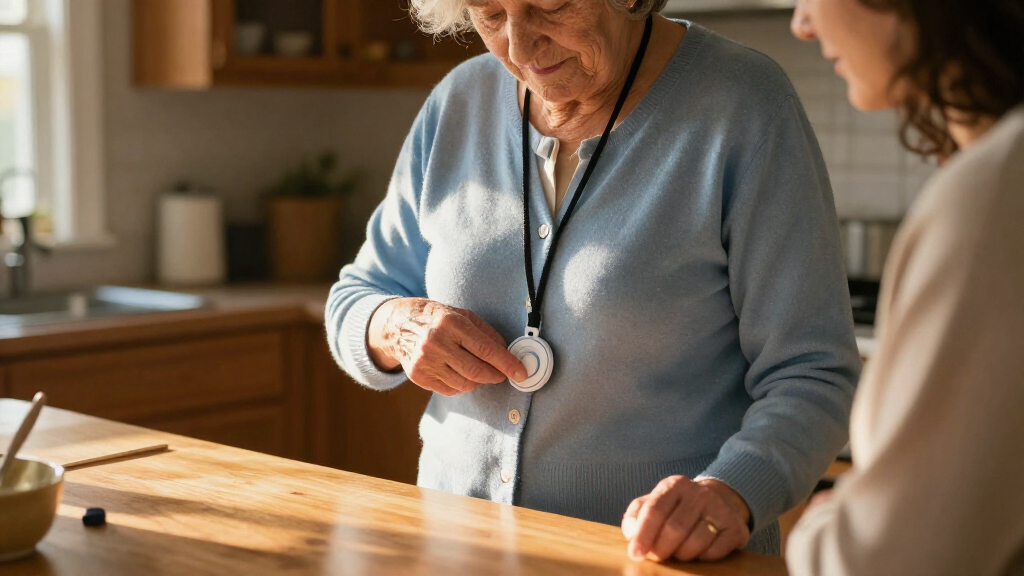
How We Picked
I compared these 15 options by the kind of help they can summon and the situations they cover: professional monitoring, direct emergency calling, or caregiver notification. I also considered whether a system is designed for home use or mobility, whether it lists features such as GPS, fall detection, two-way communication, waterproof buttons, or app alerts, and how much setup and ongoing coordination each approach may require. Since product names and feature listings do not establish service availability or performance in every home, I treat connectivity, response arrangements, and service terms as items buyers should verify.
The ranking favors systems that appear to offer a clearer path to help across more everyday situations, then distinguishes simpler or more specialized devices by who can realistically respond to an alert. Mobile systems rank ahead for independence outside the home, while caregiver pagers are better fits for households with a nearby, available responder. I do not treat an alert button alone as equivalent to a monitored medical alert service; that difference weighs heavily in the order and in the recommendations.
Factors to Consider When Choosing Medical Alert Systems For Seniors
Before choosing a device, decide what happens after the wearer presses the button. The response plan matters as much as the hardware: a caregiver pager, a direct-911 pendant, and a monitored mobile system can all send an alert, but they do not send it to the same person or provide the same support.
Choose the responder before choosing the device
Ask who is expected to answer an alert at every hour the senior may need help. A household pager or app-based system can work well when a caregiver is close, reachable, and willing to respond, but it may leave a gap when that person is asleep, away, or unable to answer. A professionally monitored service routes an alert to a response center, while a direct-calling device depends on the wearer reaching emergency services. Write down the intended response path, including what happens if the first contact does not answer. A common mistake is buying a button because it can send a signal without checking who receives that signal. Choose the alert path that matches actual caregiver availability, not an ideal schedule.
Match home coverage to time spent away
A home receiver or landline-based system may be a sensible fit for someone who spends most of the day at home and has a consistent setup location. Seniors who walk, shop, visit friends, or spend time in a yard need to check whether the service works beyond the home and what network it uses. GPS can help responders locate a wearer, but location support depends on the device, service, and available signal. Ask about coverage where the senior lives and travels, not only whether a product advertises GPS or cellular connectivity. If the wearer rarely leaves home, paying for mobility features may add complexity without solving a real need. If they often go out alone, a home-only pager can create a false sense of coverage.
Treat fall detection as a backup, not a guarantee
Fall detection may help when someone cannot press a button, but it should not be treated as a promise that every fall will be recognized. Movement, wearing position, and the type of fall can affect whether an alert is triggered. Ask whether the feature is included or requires a service arrangement, how an alert is confirmed, and whether the wearer can speak through the device. A manual call button remains useful even when automatic detection is available. Buyers sometimes focus on this feature and overlook whether the system has a reliable person or service to receive the alert. Compare fall detection as one layer of protection alongside a clear response plan.
Check wearability and everyday habits
The best device is one the senior will keep on and can use under stress. Consider whether a pendant, wrist button, watch, or mobile unit fits their comfort, dexterity, clothing, and routine. Waterproofing matters for people who want protection in the shower, a common place for falls, but confirm the exact water-use guidance rather than assuming every component is safe in every setting. Test whether the button is easy to find and press, and whether the wearer can manage charging or battery replacement. A compact device may be easier to carry but can be easier to forget or misplace. Choose around daily habits, then practice using the alert so the response steps are familiar.
Compare connectivity, setup, and ongoing upkeep
Systems may depend on Wi-Fi, a landline, cellular service, or a local receiver, and those requirements shape both setup and reliability at home. Check whether the home network reaches the rooms where the senior spends time and whether a cellular option has coverage in the places they visit. Find out who installs the system, how alerts are tested, and what happens during a power or internet outage. App notifications can be convenient, but they are only useful if a caregiver keeps notifications enabled and responds promptly. Ask how often wearable batteries need charging and whether the wearer can handle that routine independently. Favor a setup that a senior or caregiver can maintain consistently over one with features they are unlikely to use.
Read service terms before paying for extra features
Equipment features and service support are separate parts of the decision. Confirm whether monitoring is included, whether the device needs an active plan, what contacts are called, and how cancellation or equipment returns work. Ask whether fall detection, caregiver apps, or location history involve extra service requirements. A system with more features can be a poor fit if the senior only needs a nearby caregiver alert, while a basic button may fall short for someone who lives alone and needs an always-available response path. Do not judge value by the device alone; account for the support and maintenance the household will actually use. Keep the agreed contact list and response instructions current as family circumstances change.
Frequently Asked Questions
Is a caregiver pager enough for a senior who lives alone?
Usually, a caregiver pager is most useful when another person is close enough to hear or receive the alert and respond quickly. If the senior is alone for long stretches, check whether the product connects to a staffed monitoring service or only notifies a family member or receiver. App alerts also depend on a caregiver having a charged phone, reliable connectivity, and active notifications. For someone who needs a response even when family cannot answer, compare professionally monitored systems or direct emergency-calling options. Decide who will respond before relying on the device.
Should I choose a system with fall detection?
Fall detection can add a layer of support when a wearer cannot press a button, but it is not a substitute for a manual alert or a response plan. Ask how the feature triggers, what happens after an automatic alert, and whether the wearer can communicate with the responder. Check whether fall detection requires a particular device or service plan. If the senior is likely to remove or forget the wearable, the feature may offer little practical help. Weigh it alongside fit, charging habits, connectivity, and the availability of a person to act on alerts.
Can a home medical alert system work outside the house?
Some systems are designed for mobile use and list GPS or cellular connectivity, while home receivers and many caregiver pagers are intended for a limited area. Product wording alone does not confirm coverage on a particular street, in a building, or during travel. Ask the provider where the service works, which network it uses, and whether the device needs a connection to a home base. If the senior regularly leaves home alone, a mobile system is usually a better starting point than a home-only button. Test the device in the places the wearer visits most often.
What should I check if the senior has no landline or unreliable Wi-Fi?
Start by identifying which connection the system needs: landline, Wi-Fi, cellular service, or a local receiver. A landline device may not fit a home without a phone line, and an app-based alert can fail as a practical choice if internet access or caregiver phone service is inconsistent. Cellular systems still depend on coverage in the home and the senior’s regular travel area. Ask how the device behaves during a power, internet, or network outage and whether there is a backup method. Choose a connection the household can maintain, then test it in the rooms where help may be needed.
When is direct 911 calling a better fit than professional monitoring?
Direct 911 calling may suit someone who can use the device, communicate clearly, and wants a straightforward route to emergency services. Professional monitoring can be a better fit for a wearer who may need help explaining the situation, contacting listed people, or getting assistance when family is unavailable. Compare the actual call flow rather than assuming that every alert button contacts emergency responders in the same way. Ask what happens if the wearer cannot speak, whether location information is shared, and who follows up after the call. The right choice depends on the senior’s communication needs and the support available nearby.
Conclusion
For a balanced mobile option, I would start with the Medical Guardian MGMini as this roundup’s best overall pick, then compare its service and coverage details with the senior’s routine. The FullHouse Wireless Caregiver Pager is my best value-style choice for a household that mainly needs a simple way to alert someone nearby, while ADT On-The-Go is a best premium candidate for buyers seeking a branded mobile emergency-alert option and willing to verify its service details. For beginners, I would begin with a straightforward home pager such as FullHouse or the Waterproof Medical Alert System with Necklace and Wrist Buttons, provided a dependable caregiver can respond. For seniors who go out alone, compare mobile choices such as Bay Alarm Medical SOS Mobile GPS, SecuLife, and Safety+ by coverage, monitoring, and wearability; for direct emergency calling, review 911 Help Now or Freedom Alert. The right pick is the one whose alert reaches a responder the senior can count on, in the places they actually need coverage.