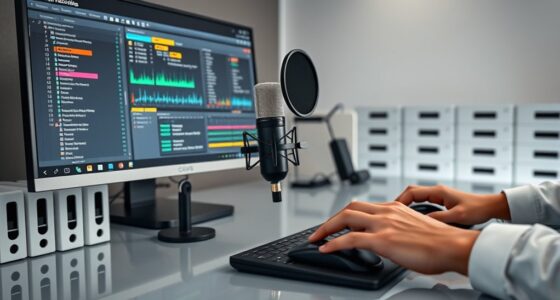
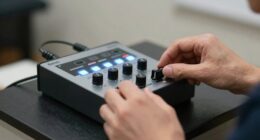
To build a reliable redundant recording chain, start by recording directly into your main DAW while simultaneously using an external recorder or backup software. Employ multiple devices, like secondary interfaces or portable recorders, to safeguard against glitches. Use high-quality cables and monitor the audio throughout the session to catch issues early. Make certain your setup is organized and tested beforehand, and keep backup copies of your session data. Keep going to discover more essential tips for foolproof client recordings.
Key Takeaways
- Record simultaneously into your DAW and an external backup device to ensure data redundancy.
- Use multiple recording devices, like a secondary recorder or audio interface, to capture the session.
- Maintain complete, organized copies of all recordings and session files for quick recovery.
- Continuously monitor audio quality during recording to detect issues early and prevent data loss.
- Implement automatic backup routines and verify backups regularly to protect against data corruption or failure.
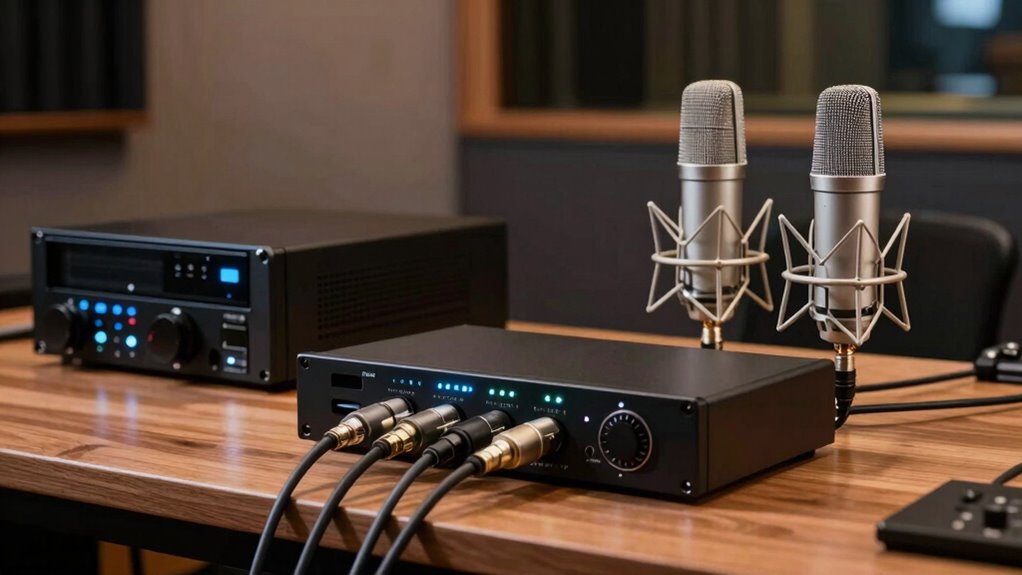
Creating a reliable recording chain is vital when working with clients, especially to prevent data loss during critical projects. Your goal is to guarantee that every sound you capture is preserved with pristine audio quality, no matter what. To do that, you need to carefully plan your equipment setup, making sure each component works seamlessly together and has backups ready if something fails. Start by selecting high-quality microphones suited for your recording environment, as the right mic can dramatically improve audio quality. Use professional-grade audio interfaces to connect your microphones to your computer or recording device, ensuring clean, low-noise signals. Position your gear in a way that minimizes interference and maximizes clarity, and double-check all connections before starting your session.
Once your equipment setup is solid, think about redundancy. You might record directly into your primary DAW but also set up a secondary recording path, such as an external recorder or a backup recording software. This way, if one system encounters a glitch or crashes, you still have a complete copy of the session. Employing multiple recording devices isn’t just a safeguard; it also helps maintain the integrity of your audio quality. When you’re monitoring, use high-quality headphones or studio monitors to catch any issues immediately, so you can adjust on the fly if necessary. Listening critically during the process ensures your audio remains crisp and free of unwanted noise or distortion.
Implement multiple recording devices and high-quality monitoring to ensure flawless, reliable audio during every session.
Maintaining a structured equipment setup reduces the chances of technical errors. Use surge protectors and uninterruptible power supplies (UPS) to prevent power outages from interrupting your recordings. Regularly test your gear before critical sessions to identify any flaws or potential points of failure. Keep spare cables, microphones, and batteries handy—these small measures can save you from significant setbacks. When recording, set your levels carefully to avoid clipping while capturing enough dynamic range. Proper gain staging is essential to preserve audio quality; avoid pushing levels too high or letting them drop too low. Additionally, understanding audio levels and gain staging is crucial for maintaining optimal sound quality throughout the recording process. Implementing a power backup system can also prevent interruptions caused by power failures.
Furthermore, implementing a clear file organization system for your recordings helps streamline workflow and simplifies troubleshooting if issues arise. Finally, document your setup and procedures so that anyone involved understands the process. This documentation helps maintain consistency and ensures that your redundant system functions smoothly every time. Building a redundant recording chain isn’t just about having multiple devices; it’s about creating a dependable, high-quality process that guarantees your client’s data stays safe and intact, no matter what technical challenges arise. With a well-planned equipment setup and robust backup strategies, you can confidently deliver professional results every time.

136GB Digital Voice Recorder with Playback,9000 Hours Audio Recording Device,Voice Activated Recorder with Noise Reduction,A-B Repeat,Mp3 Player and Password for Lectures Meeting/Classes/Interviews
【PCM Recording and Automatic Noise Reduction】:This digital voice recorder is equipped with advanced dual noise reduction microphones and…
As an affiliate, we earn on qualifying purchases.
As an affiliate, we earn on qualifying purchases.
Frequently Asked Questions
What Equipment Is Essential for a Redundant Recording Chain?
You need essential equipment like backup power sources, such as uninterruptible power supplies (UPS), to prevent recording interruptions. Signal routing equipment, like patch bays and audio interfaces, guarantees seamless switching between primary and backup systems. Additionally, use redundant recording devices or software, quality cables, and monitoring tools. This setup ensures your recordings stay intact, even if a component fails, maintaining professional quality and client trust throughout your project.
How Much Does a Redundant Recording Setup Typically Cost?
A redundant recording setup can cost anywhere from a few hundred to several thousand dollars, depending on your equipment and quality levels. You’ll need backup protocols in place to guarantee data safety, like automatic backups, and a reliable power supply with surge protectors and backup power sources. Investing in quality hardware and proper power management minimizes risks of data loss, making your recording process more secure and dependable.
Can I Upgrade an Existing Recording Chain to Be Redundant?
Yes, you can upgrade your existing recording chain to be redundant. Start by adding backup synchronization tools to guarantee your recordings automatically duplicate to secondary devices or cloud storage. This improves system reliability and minimizes data loss. You might need to upgrade hardware or software components, but many systems support modular upgrades. Regularly test your backup and synchronization processes to confirm your setup remains reliable during critical client work.
How Do I Test My Redundant Recording System?
Imagine losing critical recordings—scary, right? To test your redundant system, start by simulating recording sessions, then monitor your backup strategies and signal routing. Check if all channels record simultaneously and if backups kick in seamlessly during a failure. Play back the recordings from both primary and backup paths, ensuring consistency. Regular testing confirms your redundancy works smoothly, giving you confidence in safeguarding your client work against unexpected issues.
What Are Common Pitfalls When Designing a Redundant Chain?
When designing a redundant chain, you might overlook backup strategies that guarantee system resilience. Common pitfalls include not testing failover processes regularly, relying on single points of failure, or underestimating hardware limitations. To avoid these issues, implement diverse backup strategies, monitor system performance, and conduct routine failover drills. This approach guarantees your recording system remains resilient, minimizing downtime and safeguarding client work effectively.

Focusrite Scarlett Solo 3rd Gen USB Audio Interface for Guitarists, Vocalists, Podcasters or Producers to record and playback studio quality sound
Pro performance with great pre-amps – Achieve a brighter recording thanks to the high performing mic pre-amps of…
As an affiliate, we earn on qualifying purchases.
As an affiliate, we earn on qualifying purchases.
Conclusion
By building a redundant recording chain, you guarantee reliability, safeguard quality, and boost confidence in your client work. You set up backups, test systems, and stay prepared for any technical hiccup. You create peace of mind, maintain professionalism, and deliver consistent results. Ultimately, you protect your reputation, streamline your process, and elevate your craft. Keep these steps in mind, stay vigilant, and watch your recording workflow become more resilient, more efficient, and more successful.

Audio-Technica ATH-M50X Professional Studio Monitor Headphones, Black, Professional Grade, Critically Acclaimed, with Detachable Cable
Critically acclaimed sonic performance praised by top audio engineers and pro audio reviewers
As an affiliate, we earn on qualifying purchases.
As an affiliate, we earn on qualifying purchases.

Focusrite Scarlett Solo 4th Gen USB Audio Interface, for the Guitarist, Vocalist, or Producer — High-Fidelity, Studio Quality Recording, and All the Software You Need to Record
The new generation of the songwriter's interface: Plug in your mic and guitar and let Scarlett Solo 4th…
As an affiliate, we earn on qualifying purchases.
As an affiliate, we earn on qualifying purchases.